The SaaS industry is highly competitive. Customers have plenty of software solutions to choose from, and they often want to understand how a product works before making a purchase decision. This is why many Software-as-a-Service (SaaS) companies offer online product demonstrations. However, managing demo requests manually can create unnecessary delays. Sales teams must respond to inquiries, coordinate calendars, confirm meeting times, and follow up with potential customers. These repetitive tasks can slow down the sales process and create a frustrating experience for prospects.
A Demo Booking System helps SaaS companies simplify this process by allowing potential customers to schedule product demonstrations online. Instead of exchanging multiple emails, prospects can select an available time that works for them. In this article, we will explore why SaaS companies offer online demo booking, how it supports lead generation and sales, which features matter most, and how the right scheduling solution can improve the customer experience.
What Is a Demo Booking System?
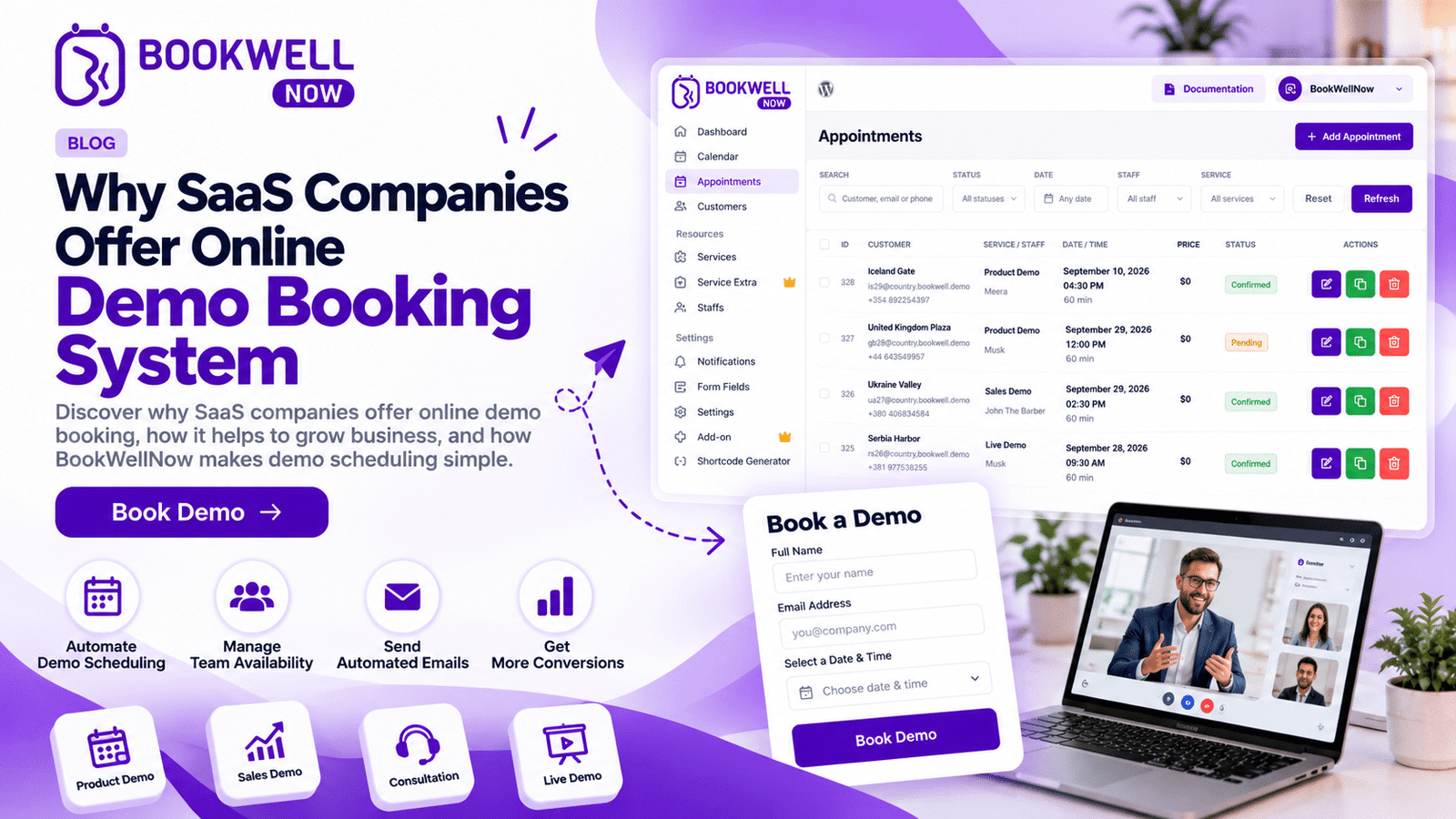
A demo booking system is an online scheduling solution that allows potential customers to book product demonstrations, sales consultations, or introductory meetings with a company. For SaaS businesses, it connects interested prospects with sales representatives without requiring lengthy manual coordination.
Depending on the solution, a demo booking system may provide:
- Online appointment scheduling
- Staff availability and calendar management
- Booking confirmation notifications
- Automated appointment reminders
- Rescheduling and cancellation options
- Website booking forms
- Integration with other business tools
For example, imagine a SaaS company that offers project management software. A visitor explores its website, wants to see the platform in action, and clicks a “Book a Demo” button. The visitor chooses an available time and submits the booking form. The sales team receives the appointment details and can prepare a relevant product demonstration. This makes the process easier for both the prospect and the business.
Why Do SaaS Companies Offer Online Demo Booking?
Online demo booking is more than a convenient scheduling feature. It can support the entire journey from initial interest to a qualified sales conversation.
1. To Generate More Qualified Leads
SaaS companies invest in content marketing, search engine optimization, paid advertising, email marketing, and social media to attract potential customers. But website traffic alone does not guarantee business growth. Companies also need ways to turn interested visitors into meaningful sales opportunities. An online demo booking system gives visitors a clear next step when they want to learn more about a product. Instead of asking prospects to send an email and wait for a response, companies can let them schedule a meeting directly. A well-designed booking form can also collect relevant information, such as company size, business requirements, or the type of solution a prospect needs. This information helps sales teams prepare for more relevant conversations.
Business benefit: A smoother path from website visitor to sales conversation.
2. To Reduce Scheduling Delays
Traditional demo scheduling often involves several messages between a prospect and a sales representative. A representative might suggest three possible times, wait for a reply, discover a calendar conflict, and start the process again. These small delays add friction to the customer journey. A demo booking system displays available appointment slots and allows visitors to choose a suitable time themselves. Once a booking is completed, the relevant appointment details can be shared automatically. This reduces repetitive administrative work and makes it easier for prospects to move forward.
Business benefit: Less time spent coordinating meetings and more time available for customer conversations.
3. To Improve the Customer Experience
Modern software buyers expect digital experiences to be straightforward. They want to find information, evaluate solutions, and take action without unnecessary obstacles. An online demo scheduling experience supports these expectations by allowing prospects to book at a convenient time.
A good booking journey should have:
- A clear and visible booking button
- A simple form with relevant fields
- Easy-to-understand available time slots
- A mobile-friendly interface
- Clear confirmation after booking
- Helpful reminders before the appointment
When the scheduling process feels effortless, prospects can focus on evaluating the software rather than figuring out how to arrange a meeting.
Business benefit: A more convenient and professional first interaction with the company.
4. To Increase Sales Team Productivity
Sales representatives should spend their time understanding customer needs, demonstrating product value, and answering questions. However, manual scheduling and appointment administration can consume valuable working hours. A demo booking system can automate repetitive tasks such as appointment confirmations, reminders, and availability management, depending on the features offered by the software. This helps teams establish a more consistent process for managing demo appointments. For growing SaaS businesses, reducing manual work can make scheduling easier to manage as the volume of inquiries increases.
Business benefit: More time for sales activities and less repetitive administrative work.
5. To Capture High-Intent Website Visitors
Not every website visitor is ready to speak with a sales team. Some are researching solutions, while others are comparing different products. Visitors who actively seek a product demonstration may be showing stronger purchase intent than those who only browse informational pages. A visible “Book a Demo” call to action gives these visitors an immediate way to take the next step. Companies can place booking links on relevant pages, including product pages, pricing pages, feature pages, and high-intent landing pages. The goal is to make scheduling available when prospects are ready, rather than forcing them to search for contact information.
Business benefit: A direct conversion path for visitors interested in evaluating the product.
6. To Reduce No-Shows With Automated Reminders
Missed appointments waste time and can interrupt a sales team’s workflow. Automated reminders help prospects remember their scheduled meetings. Depending on the booking solution, reminders can be sent through email or other supported notification channels. A useful reminder may include the appointment date, time, meeting instructions, and a way to reschedule if plans change. Confirmation messages also help prospects keep track of their bookings. Reminders cannot eliminate every no-show, but they can help establish a more reliable appointment process.
Business benefit: Better appointment communication and potentially fewer missed meetings.
7. To Scale Demo Scheduling as the Business Grows
A startup might initially manage demo requests through email or a shared calendar. As the business expands, this approach can become difficult to maintain. More website visitors, sales representatives, product lines, and time zones can make scheduling increasingly complicated. An appropriate demo booking system provides a more structured way to manage appointment availability and booking information. Depending on the business’s requirements, it may support multiple team members, different appointment types, booking rules, and integrations with existing tools. SaaS companies should select a solution that fits their current needs while allowing room for future growth.
Business benefit: A more organized scheduling process as the business develops.
Essential Features to Look for in a Demo Booking System
Not every booking tool offers the same capabilities. SaaS companies should prioritize features that solve their actual scheduling and customer-management problems.
Online Booking Forms
A booking form collects the information needed to arrange a product demonstration. Keep forms concise and ask only for information that helps the team schedule or prepare for the meeting. Excessive fields can discourage visitors from completing a booking.
Availability and Calendar Management
The system should make it easy to define available appointment times and prevent avoidable scheduling conflicts. Calendar synchronization, where supported, can help teams coordinate their availability.
Automated Confirmations and Reminders
Confirmation messages reassure prospects that their appointments have been scheduled. Reminders provide useful information before the meeting. Look for notification options that fit your team’s communication workflow.
Mobile-Friendly Scheduling
Prospects may visit your website from smartphones, tablets, or desktop computers. The booking experience should be easy to use across screen sizes, with readable text, accessible controls, and a straightforward form.
Website Integration
A booking system should fit naturally into the company’s website. This may involve an embedded booking form, a booking page, or a call-to-action button that directs visitors to the scheduling experience. For businesses using WordPress, a compatible appointment booking plugin can be a practical option.
Customizable Appointment Types
Some SaaS businesses offer several meeting formats, such as introductory calls, technical demonstrations, onboarding sessions, or consultations. A system that supports different appointment types can help organize these interactions according to the team’s workflow.
Reporting and Integrations
As demo volume increases, businesses may want to understand booking activity and connect scheduling with other tools. Depending on the solution, useful capabilities may include reporting, CRM integrations, analytics integrations, or workflow automation. Before choosing a platform, confirm which features are included and which require a paid plan or an additional integration.
How to Add a Demo Booking System to a SaaS Website
Implementing online demo scheduling does not need to be complicated. A clear process helps businesses create a useful booking experience.
Step 1: Define Your Demo Booking Goal
Decide what you want visitors to book. For example, your primary goal may be a product walkthrough, a sales consultation, or a technical demo. A clear goal helps determine the form fields, appointment duration, and booking workflow.
Step 2: Choose the Right Scheduling Solution
Compare available tools based on your website platform, required features, budget, integrations, and expected booking volume. If your website runs on WordPress, evaluate appointment booking plugins that fit your technical requirements.
Step 3: Configure Your Availability
Set appropriate appointment durations, available days, time slots, and any required scheduling rules. Make sure your booking process reflects the team’s real availability.
Step 4: Create a Simple Booking Form
Collect essential information such as the prospect’s name, email address, and relevant business requirements. Avoid asking unnecessary questions that create friction.
Step 5: Add Clear Calls to Action
Place a visible “Book a Demo” button on pages where visitors are likely to want a demonstration. Use descriptive calls to action rather than vague labels that do not communicate what happens next.
Step 6: Test the Complete Booking Journey
Before publishing, test the process on desktop and mobile devices. Check form submissions, time-slot availability, confirmation messages, reminders, and rescheduling options where available.
Step 7: Measure and Improve Performance
Track relevant metrics, including booking-form visits, completed bookings, attendance rates, qualified demo requests, and demo-to-customer conversions. Use the results to identify friction points and improve the scheduling experience over time.
How a Demo Booking System Supports SaaS Growth
A demo booking system can contribute to growth by making it easier for interested prospects to engage with a business. Its impact is strongest when scheduling is part of a broader conversion strategy. For example, a SaaS company might attract visitors through SEO content about a common industry problem. The article explains possible solutions and links to a relevant product page. Visitors who want to explore the software can then book a demonstration.
This creates a connected customer journey:
Organic traffic → Useful content → Product interest → Demo booking → Sales conversation → Potential customer
Each stage has a different purpose. Content attracts and educates visitors, product pages explain the solution, and booking tools make it easier to arrange a conversation. The booking system supports this process, but actual business results also depend on lead quality, product-market fit, pricing, the sales experience, and follow-up.
Why WordPress-Based SaaS Businesses May Consider a Booking Plugin
Some SaaS businesses operate marketing websites on WordPress and want to manage appointment scheduling without building a booking workflow from scratch. In these situations, a WordPress appointment booking plugin may be worth considering. A suitable plugin can help businesses add booking functionality to an existing website while maintaining control over their website content and customer journey.
Before choosing one, evaluate:
- Compatibility with your WordPress setup
- Available booking and calendar features
- Customization options
- Notification capabilities
- Integration requirements
- Pricing and ongoing support
- Ease of installation and maintenance
The right choice depends on whether your business needs a simple demo calendar, a more advanced team scheduling workflow, or a broader appointment management system.
How BookWellNow Can Fit Into Your Booking Workflow
If your business website uses WordPress and you want to provide a more organized appointment scheduling experience, BookWellNow is an option to explore. An appointment booking plugin can help you add a structured booking journey to your website rather than relying entirely on manual appointment coordination. Before selecting BookWellNow for SaaS demo scheduling, review its current feature set, compatibility, and pricing to confirm that it supports your particular workflow. Consider how the plugin could fit into your existing website, what information you need to collect from prospects, and how you want to manage appointment availability and customer communication.
Frequently Asked Questions
What is a demo booking system?
A demo booking system is a scheduling tool that allows prospective customers to book product demonstrations or sales meetings online by selecting an available appointment time.
Why do SaaS companies offer online demo booking?
SaaS companies use online demo booking to simplify scheduling, make it easier for prospects to engage with their sales teams, reduce manual coordination, and create a more convenient product evaluation process.
How does a demo booking system help generate leads?
It gives interested website visitors a direct way to schedule a conversation. Booking forms can also collect relevant information that helps sales teams evaluate and prepare for prospective customers.
What features should a demo scheduling tool include?
Important features may include online booking forms, availability management, confirmation notifications, reminders, mobile-friendly scheduling, website integration, and reporting. The ideal feature set depends on the company’s workflow.
Can I add a demo booking system to a WordPress website?
Yes. A compatible WordPress appointment booking plugin can add scheduling functionality to a website. Check the plugin’s current features and requirements before installing it.
Is a demo booking system suitable for small SaaS startups?
Yes. Startups can benefit from a more organized booking process, especially when they want to reduce manual scheduling work. The best solution depends on their budget, appointment volume, and technical requirements.
How can SaaS companies improve demo booking conversions?
Use a clear call to action, keep booking forms short, display accurate availability, provide a mobile-friendly experience, explain what prospects will receive during the demo, and monitor completed bookings to identify opportunities for improvement.
Conclusion
Online demo booking has become a useful part of the customer journey for SaaS businesses that want to make product evaluation easier. A well-configured demo booking system can reduce scheduling friction, support lead generation, improve appointment communication, and help sales teams manage their time more effectively. For SaaS founders, the key is to choose a scheduling solution that fits their website, business process, and growth goals. If your website runs on WordPress, explore whether BookWellNow can support your appointment scheduling needs. Review the available features, test the booking experience, and choose a workflow that makes it easier for potential customers to take the next step.
Install BookWellNow and start building a more convenient way for clients to book consultations.