Step-by-Step Booking Wizard
Guide customers from service selection to booking confirmation.
Learn moreDiscover powerful tools to manage appointments, staff, payments, and customer experiences—all in one simple WordPress booking solution.
A closer look at the tools that keep your bookings moving.
Guide customers from choosing a service to confirming their appointment.
Explore Step-by-Step Booking Wizard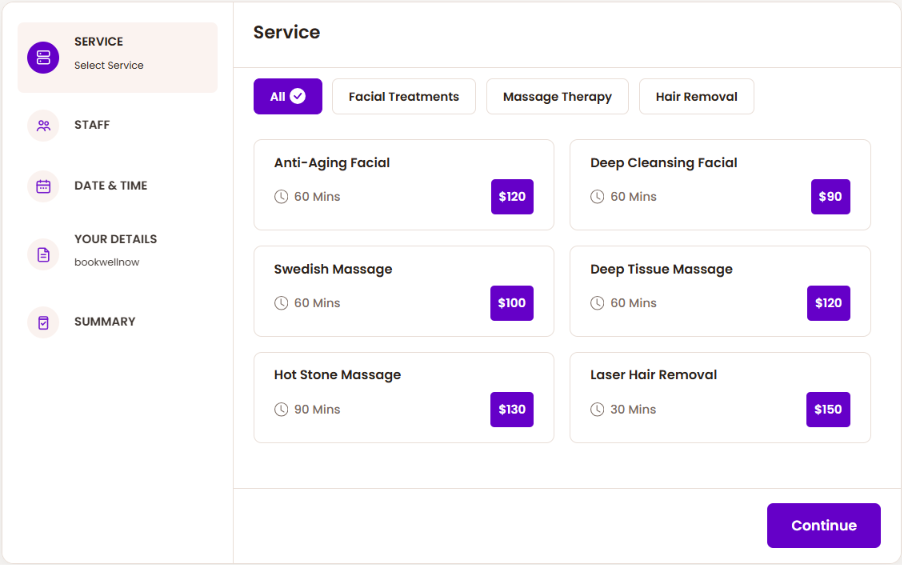
Bring appointments together in a calendar that makes the day easier to manage.
Explore Booking Calendar View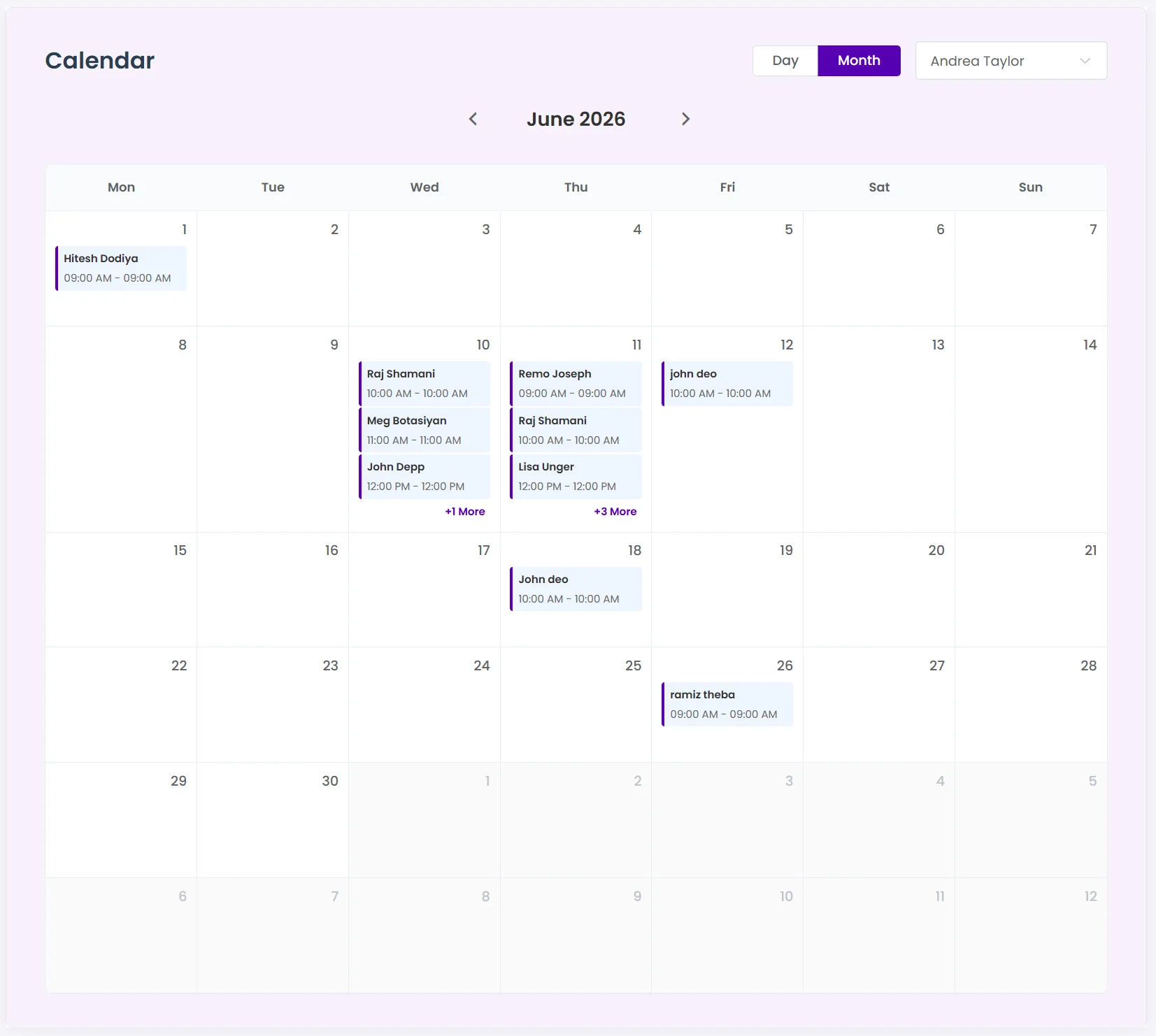
Give each staff member a schedule that fits the way they work.
Explore Unlimited Staff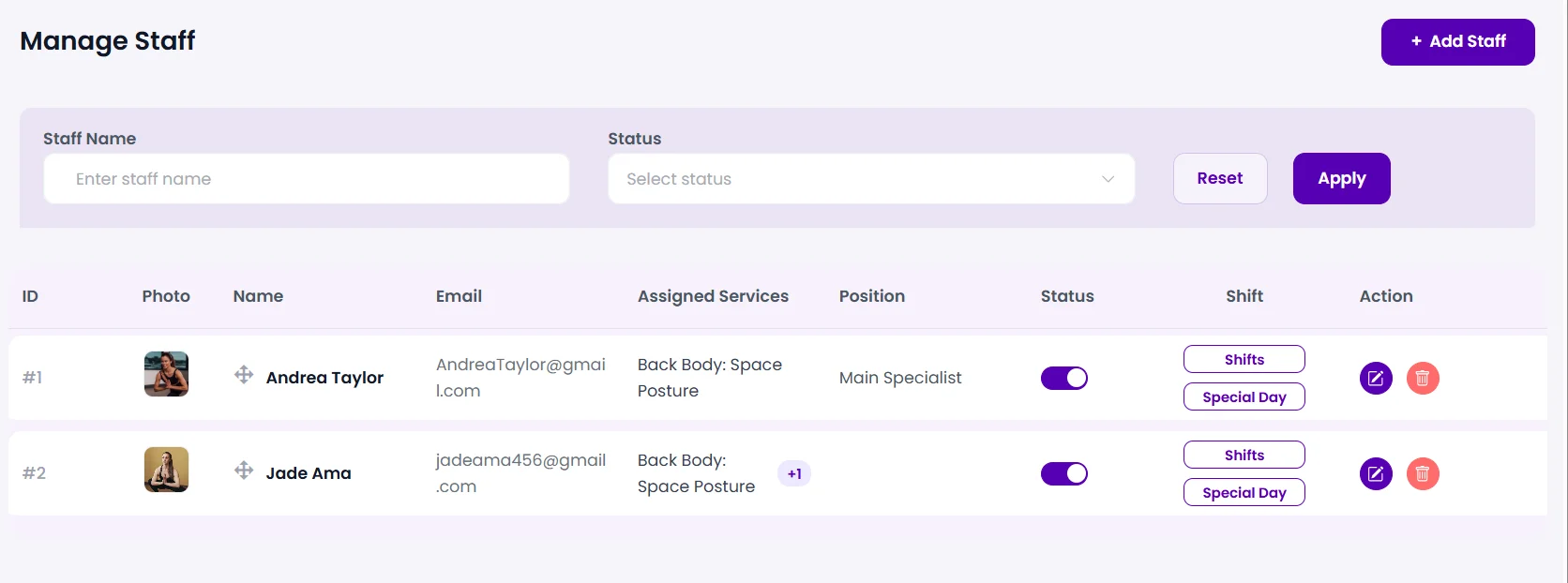
A dedicated place to view their bookings and manage permitted actions.
Explore this capabilityOffer PayPal, Stripe, Mollie, or supported WooCommerce gateways for booking payments.
Explore this capabilityCreate Zoom meeting links for your configured online services.
Explore this capabilityOne connected journey for your customers.
Find the tools you need to simplify scheduling and grow your business.
Showing all 35 features
Guide customers from service selection to booking confirmation.
Learn moreGrow your service menu and appointments without a per-service license limit.
Learn moreSee appointments in calendar views and organize the working day.
Learn moreReview the day’s appointments and availability from the dashboard.
Learn moreOpen the booking flow from a button placed on your website.
Learn moreLet eligible customers choose a new time for their appointment.
Learn moreReserve more than one place with quantity limits and pricing controls.
Learn moreManage shared service capacity for group appointments.
Learn moreOffer appointments in shifts that continue into the next day.
Learn moreSet service durations in days for longer bookings.
Learn moreApply appointment status changes to selected bookings together.
Learn moreBring your team into the schedule without per-staff licensing limits.
Learn moreSet weekly working hours and break periods for each staff member.
Learn moreConfigure staff shifts and keep available appointment times accurate.
Learn moreUse special days and days off to block unavailable dates.
Learn moreReserve preparation or recovery time around an appointment.
Learn moreGive staff a frontend workspace for permitted booking tasks.
Learn moreKeep private administrative notes alongside appointments.
Learn moreLet customers view booking history and manage allowed actions.
Learn moreCollect the additional details your services need at booking time.
Learn moreSend built-in appointment status emails to customers and staff.
Learn moreSchedule emails before or after appointments with configurable timing.
Learn moreOffer booking discounts with targeting and usage controls.
Learn moreProtect booking submissions with native one-use form tokens.
Learn moreTranslate supported plugin strings and customize booking labels.
Learn moreReview performance considerations for your hosting and booking setup.
Learn moreInspect payment and email logs while troubleshooting bookings.
Learn moreApply preset booking-form colors and refine the appearance.
Learn moreOffer optional service additions with pricing and duration rules.
Learn moreTry a different search or explore the full library.
Each guide includes setup requirements and availability. Performance depends on your website configuration.
Spend less time managing appointments and more time growing your business.