Dashboard
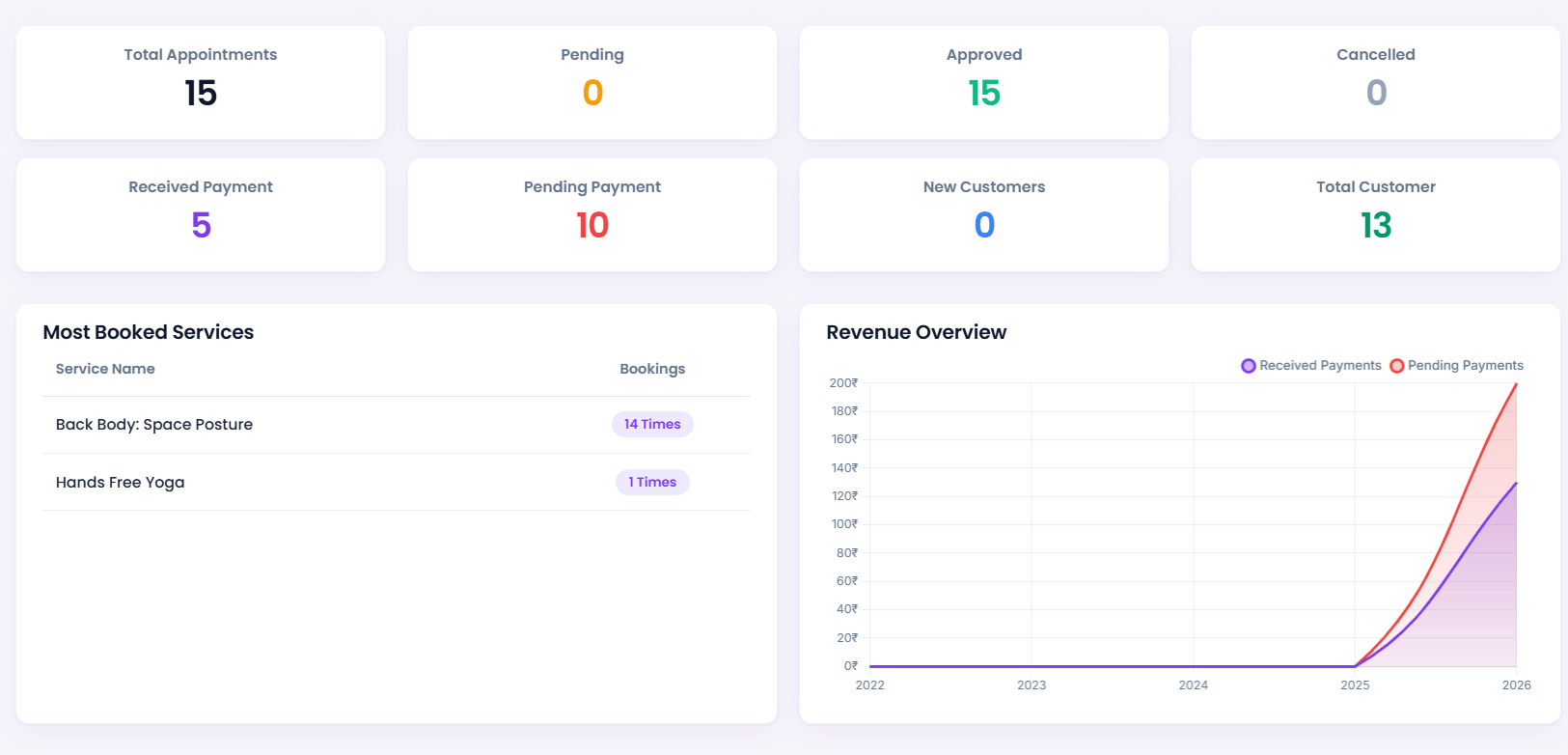
The BookWell Dashboard is a high-performance analytics center. It provides a real-time visual overview of your salon or clinic performance, appointment logs, customer lists, and payment statuses.
Step 1: Access the Dashboard Screen
To view your live performance tracking, navigate to BookWellNow → Dashboard in your WordPress sidebar. The layout is optimized to look clean, minimalist, and easy to read.
Step 2: Explore Live Overview Statistics
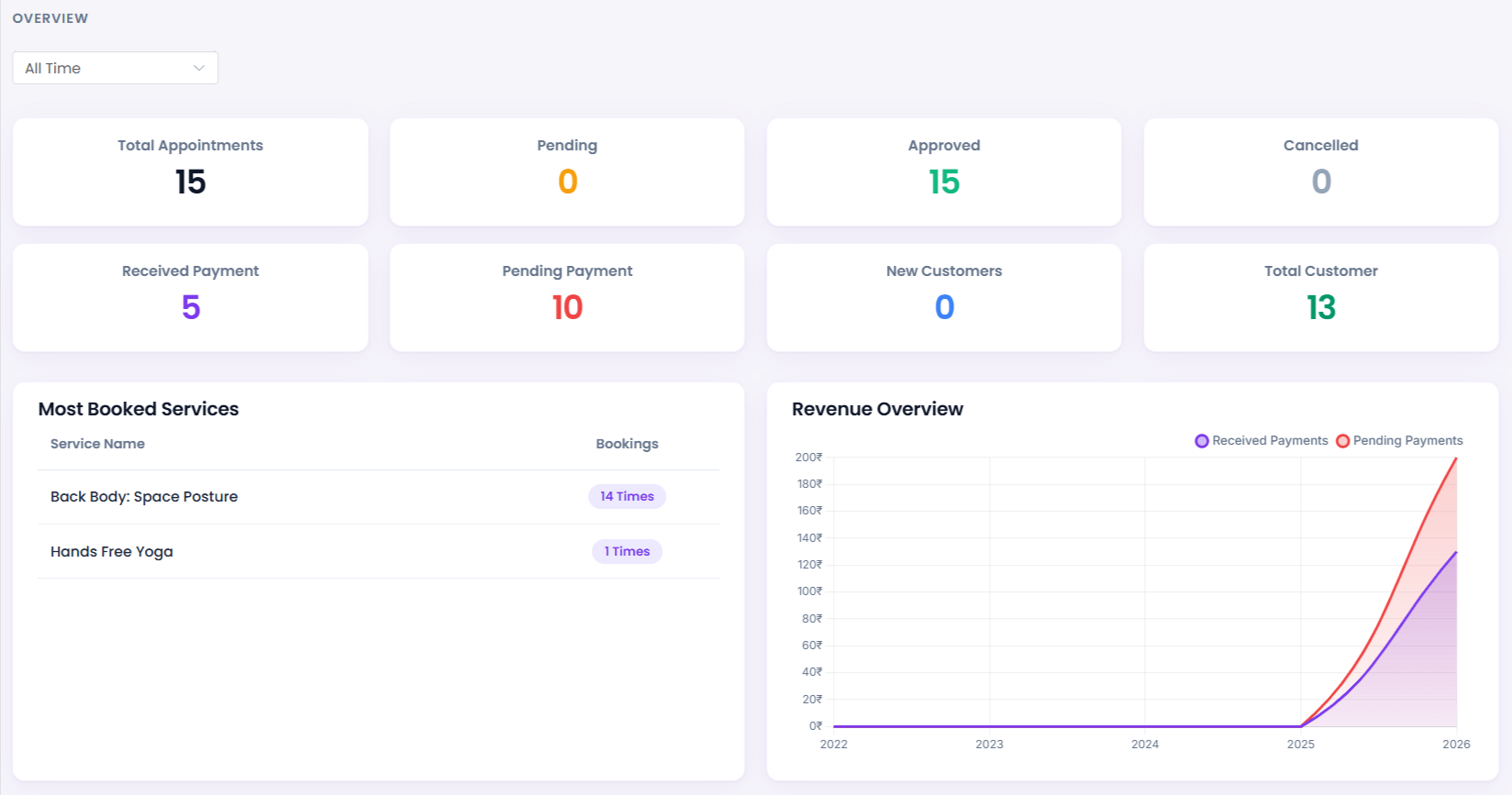
The dashboard displays important KPI statistics cards for your selected reporting period (e.g. This Month, Last 30 Days):
- Total Appointments: All appointment slots booked by customers.
- Pending Approvals: Bookings waiting for manual staff confirmation.
- Revenue Charts: Received payments versus pending outstanding balances.
- New Customers: Growth numbers showing first-time visitors.
ℹ System Notice: Stats cards update instantly when customer appointments are approved, keeping your team perfectly synchronized.
Step 3: Manage the Day Timeline Preview
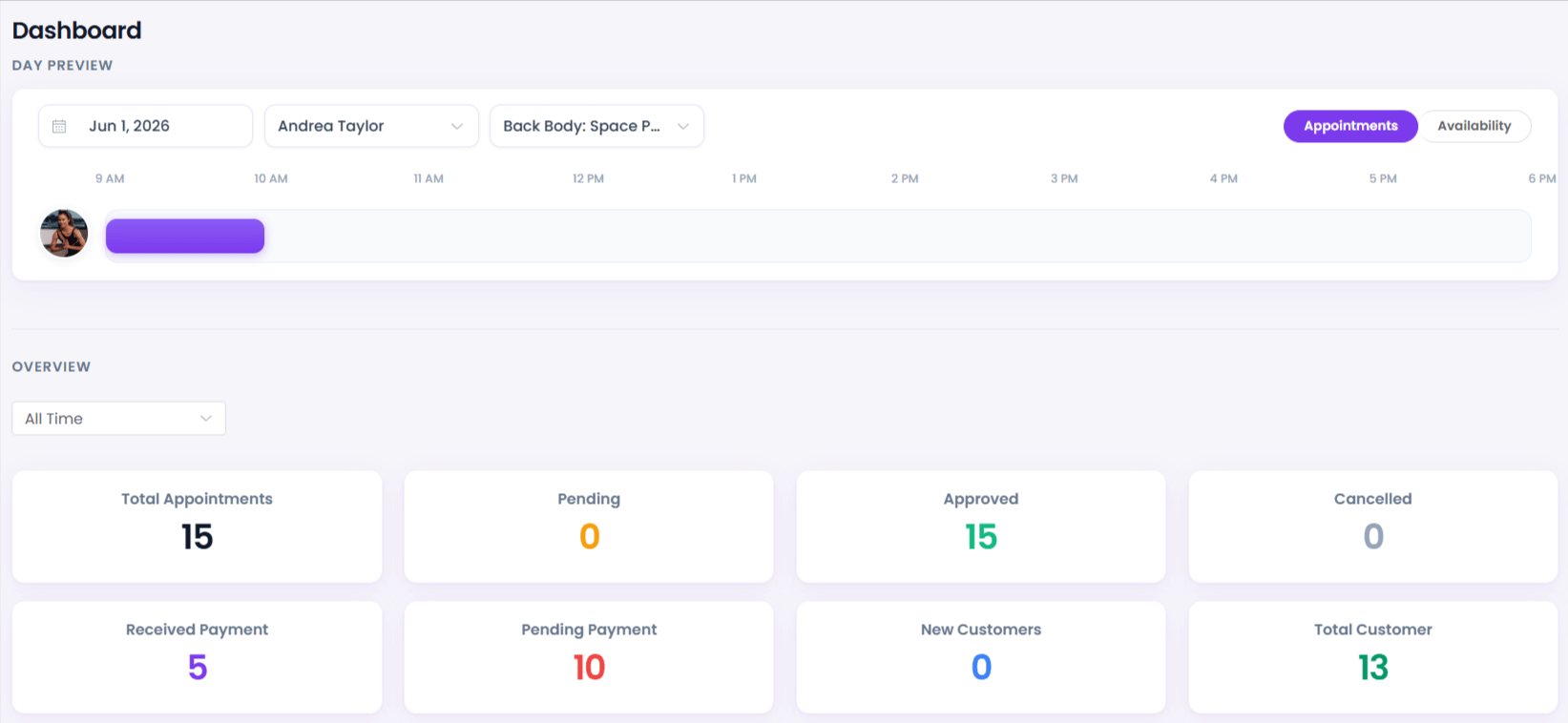
The Day Preview panel displays a live timeline of your employees and booking shifts for any selected calendar date. You can filter the view by specific Staff Members or Services to easily manage slot allocations.
Step 4: Analyze Revenue & Popular Services
Scroll down to inspect your financial reports. The interactive bar chart illustrates income trends, while the “Most Booked Services” table highlights your top-performing salon or medical services at a glance.