Working Hours Settings
allow you to set your business availability for appointments and bookings. From here, you can configure your general working hours, add break hours, and manage staff availability to ensure appointments are scheduled during your business hours.
Features
- Set individual working hours for each staff member.
- Configure different schedules for each day of the week.
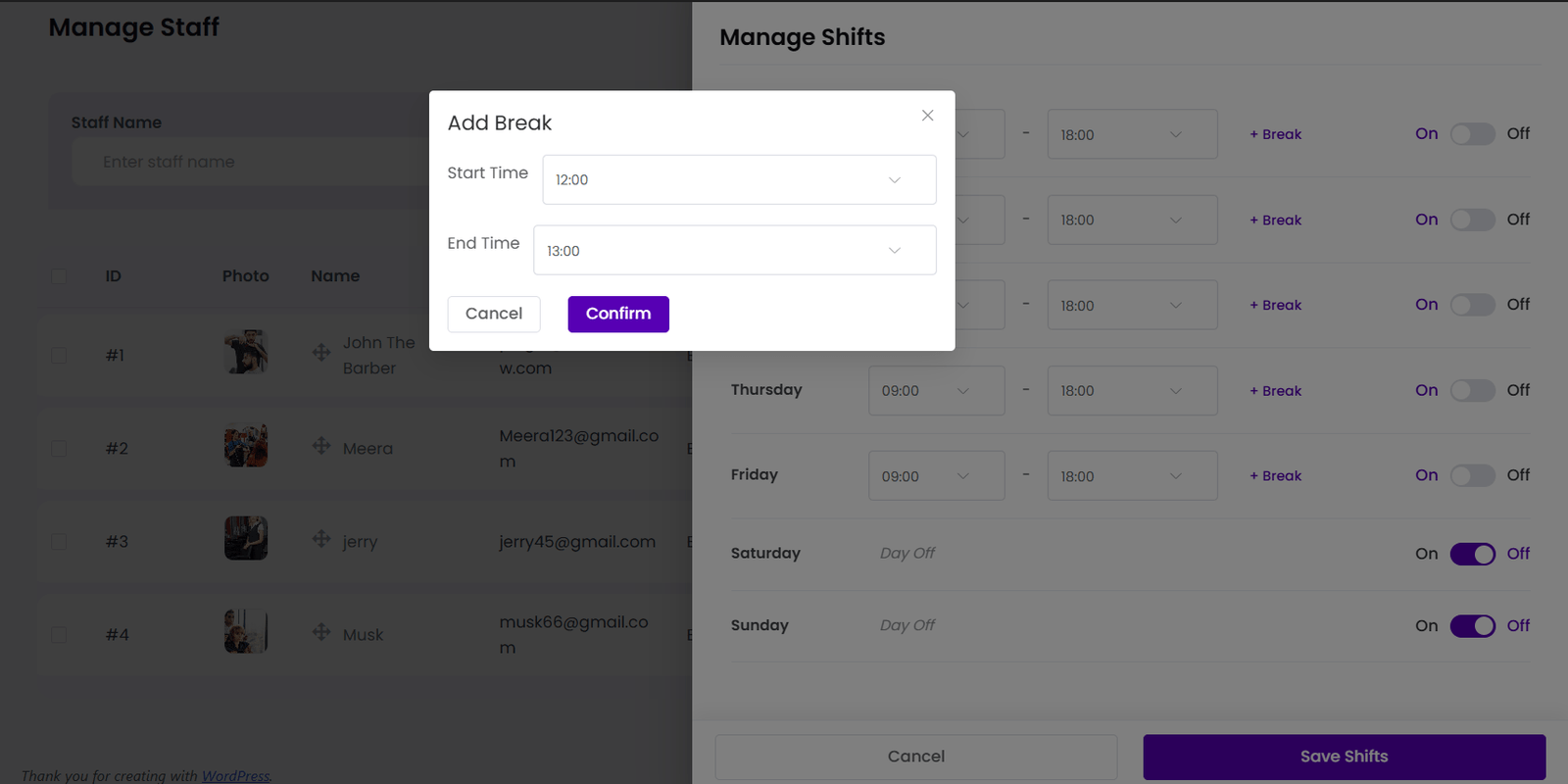
- Add multiple break periods within a shift.
- Mark specific days as Day Off.
- Enable or disable staff availability using the On/Off toggle.
- Save custom schedules for accurate appointment booking.
Steps to Configure Staff Shifts
- Go to Staff from the BookWellNow dashboard.
- Find the staff member and click the Shifts button.
- Set the Start Time and End Time for each working day.
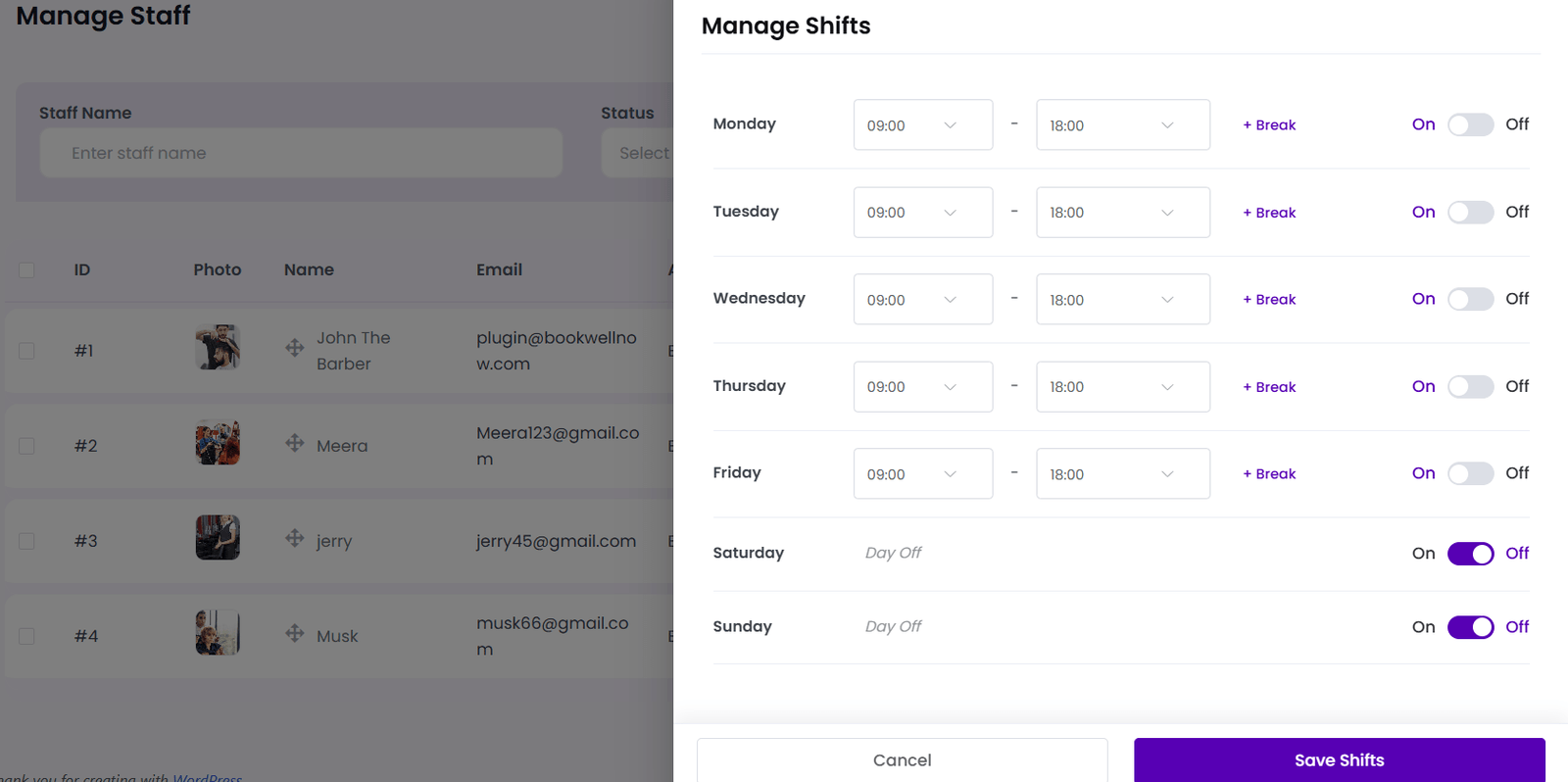
- Click + Break to add one or more break periods during the shift.
- Use the On/Off toggle to enable or disable availability for each day.
- Mark non-working days as Day Off.
- Click Save Shifts to apply the changes.