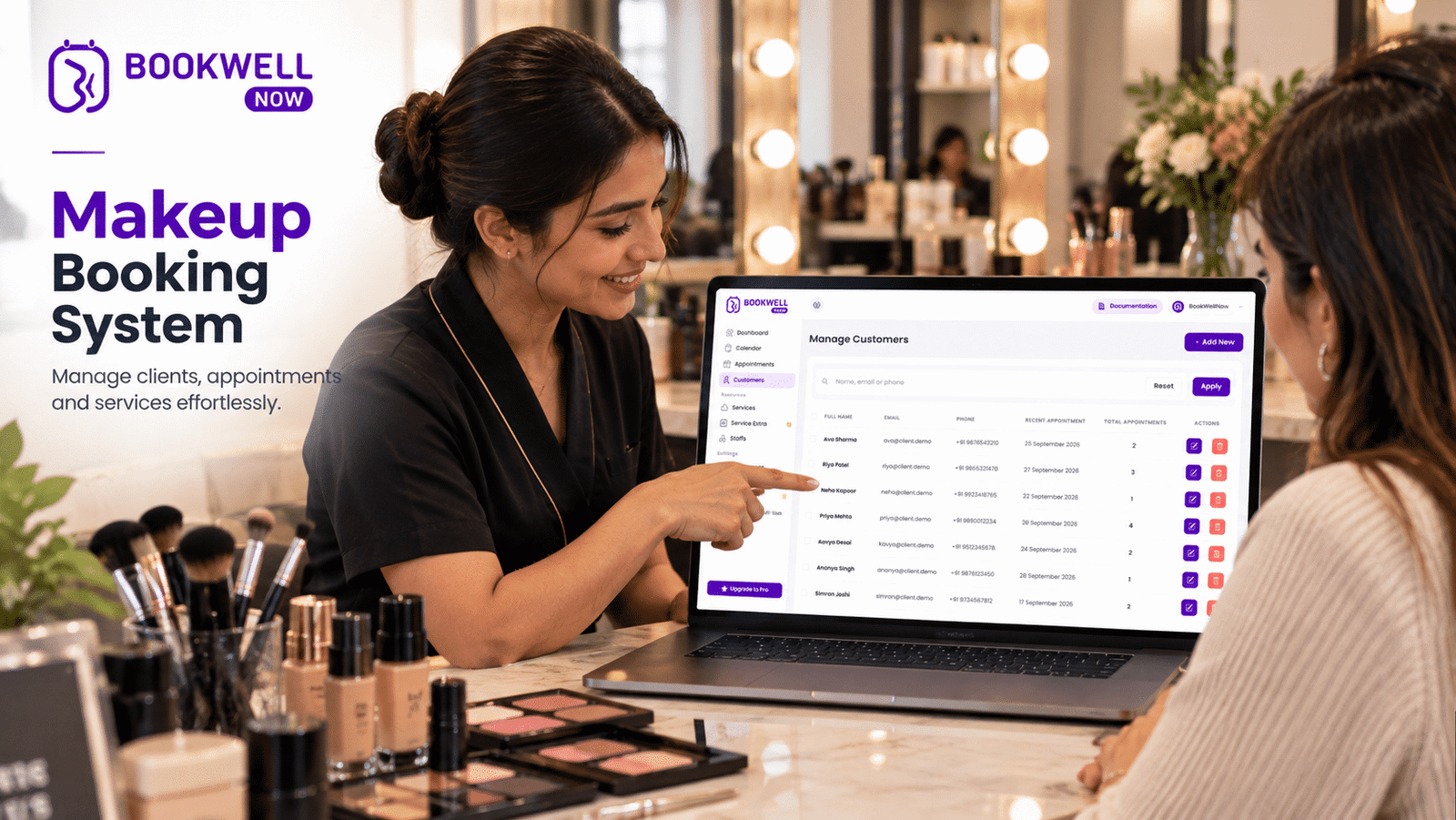
The beauty industry is evolving, and clients increasingly expect convenient ways to discover services and schedule appointments online. Whether you are a freelance makeup artist, bridal makeup specialist, or beauty studio owner, managing appointments through phone calls, WhatsApp messages, and social media DMs can quickly become overwhelming. Imagine a potential bridal client discovering your makeup portfolio at midnight. She loves your work and wants to book a consultation, but your business is closed. If she cannot check availability or submit a booking request, she may move on to another makeup artist. This is where a makeup booking system can make a difference. With an online makeup appointment booking system, clients can explore your services, select available dates, submit their details, and request appointments directly through your website. In this guide, we will explore how makeup artists can simplify appointment scheduling, manage bridal and event bookings, and create a professional online booking experience using WordPress.
What Is a Makeup Booking System?
A makeup booking system is an online scheduling solution that allows clients to book makeup services through a website without depending entirely on phone calls or manual messages. Instead of maintaining appointments in notebooks, spreadsheets, or multiple chat conversations, makeup artists can use an appointment booking system to organize their availability and booking requests.
A makeup artist booking system can help you:
- Display makeup services and appointment durations.
- Allow clients to select available dates and time slots.
- Collect customer information during booking.
- Manage bridal, party, engagement, and photoshoot appointments.
- Organize working hours and unavailable dates.
- Send appointment confirmation emails.
- View upcoming bookings from a centralized dashboard.
For makeup professionals who already operate a WordPress website, a booking plugin can provide these capabilities without requiring a completely separate booking platform.
Why Makeup Artists Need Online Appointment Booking
Running a makeup business involves much more than applying makeup. You need to manage client inquiries, consultations, preparation, travel, schedules, and customer expectations. Manual scheduling can make these tasks difficult as your business grows.
1. Stop Losing Potential Clients Outside Business Hours
Potential customers may discover your work through Google, Instagram, Pinterest, or referrals at any time. If your booking process depends only on direct communication, customers may have to wait until you respond. An online makeup booking page gives visitors a convenient way to submit appointment requests whenever they are ready.
2. Reduce Time Spent on WhatsApp and Instagram DMs
Consider how many messages are exchanged just to confirm one appointment:
- Is your preferred date available?
- What time slots do you have?
- How much does bridal makeup cost?
- Can I book a trial?
- Where is your studio located?
A structured booking page can answer many of these questions before the customer contacts you.
3. Organize Bridal and Event Makeup Appointments
Bridal makeup bookings often require additional planning, including trials, event dates, preparation time, and multiple service requirements. An online booking workflow helps you organize initial appointment requests and keep your calendar accessible. For complex wedding events, you can still confirm the final schedule personally.
4. Avoid Scheduling Conflicts
When appointments are managed across different messaging applications and notebooks, it becomes harder to maintain a single accurate schedule. A centralized booking calendar makes it easier to review appointments and manage your working availability.
5. Deliver a Professional Customer Experience
A professional booking page communicates that your business has a clear process. Clients can view your service options, understand appointment availability, and submit their details through a consistent experience that matches your brand.
How to Accept Makeup Appointments Online in Minutes
You do not need to develop a custom booking platform from scratch to start accepting appointments online. If your website runs on WordPress, you can use an appointment booking plugin such as BookWellNow.
Here is a practical setup process.
Step 1: Install a WordPress Makeup Booking Plugin
Choose an appointment booking plugin that supports your business workflow. With BookWellNow, makeup artists can start building an online appointment booking process directly on their WordPress website. The plugin provides a booking workflow designed for service-based businesses.
Step 2: Add Your Makeup Services
Create individual services for the appointments you offer.
For example:
| Makeup Service | Suggested Duration |
|---|---|
| Bridal Makeup Consultation | 30 Minutes |
| Bridal Makeup Trial | 90 Minutes |
| Party Makeup | 60 Minutes |
| Engagement Makeup | 90 Minutes |
| Photoshoot Makeup | 60 Minutes |
| Makeup Tutorial | 60 Minutes |
These are example durations. Set your actual service times based on your working process. Add descriptions, prices, and other relevant service information so clients understand what they are requesting.
Step 3: Configure Your Availability
Set the days and hours when clients can request appointments.
For example:
- Monday to Saturday: 10 AM – 7 PM
- Sunday: By appointment
- Break: 2 PM – 3 PM
You can also configure holidays, leave days, and shift schedules according to your availability and the plugin’s supported settings.
Step 4: Add the Booking Form to Your Website
Create a dedicated booking page where visitors can view services and proceed through the appointment booking wizard.
Place your booking link in important locations:
- Website navigation menu.
- Homepage.
- Makeup service pages.
- Bridal makeup landing page.
- Instagram bio.
- Google Business Profile appointment link.
The easier it is for visitors to find your booking page, the fewer steps they need to take before submitting a request.
Step 5: Enable Appointment Notifications
Configure email notifications so clients and your business can receive relevant appointment updates. A structured notification process helps you stay informed about incoming bookings and gives customers a record of their appointment details.
Step 6: Test the Booking Experience
Before promoting your booking page, submit a test appointment.
Verify:
- Services display correctly.
- Available dates and times are accurate.
- Booking details are collected correctly.
- Confirmation emails are received.
- The appointment appears in your dashboard.
- Unavailable dates cannot be selected.
Once tested, share your booking page with customers.
Essential Features to Look for in Makeup Artist Booking Software
Not every booking tool is designed around the same workflow. Makeup artists should consider the following capabilities when choosing a scheduling solution.
Easy Appointment Booking Wizard
A step-by-step booking experience helps clients select a service, date, time, and required information without navigating a complicated form.
Service and Appointment Management
Different makeup services require different appointment durations. Your scheduling solution should help you organize service options and manage their respective booking schedules.
Flexible Working Hours
Freelance makeup artists may work from a studio, travel to wedding venues, or accept appointments only on selected days. Flexible scheduling helps you define when clients can request appointments.
Holiday and Leave Management
A booking calendar should account for days when you are unavailable, including personal leave, holidays, and special events.
Email Notifications
Appointment notifications help keep clients and makeup artists informed about booking activity.
Booking Calendar
A centralized calendar provides an overview of upcoming appointments and makes it easier to review your schedule.
Spam Protection
Public booking forms can attract unwanted submissions. Spam protection helps maintain cleaner booking records.
How to Manage Bridal Makeup Booking More Efficiently
Bridal makeup is one of the most planning-intensive services offered by makeup artists. A bridal client may need an initial consultation, makeup trial, wedding-day appointment, and additional services for family members. A well-organized booking process can help you manage these requirements.
Create Separate Bridal Services
Instead of listing every service under a generic makeup category, create dedicated appointment types such as:
- Bridal makeup consultation
- Bridal makeup trial
- Engagement makeup
- Reception makeup
- Wedding-day makeup
This helps customers choose the relevant service.
Clearly Explain Your Booking Policy
Display important information before customers submit a booking request.
Include:
- Appointment duration.
- Starting price or quotation process.
- Travel availability.
- Advance booking requirements.
- Cancellation and rescheduling terms.
- Deposit requirements, if applicable.
For large wedding bookings, confirm the final number of people, venue, travel schedule, and service requirements separately.
Keep Your Calendar Updated
Wedding dates, trials, and event bookings should be reflected in your availability. Maintaining an updated schedule helps reduce the risk of accepting conflicting appointment requests.
Why Use a WordPress Booking Plugin Instead of Manual Scheduling?
Many makeup artists initially manage appointments using WhatsApp, Instagram, phone calls, and Google Calendar. These tools can work for a small number of clients, but they may become difficult to coordinate as booking volume increases.
| Manual Booking | Online Booking Plugin |
|---|---|
| Repeated availability messages | Clients can view configured availability |
| Appointment details across chats | Centralized booking records |
| Manual scheduling coordination | Structured appointment workflow |
| Customers depend on responses | Booking requests can be submitted online |
| Separate service information | Organized service selection |
| Manual calendar updates | Booking calendar management |
An online booking plugin does not replace the personal relationship between a makeup artist and a client. Instead, it helps organize the administrative process so you can focus more on your creative work.
Introducing BookWellNow: Makeup Booking for WordPress
If you are looking for a way to accept makeup appointments directly through your website, BookWellNow offers a WordPress appointment booking solution for service-based businesses. Rather than sending every potential customer to a third-party booking marketplace, you can create a booking experience on your own WordPress website.
How BookWellNow Helps Makeup Artists
With BookWellNow, you can access features such as:
- Unlimited services and bookings.
- Booking calendar view.
- Customizable working schedules.
- Customized email notifications.
- Step-by-step booking wizard.
- Spam protection.
- Date and time selection.
- Shift management.
- Holiday and leave management.
- Automatic staff and service selection.
- PDF booking receipts.
These capabilities can help makeup artists organize appointment requests and create a more structured booking process.
Why Choose a WordPress-Based Booking Solution?
Keep your booking experience on your website.
Your website can serve as the central destination for your portfolio, service details, customer information, and appointment scheduling.
Create a branded customer journey.
Visitors can explore your makeup services and submit booking requests without leaving your website.
Start with the free version.
You can begin with the free BookWellNow plugin and explore its appointment booking workflow before considering an upgrade.
Ready to Accept Makeup Appointments Online?
Stop relying entirely on manual appointment coordination. Create a structured booking experience for bridal, party, engagement, and professional makeup services.
Tips to Get More Makeup Bookings Through Your Website
Installing a booking plugin is only one part of growing your makeup business. Your website should also help potential clients discover your services and feel confident about submitting an appointment request.
1. Create Dedicated Service Pages
Instead of putting all your services on one page, create dedicated pages for:
- Bridal Makeup Artist
- Party Makeup
- Engagement Makeup
- HD Makeup
- Makeup for Photoshoots
Each page can target a specific customer search intent and link directly to your booking page.
2. Display Your Makeup Portfolio
Use genuine photos of your work, with appropriate client permission. Show different makeup styles, occasions, and looks so visitors can understand your expertise.
3. Optimize for Local Search
Use location-specific keywords naturally, such as:
- Bridal Makeup Artist in Rajkot
- Makeup Artist in Ahmedabad
- Party Makeup Artist in London
- Professional Makeup Artist in New York
Create relevant local pages only where you genuinely provide services.
4. Add a Clear Book Now Button
Place a visible booking CTA on your homepage, service pages, and portfolio. Avoid making customers search through multiple pages to find the appointment form.
5. Make Your Booking Page Mobile-Friendly
Many customers discover makeup artists through social media on mobile devices. Test your booking form on smartphones to ensure that service selection, date selection, and form submission work smoothly.
6. Use Customer Reviews and Testimonials
Authentic testimonials can help visitors understand the experience of previous clients. Display reviews with permission and avoid misleading claims.
Frequently Asked Questions About Makeup Booking
1. How can makeup artists accept appointments online?
Makeup artists can accept appointments online by adding a booking system to their website. A WordPress appointment booking plugin allows visitors to select services, choose available dates, and submit booking details through a structured form.
2. What is the best way to manage bridal makeup bookings?
Create separate appointment types for bridal consultations, trials, and wedding-day services. Maintain accurate availability and clearly communicate pricing, deposits, travel arrangements, and cancellation policies.
3. Can I add makeup booking to my WordPress website?
Yes. You can install an appointment booking plugin such as BookWellNow, configure your services and availability, and add a booking page to your WordPress website.
4. Is there a free makeup appointment booking plugin?
BookWellNow offers a free WordPress appointment booking plugin that can help makeup artists set up online scheduling. You can explore its available features and install it from the official WordPress plugin directory.
5. Can clients book makeup appointments outside business hours?
Yes. With an online booking page, customers can submit appointment requests whenever your website is accessible. Actual appointment availability depends on your configured schedule and booking settings.
6. Can I manage multiple makeup services using one booking plugin?
Yes. BookWellNow supports unlimited services and bookings, allowing you to organize different makeup appointment types within one WordPress booking system.
7. Can I use a booking plugin for a freelance makeup business?
Yes. A WordPress booking plugin can help freelance makeup artists organize services, availability, and incoming appointment requests without building a custom scheduling application.
8. How do I reduce missed makeup appointments?
Use clear appointment policies, confirmation notifications, reminders where supported, and a consistent process for rescheduling and cancellations. Make sure clients understand the appointment date, time, location, and any required preparation.
Final Thoughts
A professional makeup business needs more than an attractive portfolio. It also needs a convenient way for potential clients to take the next step. An online makeup booking system helps you organize services, manage appointment requests, and make scheduling accessible through your website. Whether you specialize in bridal makeup, party makeup, or photoshoot styling, a structured booking experience can reduce repetitive coordination and help you manage your business more efficiently. If your website runs on WordPress, BookWellNow gives you a way to start accepting makeup appointments online.
Download BookWellNow Free and Set Up Your Makeup Booking System Today