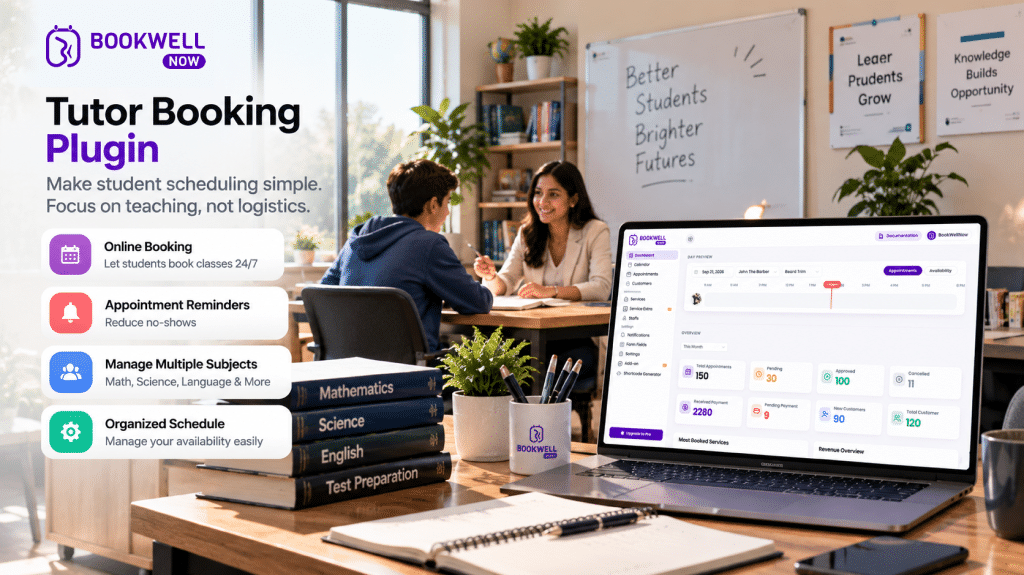
Are you a private tutor, online educator, or coaching professional struggling to manage student appointments manually? Managing lesson schedules through WhatsApp messages, phone calls, emails, and spreadsheets can quickly become overwhelming. Students may request different time slots, appointments can overlap, and keeping track of availability takes valuable time away from teaching.
A Tutor Booking Plugin for WordPress can simplify this process by allowing students to view available time slots and schedule appointments directly through your website. Whether you offer mathematics tutoring, language lessons, music classes, exam preparation, or one-on-one online education, an appointment booking system can help you organize your teaching schedule and create a smoother booking experience. In this guide, we’ll explore how a WordPress booking plugin for tutors works, its key benefits, and how you can use BookWellNow to manage tutoring appointments more efficiently.
What Is a Tutor Booking Plugin?
A tutor booking plugin is a WordPress tool that enables tutors and educational professionals to accept and manage lesson appointments through their websites. Instead of manually coordinating every session, tutors can configure their services, availability, and booking schedule using an online appointment system. Students can visit the website, select a suitable service, choose an available date and time, and submit their appointment.
A WordPress tutor booking system can help you:
- Display available tutoring appointment slots.
- Manage lesson schedules from a centralized dashboard.
- Accept student booking requests online.
- Organize different tutoring services.
- Reduce manual scheduling communication.
- Provide a convenient booking experience for students and parents.
For tutors who already operate a WordPress website, a dedicated booking plugin provides a practical way to add appointment scheduling without building a booking system from scratch.
Why Do Tutors Need an Online Appointment Booking System?
Tutoring businesses often manage multiple students, subjects, lesson durations, and schedules. When bookings are handled manually, administrative tasks can interfere with teaching time. Here are some common challenges that an online tutoring booking system can help address.
1. Avoid Manual Scheduling
Students often contact tutors through multiple channels to ask about availability. An online booking calendar allows students to check available appointment slots themselves, reducing repetitive scheduling conversations.
2. Manage Your Teaching Availability
Tutors may have different working hours on weekdays and weekends. A tutor scheduling plugin allows you to configure your working schedule so students can select from the available appointment times.
3. Reduce Scheduling Conflicts
Managing appointments through spreadsheets or messages can make it difficult to maintain an accurate schedule. A booking system helps organize appointments in one place and makes it easier to review your upcoming lessons.
4. Offer Convenient Online Booking
Students and parents may want to schedule lessons outside your regular working hours. With a website-based tutor appointment booking system, visitors can submit booking requests whenever they access your website.
5. Create a Professional Student Experience
A dedicated booking page gives your tutoring business a structured way to present services and appointment availability. It also makes your website more useful for students who want to book lessons without waiting for a response.
Essential Features to Look for in a WordPress Booking Plugin for Tutors
Not every appointment scheduling plugin is designed specifically for education businesses. Before selecting one, consider the following capabilities.
Easy Appointment Booking
Students should be able to understand the booking process without unnecessary steps. A clear booking form can collect essential information and guide students through appointment selection.
Flexible Scheduling
Tutors need control over their teaching availability. Look for scheduling options that allow you to define working hours, appointment dates, and unavailable periods.
Multiple Tutoring Services
You may offer different services, such as:
- Mathematics tutoring
- English language lessons
- Science tutoring
- IELTS preparation
- Personal academic coaching
- Music lessons
- Online consultation sessions
A booking plugin that supports multiple services can help you organize these offerings.
Appointment Calendar
A centralized booking calendar makes it easier to review scheduled sessions and manage your teaching timetable.
Automated Email Notifications
Email notifications can help communicate important booking information to students and tutors. Depending on the plugin configuration, notifications may include booking confirmations, appointment details, and scheduling updates.
Mobile-Friendly Booking
Many students and parents browse websites using smartphones. A responsive booking experience helps visitors access appointment forms across different devices.
How to Set Up a Tutor Booking System Using BookWellNow
If your tutoring website runs on WordPress, BookWellNow provides an appointment booking solution for managing services, availability, and bookings. You can use it to create a structured appointment scheduling experience directly on your website.
Here is a simple setup workflow.
Step 1: Install BookWellNow
Install the BookWellNow Appointment Booking plugin on your WordPress website. After activation, access the plugin dashboard to configure your booking settings.
Step 2: Create Your Tutoring Services
Set up the services you offer to students.
For example:
| Tutoring Service | Duration |
|---|---|
| Mathematics Consultation | 30 Minutes |
| English Tutoring | 60 Minutes |
| Science Lesson | 60 Minutes |
| IELTS Preparation | 45 Minutes |
| Academic Guidance | 30 Minutes |
You can organize services according to your teaching model and appointment requirements.
Step 3: Configure Your Availability
Set your working days, available hours, and appointment schedule.
For example:
- Monday to Friday: 9:00 AM – 6:00 PM
- Saturday: 10:00 AM – 2:00 PM
- Sunday: Holiday
Adjust your schedule according to your teaching commitments.
Step 4: Configure Booking Notifications
Set up email notifications to communicate booking-related information to students and administrators. Clear communication helps students understand their appointment details and any necessary next steps.
Step 5: Publish Your Booking Page
Add the BookWellNow booking interface to a dedicated page on your WordPress website.
You can name the page:
Book a Tutoring Session
Place the page in your website navigation and link to it from relevant service pages.
Step 6: Test Your Booking Process
Before sharing the booking page with students, submit a test appointment. Check the booking form, available time slots, appointment details, and notification workflow. Once everything is configured, your tutoring website is ready to accept student appointment requests.
Ready to simplify your tutoring schedule?
Try BookWellNow and create an online appointment booking experience for your students.
Who Can Benefit from a Tutor Booking Plugin?
A WordPress tutor booking plugin can support different education and teaching businesses.
Private Tutors
Independent tutors can accept appointment requests without coordinating every session manually.
Online Tutors
Educators providing remote lessons can organize their availability and let students request suitable appointment times.
Coaching Institutes
Small coaching businesses can create a structured booking process for consultations, trial classes, and academic guidance sessions.
Language Teachers
English, French, German, and other language tutors can organize individual lesson appointments.
Music Teachers
Music instructors can use appointment scheduling to manage student lesson timetables.
Exam Preparation Tutors
Professionals offering IELTS, SAT, competitive exam, or other preparation services can provide a dedicated booking page for consultation sessions.
Manual Scheduling vs. Online Tutor Booking System
| Manual Scheduling | Online Booking System |
|---|---|
| Students contact tutors to ask about availability | Students can view available slots |
| Appointments are tracked manually | Bookings are organized in a dashboard |
| Scheduling requires repeated communication | Students submit appointment requests online |
| Changes may be difficult to track | Centralized appointment management |
| Booking depends on tutor response time | Website can receive requests outside working hours |
An online booking system does not replace the personal relationship between a tutor and student. Instead, it helps reduce administrative work so tutors can spend more time focusing on education.
Why Choose BookWellNow for Your Tutoring Website?
BookWellNow is a WordPress appointment booking plugin designed to help businesses manage appointments directly from their websites. For tutors and educators, its booking workflow can help organize lesson services, appointment schedules, and student booking requests.
Key BookWellNow Features
- Unlimited services and bookings
- Booking calendar view
- Customizable schedules
- Customized email notifications
- Step-by-step booking wizard
- Spam protection
- Date and time management
- Shift management
- Holiday and leave management
- Automatic staff and service selection
- PDF booking receipts
- Translation-ready functionality
These capabilities make BookWellNow useful for educators who want to add appointment scheduling to their existing WordPress websites. Instead of relying entirely on manual booking conversations, you can provide students with a dedicated online appointment experience.
Start managing your tutoring appointments with BookWellNow.
Tips to Get More Student Bookings Through Your Tutoring Website
Installing a tutor booking plugin is only one part of building an effective online booking experience. Consider these practical improvements to make your website more useful to prospective students.
Create Dedicated Subject Pages
Build separate pages for your main tutoring services.
Examples:
- Mathematics Tutor
- English Language Tutor
- Science Tuition
- IELTS Coaching
- Online Academic Consultation
Include relevant information about your teaching services and link each page to your booking form.
Add a Clear Booking Button
Use action-oriented buttons such as:
- Book a Lesson
- Schedule a Trial Session
- Book Your Consultation
- Check Availability
Place these buttons on your homepage, service pages, and contact page.
Explain Your Teaching Services
Students and parents want to understand what they are booking. Clearly mention lesson duration, subjects, teaching format, and intended student level.
Optimize for Mobile Users
Make sure the booking page is easy to navigate on smartphones and tablets.
Build Trust with Testimonials
Where available, include genuine student or parent testimonials to help visitors understand your teaching approach.
Frequently Asked Questions
1.What is the best tutor booking plugin for WordPress?
The right plugin depends on your tutoring workflow, scheduling requirements, and website setup. BookWellNow is an option for WordPress tutors who want to manage services, availability, and appointment bookings directly from their websites.
2. Can I accept tutoring appointments directly on my WordPress website?
Yes. A WordPress appointment booking plugin such as BookWellNow can add a booking interface to your website, allowing students to submit appointment requests online.
3. Can private tutors use an appointment booking plugin?
Yes. Independent tutors can use appointment scheduling tools to organize their availability, manage lesson appointments, and simplify the booking process.
4. Can I manage different tutoring services?
BookWellNow supports multiple services, allowing you to organize different appointment types for your tutoring business.
5. Is a tutor booking plugin useful for online classes?
Yes. Appointment booking plugins can help online tutors organize lesson schedules and allow students to request suitable appointment times.
6. How can I add a booking form to my tutoring website?
Install and configure a compatible WordPress booking plugin, set up your services and availability, and publish the booking interface on a dedicated page.
7. Does BookWellNow support appointment calendar management?
Yes. BookWellNow includes a booking calendar view to help manage appointments.
Conclusion
Managing tutoring appointments should not take more time than preparing your lessons. A Tutor Booking Plugin can help simplify scheduling, organize student appointments, and provide a convenient way for students to request lessons through your website. Whether you are an independent tutor, online educator, or coaching professional, adding an appointment booking system to your WordPress website can make your scheduling workflow more organized. With BookWellNow, you can create services, configure availability, manage bookings, and offer students a structured appointment booking experience.
Ready to simplify your tutoring appointments?
Try BookWellNow today and bring online appointment scheduling to your WordPress tutoring website.