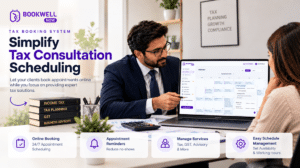
Managing client appointments through WhatsApp might seem convenient when you have only a few clients. But as your consulting business grows, handling meeting requests, checking availability, sending reminders, and confirming appointments manually can become a daily challenge.
Business consultants often spend valuable time answering messages such as:
-
Are you available tomorrow?
-
Can we schedule a consultation at 4 PM?
-
Please share your available slots.
-
Can we reschedule our meeting?
-
Did you receive my booking confirmation?
Instead of focusing on helping clients solve business problems, consultants end up spending hours coordinating calendars. A consultation booking system can simplify this entire process. With an online appointment booking solution for WordPress, clients can view available time slots, select a consultation service, and submit their booking directly through your website. In this guide, we will explore why WhatsApp-based appointment management becomes difficult, how online consultation booking works, and how business consultants can create a professional booking experience using BookWellNow.
What Is a Consultation Booking System?
A consultation booking system is an online scheduling solution that allows clients to book appointments with consultants based on their availability. Rather than coordinating every meeting manually, consultants publish their available appointment slots through a booking form or calendar.
Clients can:
-
Select a consultation service.
-
Choose an available date.
-
Pick a suitable time slot.
-
Enter their contact details.
-
Submit their appointment request.
-
Receive booking confirmation.
For consultants, the system provides a centralized way to manage appointments, schedules, services, and client bookings. A WordPress consultation booking plugin makes it possible to add this functionality directly to your existing business website.
Why Business Consultants Should Stop Managing Meetings Through WhatsApp
WhatsApp is an excellent communication platform, but it is not designed to function as a complete appointment management system. Here are some common challenges consultants face when relying entirely on manual scheduling.
1. Endless Back-and-Forth Messages
A client asks for an appointment. You share your availability. They request another time. You check your calendar and reply again. This process repeats until both parties agree on a slot. An online consultation booking system allows clients to select from your published availability without requiring multiple messages.
2. Risk of Double Bookings
When appointments are managed through different conversations, spreadsheets, or personal calendars, scheduling conflicts can occur. A centralized booking calendar helps consultants maintain an organized appointment schedule and manage available time slots.
3. Missed Appointment Confirmations
Important booking details can get buried in long WhatsApp conversations. A structured booking process keeps appointment information organized, making it easier to review client names, selected services, and appointment dates.
4. Manual Reminder Management
Consultants often need to send reminders before scheduled meetings. As the number of clients increases, remembering every appointment becomes difficult. Automated email notifications can reduce repetitive communication and help clients stay informed about their bookings.
5. An Unprofessional Booking Experience
When clients must message you personally to schedule every consultation, the process may feel less structured. A dedicated booking page gives your consulting business a professional online presence and makes appointment scheduling accessible beyond normal business hours.
Benefits of Using an Online Consultation Booking System
A consultation booking system can improve both the client experience and your daily workflow.
Accept Appointment Requests 24/7
Your website can collect booking requests even when you are unavailable. Potential clients do not need to wait for your response before viewing available appointment slots.
Save Time on Scheduling
Instead of repeatedly checking calendars and replying to messages, you can allow clients to select from your configured availability.
Organize Multiple Consultation Services
Business consultants may offer different types of appointments, such as:
-
Free discovery calls
-
Business strategy consultations
-
Marketing consultations
-
Financial planning sessions
-
Project evaluation meetings
-
Follow-up consultations
A booking system helps organize these services with their respective durations and schedules.
Improve Client Experience
A clear booking process helps clients understand what they are booking and when their appointment will take place.
Manage Appointments from One Dashboard
A centralized calendar makes it easier to review upcoming appointments and manage booking activity.
What Features Should a Consultant Appointment Scheduling System Include?
Before selecting an appointment scheduling solution, business consultants should consider the following features.
| Feature | Why It Matters |
|---|---|
| Online booking form | Allows clients to book without manual coordination |
| Availability management | Defines when consultations can be scheduled |
| Service management | Separates different consultation types |
| Booking calendar | Organizes upcoming appointments |
| Email notifications | Keeps clients informed |
| Custom booking fields | Collects relevant client information |
| Holiday and leave management | Helps control appointment availability |
| Mobile-friendly booking | Supports clients using smartphones |
| Booking management | Makes appointment administration easier |
The right feature set depends on whether you are an independent consultant, a small consultancy, or a team managing appointments for multiple professionals.
How to Create a Consultation Booking System in WordPress
If your consulting website runs on WordPress, you can add appointment scheduling using a dedicated booking plugin. BookWellNow is a WordPress appointment booking plugin designed to help businesses accept and manage appointments directly from their websites. Instead of sending clients to a separate scheduling platform, you can add a booking experience to your own WordPress website.
Step 1: Install BookWellNow
Install the BookWellNow appointment booking plugin on your WordPress website. Configure the basic booking settings according to your consulting workflow.
Step 2: Create Your Consultation Services
Add the consultation services you offer.
For example:
-
30-Minute Discovery Call
-
60-Minute Business Consultation
-
Marketing Strategy Session
-
Business Growth Consultation
Set the relevant service duration and other available booking settings.
Step 3: Configure Your Availability
Define your working days, available hours, breaks, and holidays. This allows the booking system to present appointment slots based on your configured schedule.
Step 4: Customize Your Booking Form
Create a booking experience that collects essential client information.
You may request details such as:
-
Full name
-
Email address
-
Phone number
-
Consultation type
-
Additional requirements
Collect only the information necessary for your consultation workflow.
Step 5: Add the Booking Form to Your Website
Display the booking form on a dedicated consultation page.
Suggested page headline:
Book Your Business Consultation Online
Include a brief description of your consulting services, the benefits of booking a session, and a clear call-to-action button.
Step 6: Manage Your Appointments
Use the booking calendar to review upcoming appointments and manage booking activity from your WordPress dashboard. This creates a more structured alternative to handling every appointment through WhatsApp messages.
WhatsApp vs. Online Consultation Booking System
| Booking Activity | WhatsApp-Based Process | Online Booking System |
|---|---|---|
| Appointment requests | Manual conversations | Online booking form |
| Availability checking | Manual replies | Published time slots |
| Client information | Scattered messages | Structured booking records |
| Appointment calendar | Manual updates | Centralized calendar |
| Confirmation | Manual communication | Email notifications |
| Booking accessibility | Depends on your response | Available through your website |
| Business branding | Chat-based interaction | Dedicated booking page |
WhatsApp can still be useful for client communication, while an online booking system handles the scheduling workflow. The two tools can serve different purposes rather than replacing each other entirely.
Who Needs a Consultation Booking System?
Online appointment scheduling is useful for various professional service providers.
Business Consultants
Allow business owners to schedule strategy sessions, operational consultations, and business planning meetings.
Marketing Consultants
Organize SEO audits, marketing discovery calls, campaign reviews, and digital strategy consultations.
Financial Consultants
Manage client meetings, financial planning discussions, and follow-up appointments.
IT Consultants
Accept project discovery calls, technical consultation requests, and client meetings.
Independent Consultants
Create a professional booking experience without relying on manual appointment coordination.
Consulting Agencies
Organize consultation services and manage appointment requests through a centralized website.
How BookWellNow Helps Consultants Manage Appointments
BookWellNow brings appointment booking functionality directly into WordPress.
With its booking workflow, consultants can:
-
Create and manage appointment services.
-
Configure schedules and working hours.
-
Manage holidays and leave.
-
Accept bookings through a step-by-step booking wizard.
-
View appointments through a booking calendar.
-
Customize email notifications.
-
Manage bookings from their WordPress dashboard.
-
Provide clients with a structured booking experience.
Whether you offer business consultations, marketing sessions, or professional advisory services, BookWellNow helps simplify appointment management.
Ready to stop coordinating every meeting manually?
Try BookWellNow and start building your consultation booking system.
Frequently Asked Questions
1. What is the best way to manage consultation bookings online?
A dedicated appointment booking system allows clients to select services, choose available time slots, and submit appointment requests through your website. WordPress users can use an appointment booking plugin such as BookWellNow.
2. Can I create a consultation booking system in WordPress?
Yes. You can install a WordPress appointment booking plugin, configure your consultation services and availability, and display a booking form on your website.
3. How can consultants stop managing meetings through WhatsApp?
Consultants can publish a booking page with available appointment slots. Clients can submit their booking directly instead of coordinating every meeting through messages.
4. Can clients book consultations outside business hours?
Yes. An online booking page can accept booking submissions 24/7, subject to the availability and booking rules configured by the consultant.
5. Is BookWellNow suitable for business consultants?
BookWellNow is a WordPress appointment booking plugin that can be configured for consultation-based services, including discovery calls, strategy sessions, and professional appointments.
6. Can I manage multiple consultation services?
Yes. BookWellNow supports managing multiple services, allowing consultants to organize different appointment types and their respective schedules.
7. Do I need a separate booking website?
No. If you already have a WordPress website, you can add a booking form to an existing page or create a dedicated consultation booking page.
8. Is there a free version of BookWellNow?
Yes. BookWellNow offers a free version that you can install from the WordPress plugin directory and use to get started with online appointment booking.
Final Thoughts
Managing client meetings through WhatsApp may work when your consulting business is small, but a growing client base requires a more organized approach. A consultation booking system helps reduce manual scheduling, organize appointments, and create a professional experience for prospective clients. With BookWellNow, WordPress consultants can bring appointment booking directly to their websites and simplify the process of managing client consultations.
Stop spending your valuable consulting hours coordinating calendars. Let clients book their appointments online.