Architects manage multiple responsibilities every day, from designing buildings and preparing plans to coordinating with clients, contractors, and consultants. With so many tasks to handle, managing client meetings manually can become time-consuming. Missed appointments, overlapping schedules, delayed consultations, and constant back-and-forth emails can interrupt an architect’s workflow. A reliable architect appointment plugin can help simplify the booking process and make client meeting management more organized.
For architects using WordPress websites, an appointment booking plugin such as BookWellNow can be a useful solution to explore for creating a more convenient appointment scheduling experience. In this guide, we will explain how appointment booking works for architecture businesses, the benefits of online scheduling, and how to choose the right solution for your practice.
Why Do Architects Need an Appointment Booking System?
Architectural projects often involve several stages, including initial consultations, site visits, design reviews, budget discussions, and project updates. Each stage may require a separate meeting with the client. Managing these appointments manually can create unnecessary administrative work.
Here are some common challenges architects face:
- Scheduling conflicts: Multiple client meetings can overlap when appointments are managed manually.
- Time-consuming communication: Repeated calls and emails make it harder to focus on design work.
- Missed appointments: Clients may forget scheduled meetings without proper reminders.
- Unorganized consultations: Keeping track of different client meetings can become difficult as a practice grows.
- Limited booking convenience: Potential clients may need to wait for a response before arranging an initial consultation.
An architect appointment booking plugin can help streamline appointment requests and give clients a more convenient way to schedule meetings.
What Is an Architect Appointment Plugin?
An architect appointment plugin is a scheduling tool that allows architecture businesses to manage client appointments through their websites. When integrated with a WordPress website, an appointment booking plugin can provide a structured way for clients to request or book available consultation slots, depending on the plugin’s supported features and configuration.
Architects can use appointment scheduling for several purposes, including:
- Initial project consultations
- Residential architecture discussions
- Commercial building consultations
- Interior design meetings
- Site visit scheduling
- Floor plan and design reviews
- Renovation consultations
- Project progress meetings
With an appropriate booking workflow, architects can make it easier for prospective clients to take the next step after visiting their website.
7 Benefits of Using an Architect Appointment Booking Plugin
1. Simplify Client Meeting Scheduling
Coordinating meetings manually often requires several messages before both parties agree on a suitable time. An online appointment booking system can simplify this process by presenting available time slots and allowing clients to choose a suitable option, where supported. This reduces unnecessary communication and helps architects organize their schedules more efficiently.
2. Save Time on Administrative Tasks
Architects need time for designing, planning, reviewing drawings, and communicating with project teams. Spending too much time coordinating appointments can reduce the time available for these responsibilities. A suitable appointment booking plugin can help reduce repetitive scheduling tasks and create a more structured client management process.
3. Offer a Convenient Booking Experience
Potential clients may visit an architect’s website outside regular business hours. If booking requires a phone call or email, they might postpone contacting the practice. An online booking option can make it easier for visitors to express their interest and request a consultation at a convenient time. For architecture firms, this creates another opportunity to turn website visitors into potential clients.
4. Organize Different Types of Consultations
Not every architecture meeting serves the same purpose. An initial consultation may require a different duration from a detailed design review or site visit. Architects should look for a plugin that supports their required appointment types, service durations, availability settings, and staff arrangements. Organizing appointments by meeting type can help clients understand what they are booking and help the practice plan its working day.
5. Reduce Scheduling Conflicts
Double bookings can disrupt client relationships and delay project discussions. Depending on the plugin’s capabilities, appointment scheduling software may help manage availability and prevent overlapping bookings. Before choosing a solution, confirm that it supports the scheduling rules your architecture practice needs.
6. Create a More Professional Online Presence
A professional website should do more than display completed projects and architectural services. It should also help prospective clients take action. Adding a clear appointment booking option creates a direct path from discovering your services to arranging a consultation. This can make your website more useful and improve the experience for clients who prefer online scheduling.
7. Support Business Growth
As an architecture practice gains clients, managing appointments through spreadsheets, calls, and email threads can become increasingly complicated. A suitable booking system can provide a more consistent process for handling consultations and organizing meetings. This can support business growth by making the scheduling process easier to manage as appointment demand increases.
How to Choose the Best Architect Appointment Plugin for WordPress
Before installing a booking plugin, architects should also consider website usability and accessibility. The WordPress Plugin Directory is a useful resource for exploring available plugins and checking their descriptions and compatibility information. You can also review the WordPress accessibility documentation to learn more about making your website easier for different users to navigate. When planning an online booking experience, architects should also consider website performance. Google’s PageSpeed Insights can help identify performance issues that may affect the user experience. Not every appointment booking plugin is designed for every type of business. Architects should choose a solution based on their consultation process, website requirements, and preferred workflow.
Consider these factors before installing a plugin.
| Feature to evaluate | Why it matters |
|---|---|
| Online appointment booking | Makes it easier for clients to schedule consultations. |
| Availability management | Helps organize working hours and appointment slots. |
| Flexible appointment durations | Supports different meeting types and consultation lengths. |
| Booking notifications | Helps communicate booking details, if supported. |
| Calendar integration | Can help coordinate appointments across calendars, if available. |
| Mobile-friendly booking | Allows clients to book conveniently from smartphones. |
| WordPress compatibility | Makes integration with your existing website easier. |
| Customization options | Helps align the booking experience with your business needs. |
Compare these requirements with the plugin’s current feature list before making a decision.
Why Consider BookWellNow for Your Architecture Website?
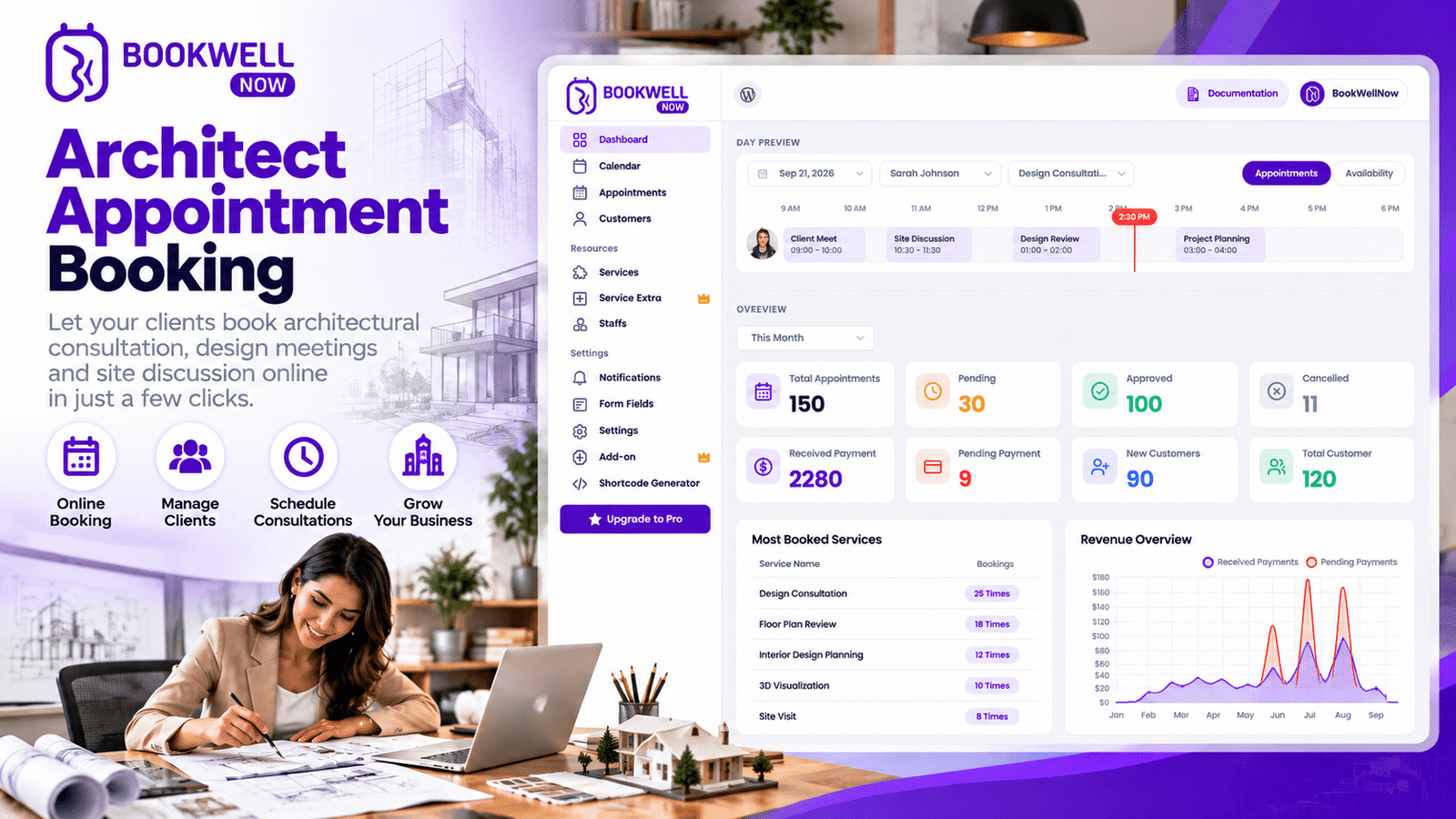
If your architecture business uses WordPress, BookWellNow is an appointment booking plugin worth exploring when planning your client scheduling workflow. Rather than relying entirely on manual appointment coordination, you can evaluate whether BookWellNow’s available booking features match the way your practice handles consultations and client meetings. Before choosing a plugin, consider how it fits into your existing website and how easily clients can move from learning about your services to requesting an appointment.
When evaluating BookWellNow, check its current documentation and feature list for:
- Appointment booking and availability management
- Configuration options for different consultation types
- Booking notifications and scheduling integrations
- Customization options for your website
- Compatibility with your WordPress setup
Select the features that match your practice’s needs and confirm their availability in the version you plan to use.
Ready to explore a booking solution for your website?
Visit BookWellNow to learn more about the plugin and determine whether it fits your appointment scheduling requirements.
How to Use an Appointment Booking Plugin in an Architecture Business
A successful booking process should be simple for both the architect and the client. Here is a practical workflow to consider.
Step 1: Identify Your Appointment Types
Start by listing the meetings clients commonly request, such as initial consultations, site visits, design reviews, and renovation discussions.
Step 2: Define Your Availability
Decide which days and times are suitable for appointments. Keep project deadlines, site visits, and design work in mind when planning availability.
Step 3: Configure Your Booking Workflow
Install a suitable WordPress appointment booking plugin and configure the options it supports. Set up appointment types, durations, availability, and any required booking information.
Step 4: Make Booking Easy to Find
Add a clear booking call to action to relevant pages, such as your homepage, architecture services page, and contact page. Use action-oriented text such as Book a Consultation, Schedule a Design Meeting, or Discuss Your Project.
Step 5: Test the Entire Booking Process
Before making the booking system available to clients, test it on desktop and mobile devices. Check availability, form fields, confirmation messages, and notifications where applicable.
Step 6: Monitor and Improve
Review how clients use the booking process. Identify unnecessary form fields, unclear instructions, or steps that make scheduling difficult. Small improvements can help create a smoother experience for prospective clients.
Appointment Booking Plugin vs. Manual Scheduling for Architects
| Manual scheduling | Online appointment booking |
|---|---|
| Requires calls or email exchanges. | Can allow clients to book online. |
| Availability may need to be communicated manually. | Available slots may be displayed automatically. |
| Appointment details may be spread across messages. | Booking details can be organized in a central workflow. |
| Requires additional effort as demand grows. | Can provide a more consistent scheduling process. |
| Booking depends heavily on direct communication. | May let clients initiate booking outside business hours. |
The exact benefits depend on the booking system you select and how you configure it. Architects who handle complex site visits or project-specific meetings may still need personal communication alongside online scheduling.
SEO Tips for Promoting Your Architecture Appointment Booking Page
If you want potential clients to discover your architecture services through Google, make your appointment page useful, relevant, and easy to navigate.
Consider the following SEO practices:
Use relevant keywords naturally. Include phrases such as “architect consultation,” “architecture appointment booking,” and “architect appointment plugin” where they fit the content.
Create useful service pages. Separate pages for residential architecture, commercial architecture, renovation consulting, and other services can help visitors find relevant information.
Add internal links. Link your appointment booking information from related service pages, your contact page, and relevant blog articles.
Optimize page titles and descriptions. Write unique metadata that clearly explains the page’s purpose and encourages relevant visitors to click.
Improve mobile usability. Make sure visitors can read your content and complete the booking process comfortably on smartphones.
Measure conversions. Track appointment button clicks, booking form submissions, and completed bookings where possible.
If you are marketing an appointment booking plugin rather than an architecture firm’s services, focus your content on WordPress functionality, appointment scheduling problems, plugin comparisons, and practical implementation guides. This attracts users who are more likely to be interested in a software solution.
Frequently Asked Questions
1. What is the best architect appointment plugin for WordPress?
The best plugin depends on your scheduling requirements, budget, website setup, and required features. Compare appointment management, availability controls, notifications, integrations, and ease of use before choosing a solution.
2. Can architects accept client appointments through a WordPress website?
Yes. Architects can use a compatible WordPress appointment booking plugin to offer online scheduling or appointment requests, depending on the plugin’s capabilities and configuration.
3. How can an appointment booking plugin help architecture firms?
It can simplify scheduling, reduce repetitive communication, organize consultations, and provide a convenient way for prospective clients to request meetings.
4. Can an architect use online booking for site visits?
Yes, provided the booking workflow supports the requirements of the practice. Architects should account for travel time, site accessibility, meeting duration, and project-specific arrangements.
5. Is BookWellNow suitable for an architect’s website?
BookWellNow is an appointment booking plugin to consider for a WordPress website. Review its current features, integrations, and setup requirements to confirm whether they meet your architecture business’s needs.
6. How do I encourage more clients to book an architectural consultation?
Use clear service descriptions, professional project examples, visible booking calls to action, a simple booking process, and useful information about what clients can expect during their consultation.
Conclusion: Make Client Meeting Management Easier
Managing client meetings efficiently is an important part of running a successful architecture practice. A well-organized appointment scheduling process can reduce administrative effort, improve convenience, and help architects focus on delivering quality design work. By choosing an appropriate architect appointment plugin, configuring a clear booking workflow, and making appointment options easy to find on your website, you can create a more organized experience for prospective clients. If you use WordPress and want to explore an appointment scheduling solution, visit BookWellNow to review the available features and see whether the plugin fits your workflow.
Make your next client meeting easier to schedule. Explore BookWellNow today.