Running an AC repair or HVAC business? Make it easier for customers to schedule air conditioning services with an online AC booking system. Instead of relying entirely on phone calls and manual appointment management, you can let customers request service appointments directly through your website. For AC repair companies, HVAC technicians, and air conditioning service providers, an online booking system can simplify scheduling, organize service requests, and help turn website visitors into potential customers.
If your website runs on WordPress, you can use a booking plugin like BookWellNow to create an online appointment booking experience without building a scheduling system from scratch. In this guide, you’ll learn how to add AC service booking to your WordPress website, which features to look for, and how BookWellNow can help your business manage appointments more efficiently.
What Is an AC Booking System?
An AC booking system is an online scheduling solution that allows customers to book air conditioning repair, maintenance, installation, and servicing appointments through a website. Instead of asking customers to call during business hours, an AC service booking system provides a convenient way to select a service, choose an available appointment time, and submit their contact details online. For HVAC businesses, this can help organize appointments, reduce repetitive administrative work, and make it easier for potential customers to request service.
A typical AC booking system may support:
- Online AC repair appointment booking
- Air conditioning installation scheduling
- AC maintenance and servicing appointments
- Technician availability management
- Customer contact information collection
- Appointment confirmation notifications
- Online payment options, where required
For businesses using WordPress, an AC booking system plugin can add these booking capabilities directly to an existing website.
Why Do AC Repair Businesses Need an Online Booking System?
Customers looking for AC repair services often want a convenient way to request an appointment. If your website only provides a phone number, some visitors may leave without contacting your business. An online AC service booking system gives customers another way to take action.
1. Accept AC Service Bookings Online
Allow customers to request appointments through your website without depending entirely on phone calls. You can create separate booking options for AC repair, regular maintenance, installation, and other services your business provides.
2. Organize Appointments More Efficiently
Managing appointments through phone calls, messages, and spreadsheets can become difficult as your customer base grows. A centralized booking calendar helps you review scheduled appointments and keep track of your team’s availability.
3. Generate More Potential Customer Leads
Your website can become more than a source of business information. By adding a clear booking form and call to action, you give visitors a direct way to express interest in your services. Collect relevant customer details, such as their name, email address, phone number, and service requirements, using the fields supported by your booking setup.
4. Make Booking More Convenient on Mobile
Customers may search for AC repair services from their smartphones, especially when they need assistance quickly. A mobile-friendly booking form makes it easier for them to explore your services and submit an appointment request without navigating a complicated process.
5. Manage Different AC Services in One Place
If your company offers several services, you can organize them into separate booking options.
For example:
- AC repair and troubleshooting
- AC installation
- AC cleaning and maintenance
- Seasonal AC servicing
- Commercial HVAC maintenance
Organizing these options makes your booking process easier to understand and helps customers select the appropriate service.
How to Add AC Service Booking to a WordPress Website
You don’t necessarily need to develop a custom booking application to accept appointments online. A WordPress booking plugin can provide the scheduling functionality you need.
Follow these steps to create an online AC service booking experience.
Step 1: Install a WordPress Booking Plugin
Choose an appointment booking plugin that supports your business requirements, including service management, staff schedules, booking forms, and appointment notifications. BookWellNow is a WordPress appointment booking plugin that helps businesses manage services, staff, schedules, and customer appointments from their websites.
Step 2: Create Your AC Service Categories
Organize your available services so customers can easily find what they need. For example, you could create an AC Services category with individual booking options for repair, installation, and maintenance. For each service, configure the appropriate duration, pricing where applicable, and staff assignments. Keep in mind that an appointment duration is a scheduling estimate. Actual repair time may vary depending on the equipment and problem.
Step 3: Configure Technician Availability
Set up staff profiles and define their working hours, breaks, holidays, and days off. This helps your booking calendar reflect the times your team is available for appointments. If technicians travel to customer locations, you should also account for travel time and service-area restrictions in your scheduling process. Confirm that the available scheduling features match your operational requirements before relying on automated bookings.
Step 4: Add the Booking Form to Your Website
Place a booking form on important pages, such as your AC repair service page, maintenance page, or contact page. BookWellNow supports shortcode-based booking forms that can be embedded in WordPress pages and posts, including pages built with popular page builders.
For example, its general booking shortcode is:
You can also configure a booking button that opens the booking interface.
Step 5: Collect Customer Details
A useful AC service booking form should collect the information your team needs to follow up and arrange the appointment.
Depending on your configuration, this may include:
- Customer name
- Phone number and email address
- Required AC service
- Preferred appointment date and time
- Service address
- Description of the AC problem
BookWellNow supports customizable booking form fields in its Pro version. Verify that your planned form captures all the details required for on-site AC service visits.
Step 6: Configure Appointment Notifications
Appointment notifications help customers and staff stay informed about scheduled bookings. Configure the available email notifications to communicate booking confirmations and other relevant appointment information. For urgent AC repairs, clearly explain whether an appointment is confirmed immediately or requires a follow-up from your team.
Step 7: Test the Complete Booking Process
Before publishing your booking page, test the experience from a customer’s perspective. Check that the correct services appear, available times are accurate, the form collects the necessary information, and notifications work as expected. Also test the booking page on mobile devices and verify that your team can manage appointments from the WordPress dashboard.
Essential Features to Look for in an AC Booking System
Not every booking plugin is designed for every type of service business. Before choosing a solution, consider the features that matter most to your AC repair or HVAC company.
| Feature | Why It Matters |
|---|---|
| Online booking form | Lets customers request appointments through your website |
| Service management | Organizes AC repair, maintenance, and installation services |
| Staff scheduling | Helps manage technician working hours and availability |
| Booking calendar | Provides a central view of appointments |
| Email notifications | Keeps customers and staff informed |
| Custom form fields | Helps collect customer and service-request details |
| Mobile-friendly interface | Makes booking easier on smartphones |
| Payment integration | Supports collecting eligible payments online |
| Rescheduling options | Helps customers change appointments when supported |
| Calendar synchronization | Can help coordinate schedules when the integration is available |
BookWellNow provides features including service and staff management, a booking calendar, configurable schedules, email notifications, and a step-by-step booking interface. Some advanced capabilities, including custom fields, rescheduling, buffer time, and additional payment integrations, are available in Pro.
Helpful Resources for AC Repair and HVAC Businesses
Building a successful AC service business requires more than an online booking form. HVAC companies should also focus on energy efficiency, proper equipment maintenance, and providing reliable service to customers.
Here are some useful resources for AC repair and HVAC professionals:
- ENERGY STAR – Heating and Cooling: Learn about energy-efficient heating and cooling equipment and help customers understand the benefits of efficient air conditioning systems.
- U.S. Department of Energy – Air Conditioning: Explore guidance on air conditioning efficiency, maintenance, and cooling your home effectively.
- U.S. Environmental Protection Agency – Section 608 Technician Certification: Find information about refrigerant-handling certification requirements for technicians working with regulated refrigerants in the United States.
- Google Search Central – SEO Starter Guide: Learn how to improve your website’s search visibility and make your AC service pages easier for potential customers to discover.
By combining reliable technical information with a convenient AC booking system for your WordPress website, you can provide a better customer experience while making it easier for visitors to request AC repair and maintenance appointments.
If you want to simplify appointment management, explore BookWellNow and find out how its WordPress booking features can support your service business.
How BookWellNow Helps AC Service Businesses Manage Appointments
If you operate an AC repair or HVAC company with a WordPress website, BookWellNow can help you introduce an organized online booking process without developing a custom scheduling tool.
Here are some of the ways it can support your appointment workflow.
Manage Multiple AC Services
Create individual service listings for the different types of AC work your business provides. Set service durations and prices where appropriate, and assign the relevant staff members.
Manage Technician Schedules
Configure individual staff working hours, breaks, holidays, and availability. This is useful when several technicians handle appointments at different times.
Display a Central Booking Calendar
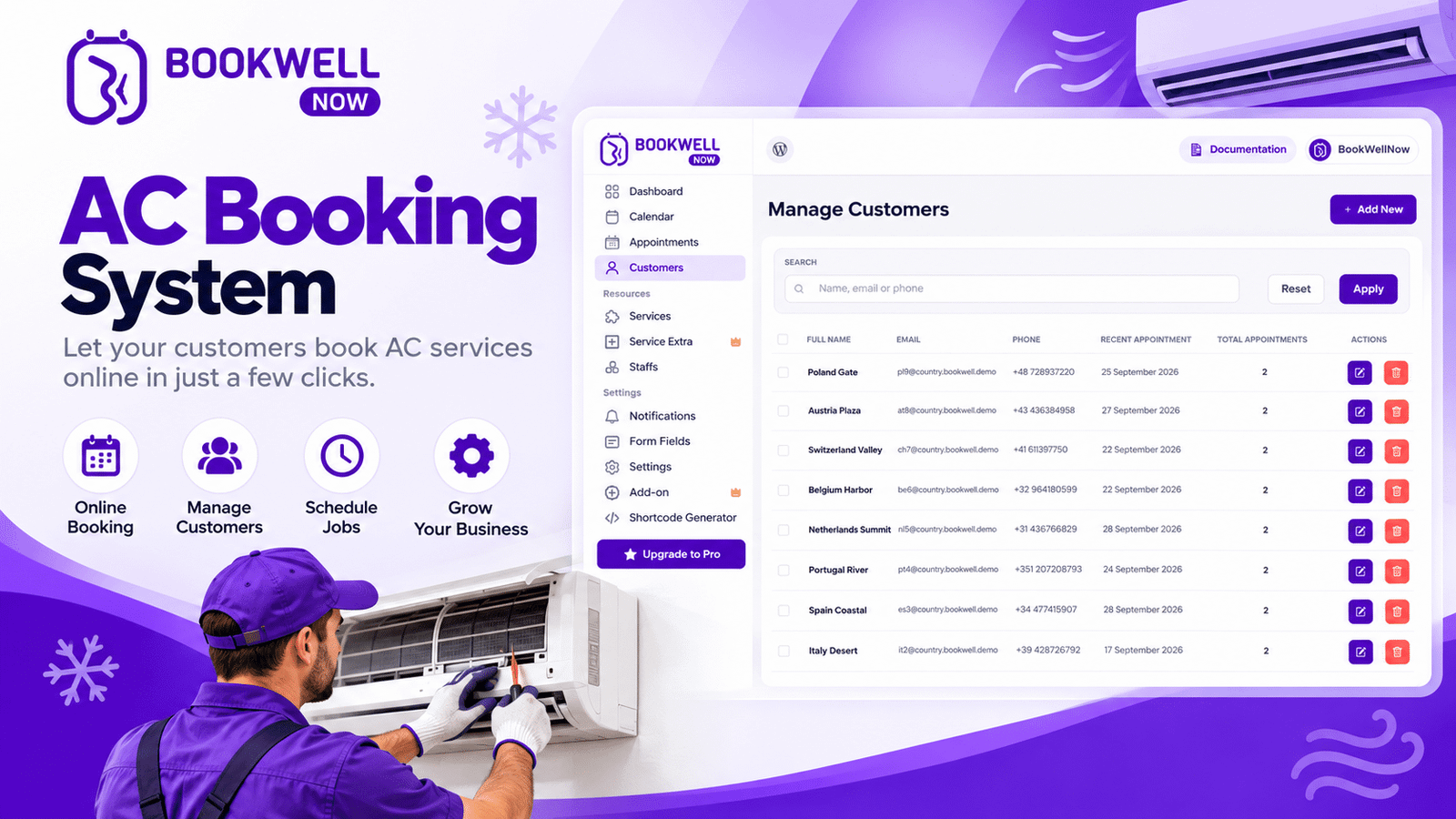
Review appointments through the WordPress dashboard and manage your schedule from one place.
Provide a Step-by-Step Booking Experience
Let customers move through a booking process that guides them through service selection, staff and time selection, and contact details.
Place Booking Buttons on Important Pages
Use booking buttons and shortcodes to make your appointment form accessible from relevant website pages. For example, your AC repair page can include a clear Book AC Repair Appointment button, while your maintenance page can feature a separate Schedule AC Maintenance call to action.
Support Online Payments
BookWellNow includes PayPal payment support in its free version. Its Pro version adds WooCommerce payment integrations, which can support additional payment gateways depending on your WooCommerce configuration. These features can help streamline appointment management, although a booking plugin alone does not replace HVAC dispatch software, technician routing, inventory management, or emergency-service operations.
How to Generate More AC Service Leads Through Your Website
Installing a booking plugin is only one part of lead generation. Your website should also help potential customers discover your business and understand how to request service.
Create Dedicated AC Service Pages
Build separate pages for the services you want to promote, such as AC repair, AC installation, and AC maintenance. Each page should explain the service, identify the customers it serves, answer common questions, and provide a clear booking call to action.
Target Relevant Local Keywords
If your business serves specific cities or neighborhoods, create useful local content around the services you actually provide.
Examples of target keywords include:
- AC repair service near me
- AC servicing appointment
- Air conditioner repair in [City]
- AC installation service in [City]
- HVAC maintenance booking
- Online AC service booking
Use these phrases naturally in page titles, headings, descriptions, and relevant website content. Avoid keyword stuffing or creating repetitive location pages with little unique value.
Add Clear Booking Calls to Action
Make it obvious what visitors should do next.
Examples include:
- Book AC Repair
- Schedule AC Service
- Request an AC Maintenance Appointment
- Get Started with Online Booking
Place these calls to action where visitors are likely to need them, including service descriptions and the end of relevant blog posts.
Make Your Website Easy to Use
Ensure that your booking page loads properly, displays clearly on mobile devices, and asks only for the information necessary to arrange the appointment. A simpler booking experience can reduce friction, but actual lead and booking results will depend on your traffic, service availability, pricing, and customer experience.
Measure Booking Conversions
Track how many visitors click your booking button, begin the booking process, and successfully submit an appointment. Use these measurements to identify where customers may be dropping out and improve your booking page over time.
Is BookWellNow Suitable for AC Repair and HVAC Businesses?
BookWellNow is worth considering if your AC repair or HVAC business uses WordPress and needs a straightforward way to manage appointments online.
It may be particularly useful for businesses that:
- Want to accept appointments through an existing WordPress website.
- Offer multiple AC services with different durations.
- Need to manage several staff members and individual schedules.
- Want to display booking forms on service pages.
- Need a centralized appointment calendar.
- Want to start with a free booking plugin and upgrade for advanced features.
However, if your business requires automatic technician dispatch, GPS-based routing, emergency job allocation, detailed equipment records, or complex field-service management, you should evaluate those requirements separately.
The best booking solution is the one that fits your actual workflow, rather than simply the one with the most features.
Frequently Asked Questions
1. What is the best AC booking system for a WordPress website?
The best AC booking system depends on your requirements. Look for a plugin that supports service management, staff scheduling, online booking forms, appointment notifications, and any payment or calendar integrations you need. BookWellNow is one option for WordPress-based appointment scheduling.
2. Can I accept AC repair appointments online with WordPress?
Yes. You can use a WordPress appointment booking plugin to display services, collect customer information, and let visitors choose from available appointment times. You may need additional processes to coordinate travel, urgent jobs, and technician assignments.
3. Can I use BookWellNow for AC maintenance bookings?
You can configure BookWellNow’s general appointment scheduling features for AC maintenance appointments. Create maintenance services, define their durations, configure staff availability, and publish a booking form on your website.
4. Does BookWellNow support multiple technicians?
Yes. BookWellNow supports unlimited staff members, with individual working hours, breaks, holidays, and service permissions. This can help AC service companies organize appointments across their teams.
5. Can I collect customer information through an AC booking form?
Yes. You can collect customer details through your booking form. BookWellNow’s Pro version supports customizable form fields, which can help you gather additional information required for your service workflow.
6. Can customers pay for AC services online?
BookWellNow supports PayPal payments in the free version, while Pro supports WooCommerce payment integrations. Your payment setup should match your pricing model and how your company confirms service costs.
7. Will an AC booking plugin help generate more leads?
A booking plugin gives website visitors a convenient way to submit appointments or service requests. To attract qualified leads, combine it with relevant SEO content, local search visibility, clear service information, and effective calls to action. Results will depend on your overall marketing and booking process.
Start Accepting AC Service Bookings with BookWellNow
Your AC repair or HVAC website can do more than describe your services. With an online booking system, it can give potential customers a direct way to request appointments and help your team organize its schedule. BookWellNow provides WordPress appointment scheduling features for managing services, staff availability, booking calendars, and customer appointments. You can start with its free version and explore Pro if you need additional capabilities.
Ready to simplify AC service scheduling on your WordPress website?
Get started with BookWellNow and build a more convenient appointment booking experience for your customers.