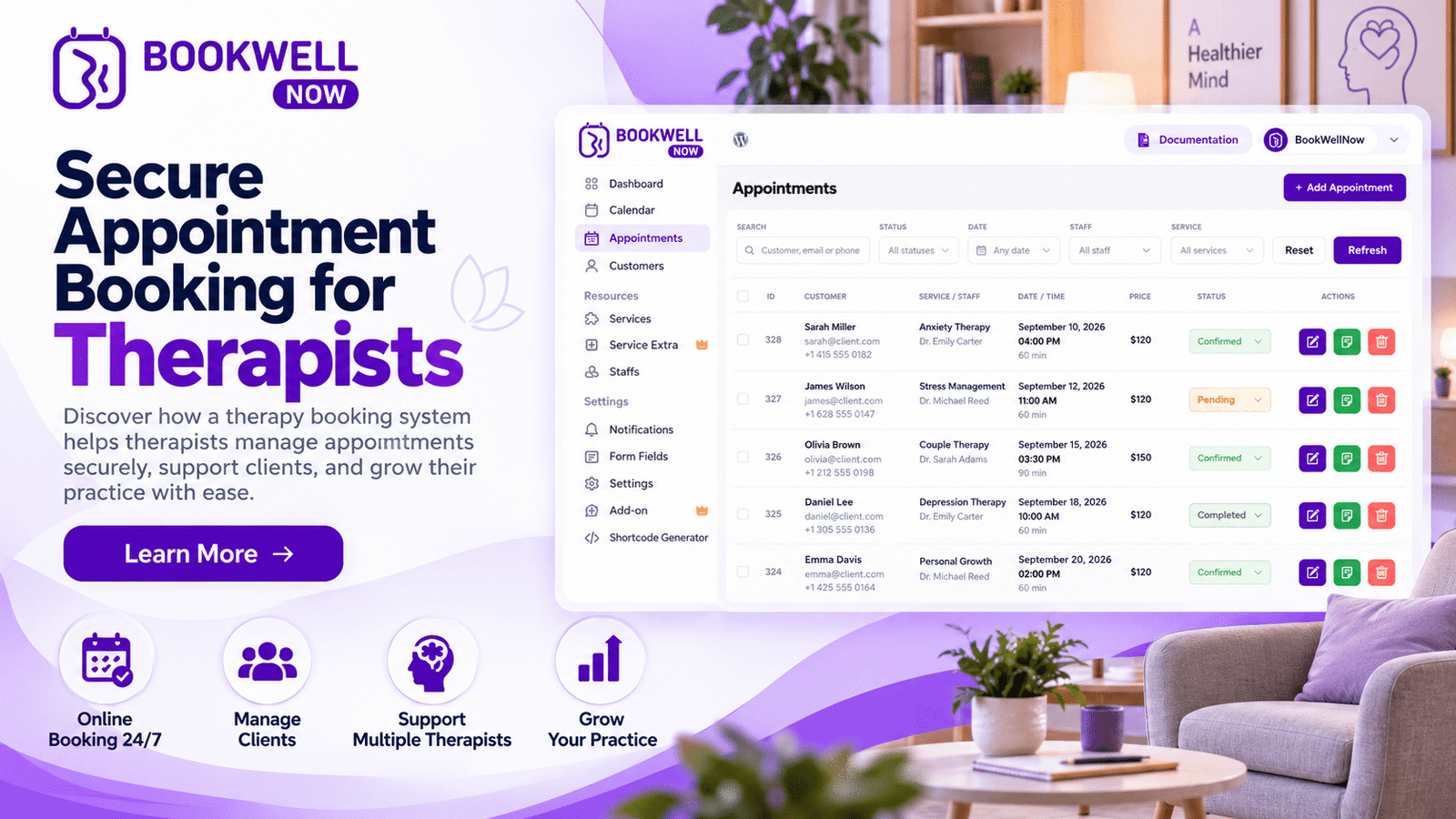
Managing therapy appointments can be challenging for psychologists, counselors, and mental health professionals. Between client consultations, follow-up sessions, cancellations, and administrative tasks, scheduling can take valuable time away from client care. A therapy booking system helps therapists manage appointments online, reduce manual scheduling, and create a smoother booking experience for clients. For professionals using WordPress, an appointment booking plugin can make it easier to accept appointment requests directly through their websites.
In this guide, we will explore how online appointment booking works, which features therapists should look for, and how BookWellNow can help simplify appointment scheduling.
What Is a Therapy Booking System?
A therapy booking system is a digital scheduling solution that allows therapists and psychologists to organize appointments and manage their availability. Depending on its features, it may allow clients to view available time slots, request or book sessions, and receive appointment confirmations. Instead of relying entirely on phone calls, emails, or messaging apps, therapists can use an online booking process to make scheduling more convenient. For therapists with a WordPress website, a therapy appointment booking plugin can integrate scheduling into their existing online presence.
Why Do Therapists Need an Online Appointment Booking System?
An efficient booking process benefits both mental health professionals and their clients. Here are some of the main reasons to consider online appointment scheduling.
1. Simplify Appointment Scheduling
Managing appointments manually can result in repeated messages, scheduling conflicts, and unnecessary administrative work. An online booking system can help therapists organize their availability and give clients a convenient way to request or schedule appointments.
2. Make Booking More Convenient for Clients
Clients may prefer to explore available appointment times without having to call during office hours. Online scheduling can make it easier for them to take the next step when they are ready. A clear booking process also helps visitors understand how to arrange an initial consultation or follow-up session.
3. Reduce Scheduling Conflicts
Keeping appointment information organized is important for therapists who manage multiple clients or offer different session types. A suitable booking system can help coordinate appointment times and, when supported, synchronize availability with connected calendars.
4. Save Time on Administrative Tasks
Repeatedly answering scheduling questions can take time away from other responsibilities. Online booking tools can streamline supported tasks, such as collecting appointment details, managing availability, and sending booking notifications. The exact capabilities depend on the plugin selected.
5. Create a More Professional Website Experience
A professional website should make it easy for potential clients to understand a therapist’s services and discover how to book an appointment. Adding an appointment booking system to a WordPress website creates a more direct journey from learning about a service to taking action.
Essential Features to Look for in a Therapy Booking System
Not every appointment booking plugin is designed for the same needs. Before choosing a solution, therapists should evaluate the features that matter most to their practice.
Online Appointment Booking
Look for a booking interface that allows clients to select an appropriate service and available time slot with minimal confusion. A straightforward booking journey can reduce friction and help visitors complete the scheduling process.
Flexible Availability Management
Therapists may offer different consultation hours, session lengths, and appointment types. Choose a system that supports the availability and scheduling rules your practice requires.
Appointment Notifications
Booking confirmations and reminders can help keep therapists and clients informed about upcoming sessions. Check whether the plugin supports email notifications, automated reminders, and customizable notification templates.
Multiple Services and Session Types
Some therapists offer initial consultations, individual sessions, couples counseling, or other services. A suitable system should make it easy to present relevant services and communicate the details of each appointment.
Calendar Integration
Calendar integration can help therapists coordinate appointments with their existing schedules. Verify which calendar services are supported and how availability synchronization works.
Mobile-Friendly Booking
Clients may visit a therapist’s website using a smartphone or tablet. A mobile-friendly booking experience helps visitors navigate services, review available times, and submit appointment details more comfortably.
Privacy and Security Considerations
Therapy appointments involve sensitive professional relationships, and some booking forms may collect personal information. Choose tools carefully, collect only the information necessary for scheduling, and review their privacy practices, access controls, data handling, and security documentation. A booking plugin alone does not guarantee compliance with applicable privacy or healthcare regulations. Avoid collecting detailed clinical histories or sensitive therapy notes through a general-purpose booking form unless the system is appropriate for that use.
How to Add a Therapy Booking System to a WordPress Website
If your therapy practice already uses WordPress, a booking plugin may help you add scheduling functionality without building a custom booking application.
Follow these general steps:
Step 1: Choose an appointment booking plugin
Compare available WordPress plugins based on usability, scheduling features, compatibility, support, and your practice’s requirements.
Step 2: Install and configure the plugin
Install the selected plugin using the appropriate WordPress installation method. Configure its settings according to the documentation.
Step 3: Add your therapy services
Create clear service descriptions and specify the appointment durations, prices if applicable, and other relevant booking details.
Step 4: Configure your availability
Set your working hours, appointment slots, and scheduling rules. Test the setup to ensure the available times reflect your actual schedule.
Step 5: Customize the booking experience
Make the booking page easy to understand on desktop and mobile devices. Use clear labels and collect only necessary appointment information.
Step 6: Test the complete booking journey
Submit a test booking, check notifications, review the appointment information, and verify that the process works as expected before making it available to clients.
How BookWellNow Can Help Therapists Manage Appointments
BookWellNow is a WordPress appointment booking plugin that therapists can explore when looking for ways to add appointment scheduling to their websites. Rather than sending every visitor to a separate scheduling service, a WordPress booking solution can help bring the appointment process closer to the information about your services. With BookWellNow, therapists can explore whether its available booking and scheduling features fit their website and workflow. Before choosing the plugin for a therapy practice, review the current BookWellNow feature list, setup documentation, and privacy-related information to confirm that it supports your required scheduling process.
Why consider BookWellNow?
- WordPress-based booking: Explore adding appointment scheduling to your existing WordPress website.
- A more direct booking journey: Help website visitors move from learning about your services to exploring appointment options.
- Practice-specific setup: Evaluate how the plugin fits your service types, availability, and administrative workflow.
- A starting point for a better client experience: Make appointment scheduling an integrated part of your website.
The right configuration depends on your practice’s needs, so verify the features available in the current BookWellNow version before implementing it.
How to Choose the Right Therapy Appointment Booking Plugin
Before installing a plugin, ask yourself these questions:
- Does it support the appointment types my practice offers?
- Can I configure my working hours and appointment durations?
- Is the booking experience easy to use on mobile devices?
- Does it provide the notifications and calendar integrations I need?
- Can I control access to appointment information appropriately?
- Does its privacy and data-handling approach meet my requirements?
- Is the plugin compatible with my current WordPress setup?
- Is the pricing suitable for my practice?
Comparing these points can help you select a booking solution that supports your day-to-day operations without adding unnecessary complexity.
Helpful Resources for Therapists
When setting up your website, follow the official WordPress plugin installation guide to learn how to install and manage plugins. To improve your website’s visibility in search results, refer to Google’s SEO Starter Guide for guidance on creating helpful, search-friendly content. Therapists and psychologists can also explore the World Health Organization’s mental health resources for general information about mental health and well-being.
Best Practices for Using a Therapy Booking System
Once your booking system is ready, a few improvements can make it more useful.
Place a Clear Booking Call to Action
Add a visible appointment button to important pages, such as your homepage, therapist profile, and service pages. Use straightforward language such as “Book an Appointment” or “Schedule a Consultation.”
Keep Service Information Clear
Explain what each appointment is for, how long it lasts, and what clients should know before booking. Avoid making promises about treatment outcomes.
Maintain Accurate Availability
Review your schedule regularly and update unavailable times to help prevent appointment conflicts.
Make Privacy a Priority
Use secure website practices, restrict access to booking information, and publish a clear privacy notice. Explain what information you collect and why.
Review Your Booking Journey
Test the process periodically from a visitor’s perspective. Remove unnecessary steps and make it easy to find help if a client encounters a problem.
Frequently Asked Questions
What is the best therapy booking system for therapists?
The best system depends on your practice size, appointment types, budget, privacy requirements, and preferred workflow. WordPress users can compare booking plugins such as BookWellNow with alternatives before choosing.
Can I add a therapy booking system to WordPress?
Yes. You can use a compatible WordPress appointment booking plugin to add scheduling functionality to your website. The available features depend on the plugin.
Is online appointment booking suitable for psychologists?
Online appointment booking can help psychologists organize availability and simplify scheduling. However, they should select tools that appropriately handle any personal or sensitive information collected during booking.
Does a therapy booking system automatically send appointment reminders?
Some booking systems support automated reminders, while others offer limited notification options or require integrations. Check the selected plugin’s current documentation before relying on this feature.
Can clients book therapy sessions outside business hours?
Potentially, yes. If the booking system offers online self-service scheduling, clients may be able to book during evenings or weekends according to the availability and booking rules configured by the therapist.
How can I promote my therapy booking page through SEO?
Create useful content around relevant topics, such as therapy appointment scheduling, psychologist consultations, and online booking for therapists. Use descriptive page titles, helpful internal links, a mobile-friendly website, and clear calls to action. Prioritize the visitor’s needs instead of repeating keywords unnaturally.
Conclusion: Simplify Therapy Scheduling with BookWellNow
An effective therapy booking system can help psychologists and therapists organize appointments, reduce scheduling friction, and make it easier for clients to arrange consultations. For practices using WordPress, choosing an appropriate booking plugin is a practical step toward creating a more convenient website experience. Explore BookWellNow to see whether its current features meet your appointment scheduling needs and help you build a smoother booking journey for your practice.
Install BookWellNow and start building a more convenient way for clients to book consultations.