Running a service-based business involves more than delivering great services. You also need to manage appointments, coordinate staff schedules, respond to customer inquiries, and make it easy for people to book your services. When all these tasks depend on phone calls, emails, spreadsheets, or WhatsApp messages, managing your schedule can quickly become overwhelming. Customers may have to wait for a response, appointments can overlap, and valuable booking opportunities may be missed outside business hours. This is where an appointment booking system can make a difference.
An online appointment booking system allows customers to view available time slots, select services, choose a convenient appointment time, and submit their booking through your website. Depending on the system you choose, it can also help you manage staff availability, send confirmations, accept payments, and organize your daily schedule. Whether you operate a salon, clinic, consultancy, fitness studio, or repair service, online scheduling can help simplify your booking process.
In this guide, we will explore 15 types of businesses that can benefit from an appointment booking system, the challenges it can solve, and how to choose the right solution for your business. To improve your website’s visibility in search results, follow Google’s SEO Starter Guide when optimizing your service pages and booking content.
What Is an Appointment Booking System?
An appointment booking system is a digital tool that helps businesses schedule, organize, and manage appointments with customers. Instead of requiring customers to call or message your business to find an available time, an online booking system lets them book appointments through a website or booking page.
A typical appointment booking system may include:
- Online appointment scheduling
- Service selection and pricing
- Staff and availability management
- Booking calendar and appointment status tracking
- Email confirmations and notifications
- Customer information collection
- Online payment options
- Appointment rescheduling and cancellation features
The available features depend on the software or plugin you choose. For businesses that use WordPress, an appointment booking plugin can add scheduling functionality directly to an existing website without requiring a separate booking platform.
Why Do Businesses Need an Appointment Booking System?
Customers increasingly expect convenient ways to interact with businesses online. If booking an appointment requires several calls or messages, some potential customers may abandon the process and look for a simpler alternative. An appointment booking system can help businesses:
Save administrative time: Reduce the need to manually coordinate every booking.
Accept bookings around the clock: Allow customers to submit appointment requests even when your business is closed.
Organize staff schedules: Manage working hours, breaks, holidays, and appointment availability more efficiently.
Improve customer convenience: Let customers choose services and available time slots at their convenience.
Reduce scheduling conflicts: Use a centralized calendar and availability rules to help prevent overlapping appointments.
Create more booking opportunities: Turn your website into a place where visitors can take action instead of simply reading about your services.
Now, let’s look at 15 businesses that can benefit from an online appointment booking system.
1. Salons and Beauty Parlors
Salons and beauty parlors often manage multiple services, including haircuts, hair coloring, facials, manicures, pedicures, and styling. Each service may require a different duration and a particular professional. Managing these appointments manually can create unnecessary administrative work, especially during weekends and busy seasons.
How an appointment booking system helps
- Allow customers to select a beauty service and preferred appointment time.
- Organize staff schedules and individual availability.
- Display service durations and prices before customers book.
- Help reduce scheduling conflicts.
- Give customers a convenient way to book without calling the salon.
For example, a customer looking for a haircut can visit your website, select the service, choose an available time, and submit the booking.
Best fit: Hair salons, beauty parlors, nail studios, makeup artists, and independent beauty professionals.
2. Healthcare Clinics and Medical Practices
Healthcare providers must coordinate patient appointments, practitioner availability, and consultation schedules. Manual scheduling can become particularly challenging when a clinic has several doctors or departments. An online appointment booking system can simplify the administrative side of this process.
How an appointment booking system helps
- Organize appointment slots for different practitioners.
- Display available consultation times.
- Collect relevant appointment information.
- Help staff maintain an organized booking calendar.
- Send appointment confirmations where supported.
For instance, a clinic can create separate appointment options for general consultations, follow-up visits, and specialist appointments. Healthcare providers should also evaluate privacy, security, and applicable healthcare data requirements before choosing a booking solution. A booking plugin alone does not guarantee regulatory compliance.
Best fit: Medical clinics, private practices, specialist centers, and outpatient services.
3. Dental Clinics
Dental clinics often provide different types of appointments, such as dental checkups, cleanings, consultations, and follow-up treatments. Each appointment may require a different amount of time, making scheduling an important part of clinic operations.
How an appointment booking system helps
- Organize appointment types and their durations.
- Manage availability for multiple dentists.
- Let patients request or book suitable time slots online.
- Reduce repetitive scheduling calls.
- Make it easier for administrative staff to manage the daily calendar.
A dental clinic can create separate booking options for routine checkups, consultations, and other services, helping patients find the right appointment more easily.
Best fit: Dental practices, orthodontic clinics, and private dental centers.
4. Spas and Wellness Centers
Spas and wellness centers offer services such as massages, body treatments, facials, and relaxation therapies. These businesses need to coordinate treatment rooms, service durations, and therapist availability. A well-organized booking process can make the customer experience more convenient before the visit even begins.
How an appointment booking system helps
- Present available treatments and service durations.
- Coordinate appointments with available therapists.
- Organize working hours, breaks, and days off.
- Help customers schedule visits at their convenience.
- Support online payments when the chosen system offers them.
For example, a customer can select a massage treatment, review its duration, and choose a suitable time without waiting for a staff member to respond.
Best fit: Day spas, massage centers, wellness studios, and holistic therapy businesses.
5. Fitness Centers and Personal Trainers
Fitness businesses frequently manage personal training sessions, fitness consultations, coaching appointments, and specialized training programs. Without a centralized schedule, trainers may spend too much time coordinating sessions instead of focusing on clients.
How an appointment booking system helps
- Allow clients to book personal training sessions.
- Manage availability for multiple trainers.
- Organize different training services.
- Schedule fitness consultations.
- Simplify appointment administration.
For example, a personal trainer can offer separate booking options for a one-hour training session and an initial fitness consultation. Businesses offering group classes should check whether their booking system supports group bookings, multiple seats, and capacity limits.
Best fit: Personal trainers, fitness studios, gyms, and specialized coaching centers.
6. Consultants and Professional Advisors
Consultants sell their expertise through consultations, strategy sessions, discovery calls, and ongoing advisory appointments.
When potential clients must exchange several emails to arrange a meeting, the booking process can become an obstacle to conversion.
How an appointment booking system helps
- Let prospects schedule consultations online.
- Display availability without requiring repeated messages.
- Offer different consultation durations.
- Collect relevant information before a meeting.
- Support online consultation payments when available.
For example, a business consultant can offer a free introductory meeting and a separate paid strategy session through clearly defined booking options. This makes it easier for prospective clients to move from researching a service to taking the next step.
Best fit: Business consultants, marketing consultants, financial advisors, and independent professionals.
7. Tutors and Coaching Businesses
Tutors and coaches often work with several students or clients, each requiring individual sessions and specific time slots. Managing recurring sessions manually can become difficult as the number of clients grows.
How an appointment booking system helps
- Allow students or clients to book available sessions.
- Organize schedules for multiple tutors or coaches.
- Offer different session durations.
- Collect student or client details during booking.
- Support online meeting integrations where available.
For example, a language tutor can offer 30-minute introductory lessons and 60-minute private lessons, each with its own availability.
Best fit: Private tutors, academic coaches, language teachers, career coaches, and skill-training professionals.
8. Therapists and Mental Wellness Professionals
Therapists and mental wellness professionals need a reliable way to organize consultations, manage availability, and make scheduling straightforward for clients. A convenient booking process can reduce the administrative effort required to arrange appointments.
How an appointment booking system helps
- Offer different consultation types and durations.
- Manage individual practitioner schedules.
- Allow clients to book available appointments online.
- Collect necessary booking details.
- Support virtual meeting workflows when compatible integrations are available.
For example, a therapist may provide separate appointment options for an initial consultation and a follow-up session.
Privacy is particularly important in this field. Choose a system that meets your confidentiality and data-protection requirements, and avoid collecting sensitive personal information unless it is necessary and appropriately protected.
Best fit: Therapists, psychologists, counselors, and mental wellness practices.
9. Legal Professionals and Law Firms
Law firms and independent legal professionals often begin client relationships with consultations. Coordinating these meetings manually can consume valuable administrative time. An appointment booking system can make it easier for prospective clients to request a suitable consultation.
How an appointment booking system helps
- Offer booking options for different consultation types.
- Organize availability across multiple professionals.
- Collect basic contact information.
- Display available meeting times.
- Help administrative staff manage the appointment calendar.
For example, a law firm can offer separate consultation options for business law, family law, and general legal inquiries. The booking form should collect only appropriate information and should not encourage clients to submit confidential legal documents through an unsuitable channel.
Best fit: Independent lawyers, legal consultants, law firms, and legal advisory services.
10. Veterinary Clinics and Pet Care Services
Pet owners may need appointments for routine checkups, grooming, vaccinations, consultations, or other services. Veterinary clinics and pet care businesses can benefit from a clear booking process that helps them organize different appointment types.
How an appointment booking system helps
- Offer separate appointment categories for different services.
- Coordinate staff and appointment availability.
- Collect basic pet-owner and booking details.
- Organize the daily appointment schedule.
- Reduce routine scheduling calls.
For example, a pet grooming business can offer separate appointments for bathing, grooming, and nail trimming. Veterinary clinics should ensure their scheduling workflow also accommodates urgent cases that require immediate attention rather than routine online booking.
Best fit: Veterinary clinics, pet grooming salons, and pet wellness centers.
11. Photography Studios
Photographers often manage portrait sessions, family photoshoots, professional headshots, and event consultations. Every booking may require a different duration, preparation process, or service package.
How an appointment booking system helps
- Present available photography services.
- Let customers select suitable session times.
- Organize consultations and studio appointments.
- Collect basic project details.
- Support deposits or online payments where available.
For example, a portrait photographer can create separate booking options for individual portraits, family sessions, and professional headshots. This helps customers understand their options and gives the photographer a more organized way to manage incoming bookings.
Best fit: Portrait photographers, commercial photography studios, and photography consultants.
12. Home Repair and Maintenance Services
Repair and maintenance businesses frequently coordinate service visits, inspections, estimates, and consultations. Although some jobs require custom scheduling or on-site assessments, an online booking system can simplify the initial appointment process.
How an appointment booking system helps
- Allow customers to book consultations or inspections.
- Present different service categories.
- Collect basic job details before the visit.
- Organize technician availability.
- Reduce the time spent coordinating routine appointments.
For example, an appliance repair business could offer appointment options for an initial inspection, maintenance visit, or service consultation. Businesses that need travel-time calculations, technician dispatching, or route optimization should verify whether they need a specialized field-service platform in addition to an appointment booking system.
Best fit: Appliance repair companies, electricians, plumbers, maintenance providers, and inspection services.
13. Cleaning Services
Cleaning companies may manage residential cleaning consultations, commercial cleaning assessments, deep-cleaning appointments, and recurring service arrangements. When customers have to wait for a response before discussing availability, the booking process can slow down lead generation.
How an appointment booking system helps
- Offer booking options for different cleaning services.
- Collect basic property and appointment information.
- Organize staff availability.
- Schedule consultations and assessments.
- Help convert website visitors into booking inquiries.
For example, a cleaning business can allow customers to book an initial consultation while collecting details about the property and requested service. For jobs that require a custom quotation, the booking system can handle the consultation first, with the final price confirmed afterward.
Best fit: Residential cleaning companies, commercial cleaning businesses, and specialized cleaning providers.
14. Educational Institutes and Training Centers
Educational institutes and training centers often arrange admissions consultations, trial classes, academic counseling sessions, and individual meetings. Coordinating these appointments manually can become challenging when multiple instructors or departments are involved.
How an appointment booking system helps
- Schedule admissions consultations.
- Organize meetings with different instructors.
- Offer trial sessions or introductory consultations.
- Collect prospective student information.
- Manage available time slots in a centralized calendar.
For example, a coding academy can let prospective students book an introductory consultation before enrolling in a course. Institutes offering full courses or classes with limited seats should confirm that their booking system supports the required group scheduling and capacity-management features.
Best fit: Coaching institutes, language schools, tutoring centers, and professional training providers.
15. Event Planners and Wedding Professionals
Wedding planners and event professionals need to coordinate consultations with couples, clients, vendors, and other stakeholders. A simple booking process can help potential clients schedule an initial meeting without unnecessary back-and-forth communication.
How an appointment booking system helps
- Offer consultation slots for prospective clients.
- Organize availability across team members.
- Present different consultation services.
- Collect event dates and basic requirements.
- Support deposits where compatible payment features are available.
For example, a wedding planner can provide separate booking options for an initial consultation, venue-planning discussion, and event coordination meeting.
Best fit: Wedding planners, event planners, decorators, event consultants, and venue consultation teams.
Quick Comparison: Which Businesses Benefit Most?
| Business type | Common booking need | Main benefit |
|---|---|---|
| Salons and beauty parlors | Service and stylist appointments | Better schedule coordination |
| Healthcare clinics | Patient consultations | Organized appointment management |
| Dental clinics | Treatment appointments | Easier scheduling |
| Spas and wellness centers | Treatment sessions | Convenient service selection |
| Fitness businesses | Training sessions | Better trainer scheduling |
| Consultants | Discovery and advisory calls | Easier lead conversion |
| Tutors and coaches | Individual lessons | Organized session availability |
| Therapists | Private consultations | Convenient appointment scheduling |
| Legal professionals | Client consultations | Simplified meeting coordination |
| Veterinary and pet care | Pet appointments | Clearer service scheduling |
| Photography studios | Photoshoots and consultations | Structured booking options |
| Repair services | Inspections and visits | Better appointment coordination |
| Cleaning companies | Assessments and consultations | Easier inquiry management |
| Educational institutes | Trial classes and counseling | Organized student appointments |
| Event professionals | Client consultations | Smoother inquiry-to-meeting process |
What Features Should You Look for in an Appointment Booking System?
Not every booking tool offers the same functionality. Before choosing one, consider your business requirements, team size, appointment types, and payment process.
Here are some important features to evaluate.
1. Online Booking Forms
Your customers should be able to select a service, view available times, and submit the necessary information without unnecessary steps. A simple booking process can reduce friction and make it easier for visitors to become customers.
2. Staff and Availability Management
If multiple people provide services, you need a way to organize individual schedules, working hours, breaks, and days off. This is especially important for salons, clinics, fitness studios, and other businesses with multiple service providers.
3. Service Management
Your booking system should allow you to organize services, durations, and pricing so customers can easily understand what they are booking. Clear service categories can also make navigation easier when a business offers many different appointments.
4. Booking Calendar
A centralized calendar helps business owners and staff review appointments and manage their daily schedules. Look for calendar views and appointment management tools that suit your team’s workflow.
5. Email Confirmations and Notifications
Booking confirmations help customers understand whether their appointment has been successfully scheduled. Automated notifications and reminders can also reduce manual communication, provided the selected system supports the required workflows.
6. Payment Integration
Some businesses collect payment at the time of booking, while others charge after the service. Choose a system that supports your preferred payment process. If you need deposits, partial payments, or particular payment gateways, verify that those features are available in the plan you intend to use.
7. WordPress Compatibility
If your website runs on WordPress, a compatible booking plugin can integrate scheduling into your existing website. Check whether the plugin works with your theme and page builder and whether it provides a convenient way to add booking forms to your pages.Protect your booking website by following the official WordPress security guidelines and keeping your website software updated.
8. Mobile-Friendly Booking
Customers may visit your website using a smartphone, so your booking form should be easy to navigate on smaller screens. Test the complete booking process on mobile devices rather than checking only how the form looks.
9. Rescheduling and Customer Management
Depending on your business, you may want customers to manage their appointments themselves. Look for features such as customer accounts, booking history, cancellation options, and rescheduling workflows when these are important to your operations.
How BookWellNow Helps Businesses Manage Appointments
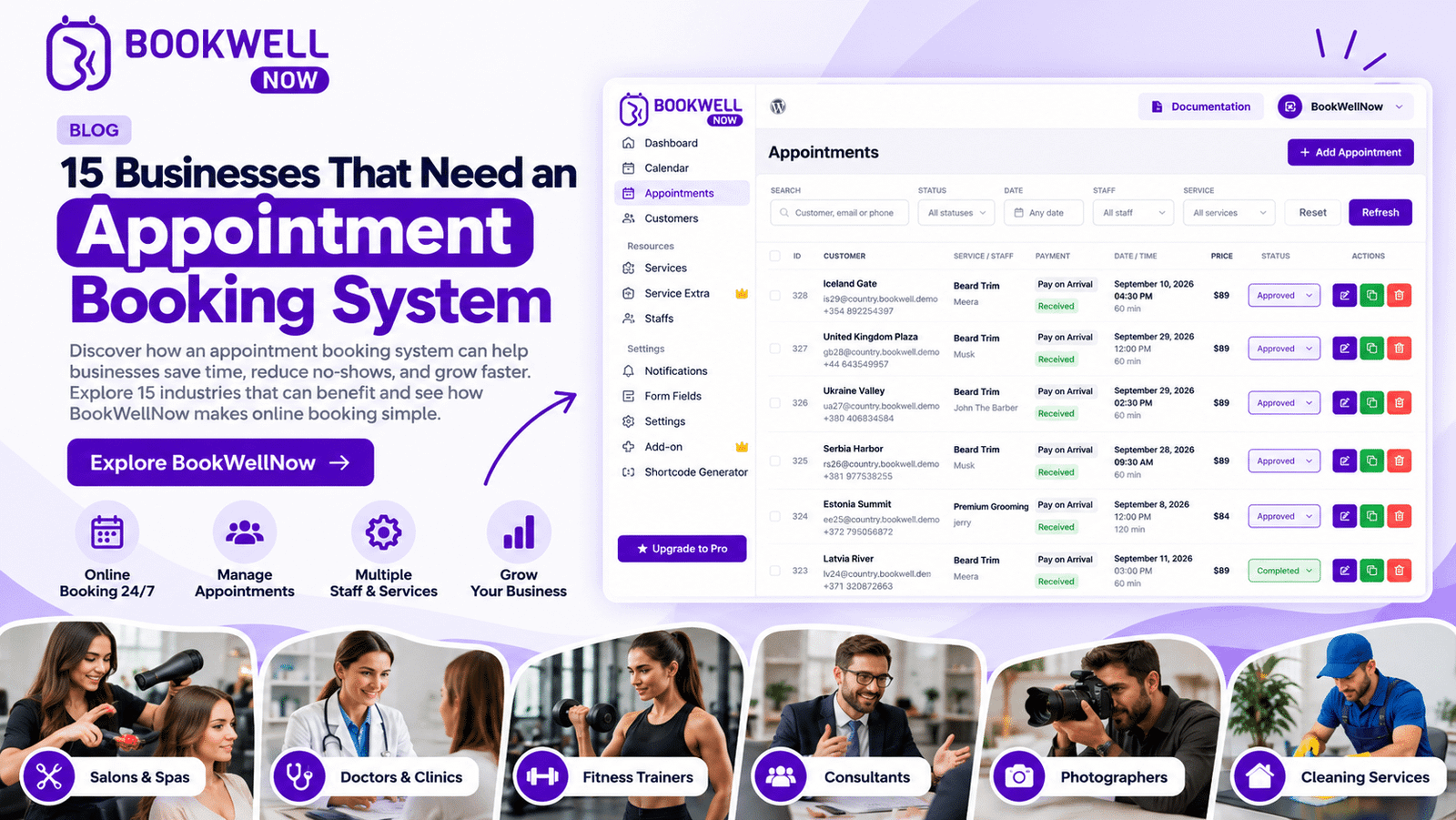
If your business website runs on WordPress, BookWellNow provides an appointment booking plugin that helps you manage services, staff schedules, and customer appointments from your website. Instead of relying entirely on manual scheduling, you can create a structured booking experience that allows customers to choose services and available appointment times online.
Here are some of the features you can explore.
Unlimited Staff, Services, and Bookings
BookWellNow’s free version includes unlimited staff members, services, and bookings. This gives appointment-based businesses room to organize their services and team without a booking-count limit in the free version.
Step-by-Step Online Booking
Customers can select a service, choose an available staff member and appointment time, enter their details, and confirm their booking through a guided booking process. A clear workflow helps visitors understand what to do next.
Staff Scheduling and Calendar Management
Configure individual working hours, breaks, and days off to help organize staff availability. You can also manage appointments through the WordPress administration area.
Zoom Integration
BookWellNow includes Zoom integration for supported online services, making it useful for businesses that provide virtual consultations, coaching sessions, or remote meetings.
Flexible WordPress Integration
Add booking forms to your WordPress pages using shortcodes. This allows you to place booking options on service pages, landing pages, and other relevant parts of your website.
Payment Options
The free version includes PayPal payments and pay-on-arrival options. The Pro version adds WooCommerce payment gateway integration for businesses that need additional checkout and payment capabilities.
Additional Pro Features
Depending on your requirements, BookWellNow Pro also offers features such as Google Calendar integration, Google Meet, custom booking fields, buffer time, appointment rescheduling, scheduled notifications, and service extras. These options can be helpful as your appointment management requirements become more advanced.
Want to see how it works?
Explore the BookWellNow appointment booking plugin to review its features, experience the booking workflow, and determine whether it fits your business. You can also review the complete feature list and pricing plans before choosing a version.
How to Choose the Right Appointment Booking System for Your Business
Choosing the right solution starts with understanding how your business operates. Before installing a booking tool, ask yourself these questions:
1. What services do you offer?
List your bookable services, their durations, and any special scheduling requirements.
2. How many staff members need access?
Consider whether you need individual staff schedules, separate service permissions, or a shared calendar.
3. Do customers need to pay online?
Decide whether you collect payment in advance, require deposits, or accept payment after the appointment.
4. Do you need virtual appointments?
If you offer online consultations, check whether the system supports your preferred video meeting platform.
5. Does the system work with your website?
WordPress users should evaluate plugin compatibility, booking form placement, and ease of administration.
6. What will it cost as your business grows?
Compare the features included in the free and paid plans. Check for restrictions on staff, services, bookings, integrations, and support.
7. Is the booking process easy for customers?
Test the booking experience on desktop and mobile. Look for unnecessary steps, unclear service descriptions, and confusing confirmation messages.
A suitable appointment booking system should fit your existing workflow while making it easier for customers to schedule services.
Frequently Asked Questions About Appointment Booking Systems
What is the best appointment booking system for small businesses?
The best system depends on your business type, budget, team size, and scheduling requirements. If you use WordPress, BookWellNow is an option to consider because its free version includes unlimited staff, services, and bookings. Compare its available features with your specific needs before choosing.
Is an appointment booking system suitable for every industry?
Appointment booking systems are particularly useful for businesses that schedule consultations, treatments, lessons, service visits, or other time-based appointments. However, businesses that primarily sell physical products or need complex dispatching and resource-management workflows may require different or additional tools.
Can I add an appointment booking system to my WordPress website?
Yes. You can add appointment scheduling functionality to a WordPress website using a compatible booking plugin. Depending on the plugin, you may be able to display booking forms on pages, posts, and service landing pages.
Can customers book appointments outside business hours?
Yes. An online booking system can accept bookings at any time when the website and booking service are available. Customers will still need to choose from the appointment slots you have configured as available.
Does an appointment booking system reduce manual work?
It can reduce repetitive tasks such as checking availability, coordinating appointment times, and sending routine booking confirmations. The amount of time saved depends on the system’s features and how your business currently handles appointments.
Can I accept payments through an appointment booking system?
Many booking systems support online payments, but available payment methods vary. Check whether the tool supports your preferred payment gateway, deposits, and checkout process.
Is a free appointment booking plugin enough for my business?
A free plugin may be sufficient if it provides the essential features you need. Review its limits and integrations carefully. BookWellNow’s free version includes unlimited staff, services, and bookings, while its Pro version adds additional integrations and scheduling capabilities.
How do I add BookWellNow to my WordPress website?
You can install BookWellNow through your WordPress dashboard by opening Plugins, selecting Add New, and searching for BookWellNow. Follow the setup instructions to configure your services, staff schedules, and booking form. You can also consult the BookWellNow documentation for guidance on adding booking forms to your pages.
Final Thoughts: Make Appointment Booking Easier With the Right System
From salons and healthcare clinics to consultants, tutors, photographers, and home service providers, businesses across many industries can benefit from a more organized appointment booking process. An online appointment booking system can help you reduce repetitive administrative work, organize staff schedules, provide convenient booking options, and make it easier for customers to take the next step.
The right solution depends on your services, team, payment requirements, and website platform. If you already use WordPress, you do not necessarily need a separate booking website to start accepting appointments. A compatible plugin can bring scheduling directly to your existing website.
Ready to simplify appointment scheduling for your business?
Explore BookWellNow to discover its appointment booking features, try the booking experience, and find a plan that suits your needs. Start with the free version if you want to explore the core booking features, then consider Pro if you need additional integrations and scheduling tools. Make it easier for customers to book your services—and give your business a more organized way to manage appointments.