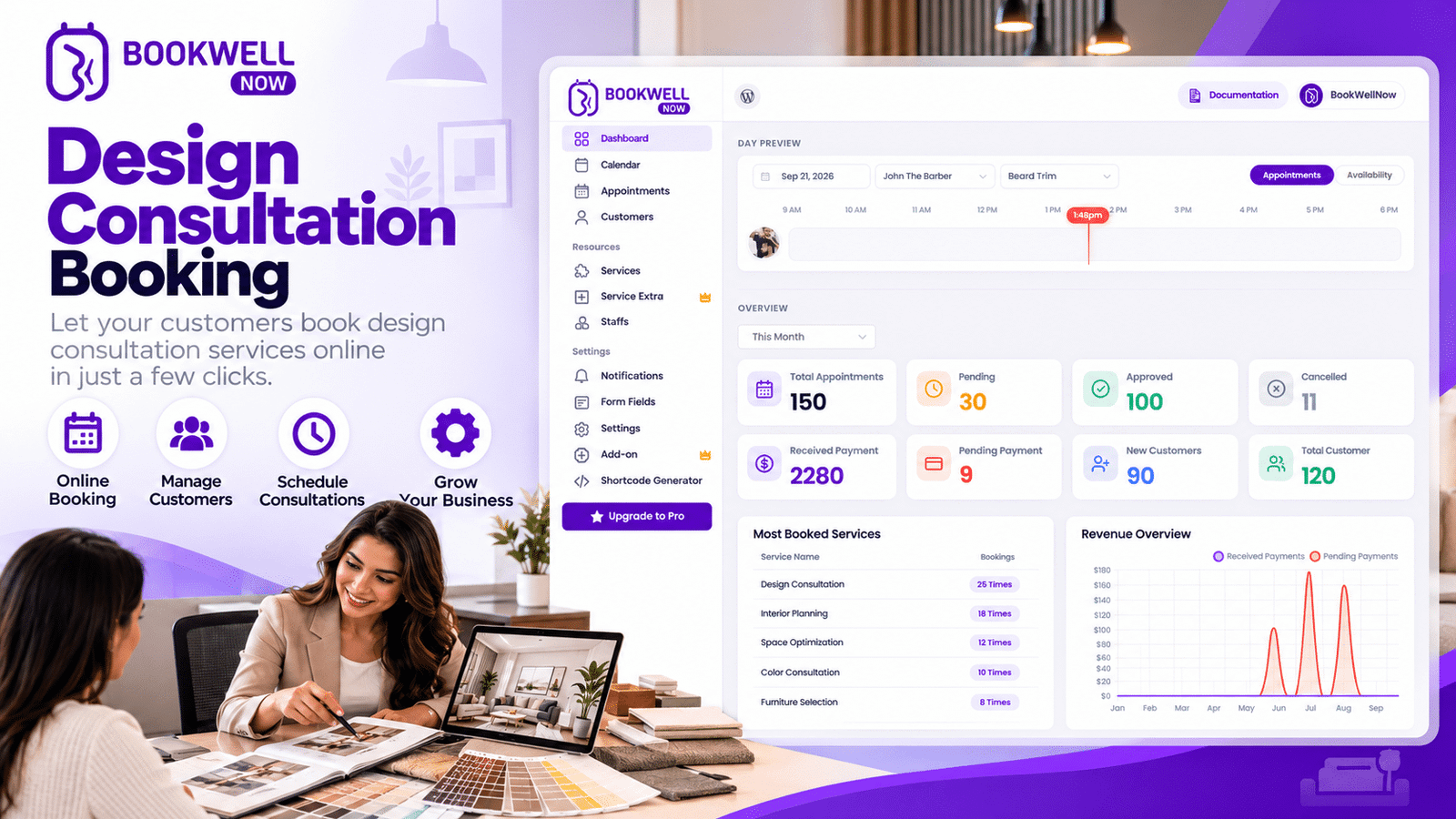
Interior design is about more than creating beautiful spaces. It also involves understanding client requirements, discussing design preferences, presenting concepts, managing project expectations, and coordinating consultations. With multiple clients and projects to handle, managing appointments manually can quickly become time-consuming. A design consultation booking system helps interior designers organize client meetings, manage availability, and make it easier for potential customers to schedule consultations online.
For interior designers who use WordPress, BookWellNow offers an appointment booking solution that can help streamline consultation scheduling directly through their websites. In this guide, we will explore how interior designers can simplify their booking process, improve the client experience, and use online appointment scheduling to support business growth.
What Is Design Consultation Booking?
Design consultation booking is the process of allowing clients to schedule appointments with an interior designer to discuss their design needs, project requirements, budget, style preferences, and expectations. Instead of relying entirely on phone calls, emails, or social media messages, designers can provide an online booking option where clients choose an available appointment time.
A typical interior design consultation may include:
- Discussing the client’s vision and preferred interior style.
- Understanding room dimensions and property requirements.
- Reviewing project budgets and timelines.
- Exploring color palettes, furniture, lighting, and materials.
- Discussing renovation or new-build design requirements.
- Planning the next steps for the interior design project.
An organized booking process helps designers manage these meetings while giving clients a convenient way to get started.
Why Do Interior Designers Need an Online Booking System?
Many interior designers manage appointments manually, particularly when their businesses begin to grow. While this approach may work with a small number of clients, it can become difficult to maintain as inquiries increase. An online interior design consultation booking system helps address common scheduling challenges.
1. Reduce Time Spent on Scheduling
Repeatedly answering messages to find a suitable meeting time can interrupt creative work and project management. With online scheduling, clients can select from available appointment slots without requiring lengthy conversations about availability.
2. Make Booking Easier for Potential Clients
People researching interior designers often want to understand the services offered and arrange an initial conversation before committing to a project. A visible booking option on your website gives visitors a clear next step.
3. Organize Client Consultations
Interior designers may offer different consultation types, including initial discussions, room design consultations, renovation planning, and follow-up meetings. Organizing these appointments through a centralized calendar makes it easier to review upcoming commitments and manage schedules.
4. Create a More Professional Client Experience
A simple and consistent booking process gives potential clients a convenient way to connect with your business. It also helps your website function as more than a portfolio by providing a practical way to move from browsing your work to scheduling a consultation.
5. Manage Your Time More Effectively
Designers need dedicated time for research, concept development, supplier coordination, and project delivery. A structured appointment schedule helps separate client meetings from other work and reduces the risk of overlapping appointments.
How Does an Interior Design Consultation Booking System Work?
An online booking process can be simple for both the designer and the client.
Step 1: Explore the services
Visitors review the consultation options available on the interior designer’s website.
Step 2: Select a consultation
Clients choose the relevant service, such as an initial design discussion or a room planning consultation.
Step 3: Choose a date and time
Clients select an available appointment slot based on the designer’s configured schedule.
Step 4: Enter contact details
The client provides the information needed to arrange the meeting.
Step 5: Confirm the appointment
The booking is submitted, and the client receives the applicable confirmation according to the booking system’s notification settings. This process reduces unnecessary back-and-forth communication and gives prospective clients a clear path to scheduling a meeting.
How BookWellNow Helps Interior Designers Simplify Consultation Scheduling
If your website runs on WordPress, BookWellNow can help you introduce online appointment booking without building a custom scheduling system from scratch. BookWellNow is a WordPress appointment booking plugin designed to help service-based businesses manage appointments, staff schedules, and booking workflows.
Here are some ways interior designers can use it.
Online Consultation Scheduling
Add a booking form to your website so potential clients can select a consultation service and an available time. This allows your website to support the appointment process even when you are busy working on design projects.
Flexible Service Setup
Create separate bookable services for the consultation types your business offers. For example:
- Initial Interior Design Consultation
- Living Room Design Consultation
- Bedroom Design Planning
- Kitchen and Bathroom Design Consultation
- Home Renovation Discussion
- Follow-Up Design Review
You can configure service durations, prices, and staff assignments according to your business requirements.
Staff and Schedule Management
Interior design studios with multiple designers can configure individual staff profiles and working schedules. BookWellNow supports staff shifts, working hours, breaks, holidays, and special days, helping teams organize appointment availability.
Booking Calendar Management
Manage scheduled appointments through the WordPress administration area and use calendar views to review upcoming meetings. A centralized booking process can help designers keep track of client commitments more efficiently.
Booking Forms on Your Website
BookWellNow provides booking form options for WordPress, including Gutenberg blocks, Elementor widgets, and shortcodes. You can place a booking form on a dedicated consultation page or use a booking popup button on relevant pages of your website.
Automated Booking Emails
Booking confirmation and status-update emails can help communicate important appointment information to clients. For eligible configurations, BookWellNow also supports online meeting integrations, including Zoom. This can be useful for designers who offer remote consultations. Explore the BookWellNow features to learn more about its appointment scheduling capabilities.
How to Add Design Consultation Booking to Your WordPress Website
You do not necessarily need to build a custom booking platform to start accepting appointments online.
Here is a practical setup process using BookWellNow.
Step 1: Install BookWellNow
Visit the BookWellNow WordPress plugin page and install the plugin on your WordPress website. Activate it and open the BookWellNow settings in your WordPress dashboard.
Step 2: Create Your Consultation Services
Add the consultation services you want to offer. For example, create an initial consultation service with a defined duration and price, if applicable. You can also create separate services for different rooms, project types, or consultation formats. Use clear service names and descriptions so clients understand what each appointment includes.
Step 3: Configure Your Availability
Set your working hours, staff schedules, breaks, and days off. Make sure the available appointment slots reflect the time you can realistically dedicate to client meetings. If you work with a team, assign the appropriate staff members to each service.
Step 4: Add a Booking Form
Create a consultation booking page on your website and add the BookWellNow booking form using a supported Gutenberg block, Elementor widget, or shortcode. Consider placing a clear heading above the form, such as:
Book Your Interior Design Consultation
Explain what clients can expect from the meeting and how to prepare.
Step 5: Test the Booking Experience
Before promoting the page, make a test booking and check that:
- The correct services appear.
- Available dates and times are displayed.
- Contact information can be submitted.
- Confirmation emails work as expected.
- The form is easy to use on mobile devices.
A smooth booking experience helps reduce confusion and makes it easier for prospective clients to take action.
Best Practices for a High-Converting Interior Design Consultation Page
Installing a booking plugin is only one part of the process. Your consultation page should also give visitors enough information and confidence to book.
Use a Clear Headline
Choose a headline that explains the benefit of booking. For example: “Book an Interior Design Consultation to Plan Your Dream Space.” Avoid vague headings that do not communicate what the visitor can do next.
Explain What the Consultation Includes
Tell clients what you will discuss, how long the meeting lasts, and whether the consultation is online or in person. If you charge a consultation fee, explain it clearly before the client books.
Showcase Your Previous Work
Include relevant project photographs, design concepts, or portfolio examples. Visual evidence of your work helps visitors understand your design style and decide whether your services match their needs.
Add Testimonials and Client Feedback
Where you have permission to use them, include genuine testimonials that describe the client experience. Specific, authentic feedback can help potential customers feel more confident about contacting your studio.
Make the Booking Button Visible
Use clear calls to action such as:
- Book a Consultation
- Schedule a Design Meeting
- Discuss Your Project
- Plan Your Interior Design Project
Place the booking option near your introduction, service descriptions, and portfolio sections where it makes sense.
Optimize for Mobile Visitors
Potential clients may discover your business through search engines or social media on their phones. Ensure your consultation page loads properly, displays readable text, and provides an easy-to-use booking form on smaller screens.
SEO Benefits of Offering Design Consultation Booking
A well-structured consultation page can support your broader search engine optimization strategy by targeting relevant search intent and guiding visitors toward your services.
Consider incorporating the following keywords naturally into your content:
- Design Consultation Booking
- Interior Design Consultation Booking
- Interior Designer Appointment Booking
- Online Booking for Interior Designers
- Interior Design Consultation Scheduling
- WordPress Booking Plugin for Interior Designers
Use the primary keyword in your page title, H1 heading, introduction, and URL where appropriate. Include related terms in relevant subheadings and body copy without repeating them unnecessarily. You can also create supporting content about interior design consultations, remote design meetings, renovation planning, and preparing for a first meeting with an interior designer. Link these articles to your consultation page where relevant. This helps visitors discover your services and creates a more connected website structure. Remember that keyword optimization alone does not guarantee rankings. Useful content, search intent, website performance, and overall site quality also matter.
Frequently Asked Questions
What is the best way to manage interior design consultations online?
An online appointment booking system allows clients to review services, choose available times, and submit their booking details through your website. For WordPress websites, BookWellNow is one option for setting up this process.
Can I offer different types of design consultations?
Yes. You can create separate bookable services for different consultation types, such as room planning, renovation discussions, and initial project meetings. Configure each service according to your business needs.
Can clients book consultations directly from my WordPress website?
Yes. BookWellNow provides booking forms and popup booking buttons that you can add to supported WordPress pages and layouts.
Can I manage appointments for multiple interior designers?
BookWellNow supports multiple staff profiles and configurable staff schedules. This can help interior design studios organize bookings across their team.
Is BookWellNow suitable for virtual design consultations?
BookWellNow supports Zoom integration for eligible online services. Designers can use this functionality to facilitate remote consultations, provided they configure the relevant settings.
Do I need coding skills to set up online booking?
BookWellNow offers WordPress booking blocks, Elementor widgets, and shortcodes, allowing you to add booking functionality without developing a custom booking system from scratch.
Conclusion: Make Interior Design Consultation Booking Easier with BookWellNow
An organized consultation booking process helps interior designers spend less time coordinating appointments and more time focusing on creative work and client relationships. By offering online scheduling, clear service descriptions, convenient booking forms, and structured availability, you can make it easier for potential clients to take the first step toward working with your studio.
BookWellNow helps WordPress website owners manage appointment scheduling, configure services and staff, and provide a convenient booking experience for their customers.
Ready to simplify appointment scheduling on your interior design website?
Install BookWellNow and start building a more convenient way for clients to book consultations.