Planning an event involves managing client expectations, coordinating vendors, discussing budgets, and organizing countless details. For event planners and event management agencies, scheduling client consultations efficiently is essential to delivering a smooth customer experience. However, managing appointments through phone calls, emails, and manual calendars can lead to missed meetings, scheduling conflicts, and unnecessary administrative work.
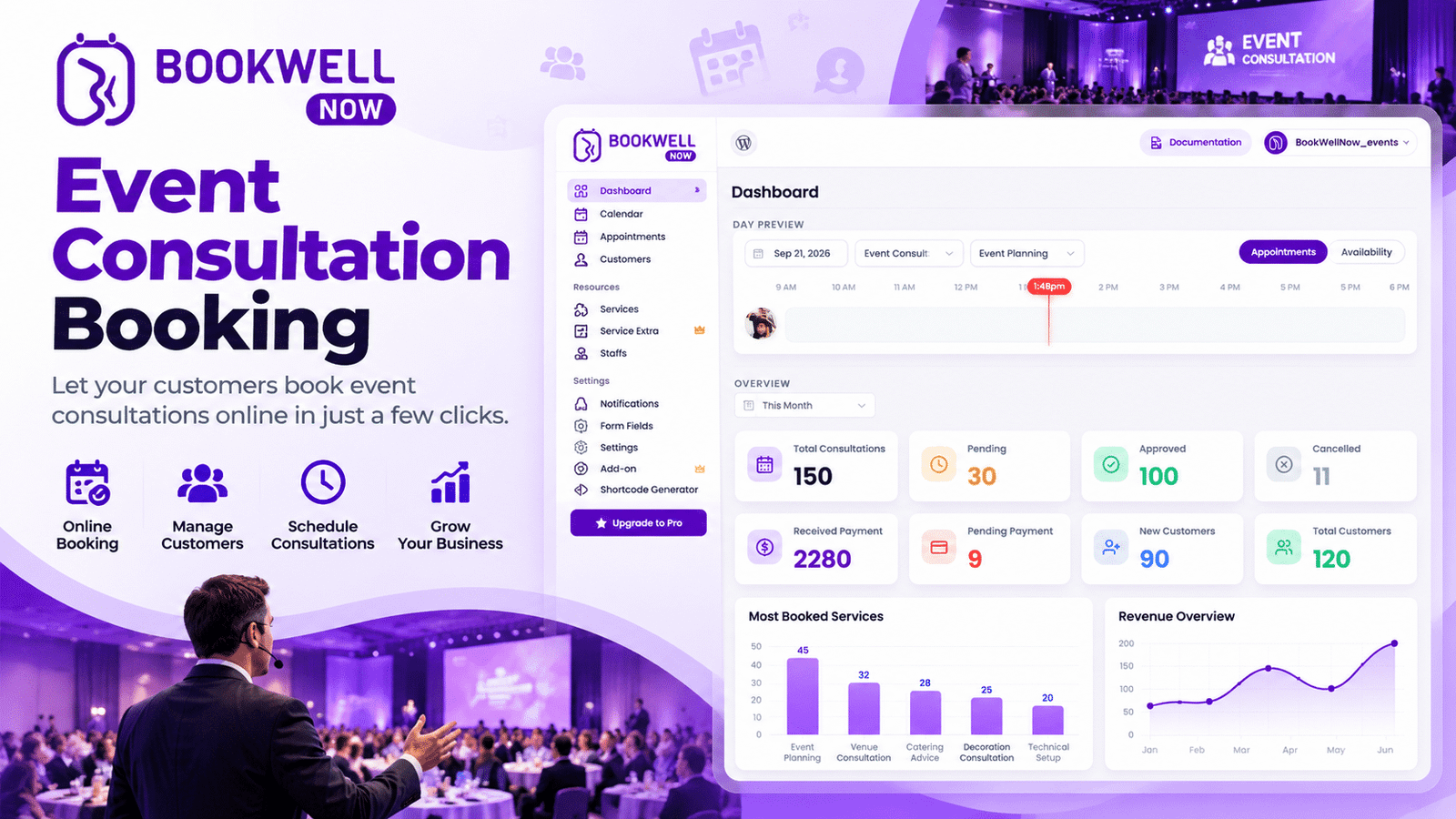
An event consultation booking system helps event planners simplify appointment scheduling by allowing clients to book meetings online at their convenience. With a WordPress appointment booking plugin like BookWellNow, event businesses can create a more organized booking process and spend more time planning memorable events. In this guide, you’ll learn how online meeting scheduling works, why event planners need a booking system, and how to set up an efficient consultation booking process on your WordPress website.
What Is Event Consultation Booking?
Event consultation booking is the process of allowing potential or existing clients to schedule appointments with event planners to discuss their event requirements, budgets, themes, timelines, and services.
These consultations may cover:
- Wedding planning and coordination
- Corporate events and conferences
- Birthday parties and private celebrations
- Product launches and promotional events
- Venue selection and event design
- Event budgeting and vendor coordination
Instead of exchanging multiple emails or making phone calls, clients can choose a suitable appointment time and submit their booking online. For event agencies, an online booking process creates a convenient first step in the customer journey and helps teams organize consultations more efficiently.
Why Do Event Planners Need an Online Booking System?
Event planners often manage multiple clients, overlapping deadlines, and changing schedules. Manual appointment management can become difficult as the business grows. Here are some reasons to implement an online event consultation booking system.
1. Simplify Meeting Scheduling
Allow prospective clients to request or schedule consultations without waiting for a response from your team. A clear booking process makes it easier for clients to take the next step.
2. Reduce Scheduling Conflicts
A structured appointment calendar helps event planners organize their availability and manage consultation slots more consistently. Depending on the plugin’s features and configuration, availability rules can help prevent overlapping appointments.
3. Improve the Client Experience
Clients expect convenient ways to contact service providers. Online booking gives them a straightforward way to arrange a consultation when they are ready to discuss their event.
4. Save Administrative Time
Reducing repetitive scheduling conversations gives event planners more time to focus on event concepts, vendor coordination, client communication, and execution.
5. Generate More Qualified Leads
A consultation booking form can collect useful information before the first meeting, such as event type, expected guest count, preferred date, location, and estimated budget. This helps your team prepare for more productive discussions.
How to Set Up Event Consultation Booking on WordPress
If your event planning business website runs on WordPress, you can use an appointment booking plugin to organize consultations directly through your website. Follow these steps to create a convenient booking experience.
Step 1: Install a WordPress Appointment Booking Plugin
Choose a booking plugin that fits your event agency’s scheduling requirements. Look for features such as appointment management, customizable booking forms, availability settings, and booking notifications. BookWellNow is an option to explore for integrating appointment booking into a WordPress website.
Step 2: Create Consultation Services
Organize your appointments into clear service categories so clients understand which consultation to book.
For example:
- Initial Event Planning Consultation
- Wedding Planning Consultation
- Corporate Event Strategy Meeting
- Event Budget Consultation
- Venue and Theme Planning Session
Set appropriate appointment durations and prices, if applicable, based on your business model and the plugin’s supported settings.
Step 3: Configure Your Availability
Define the days and times when you accept consultations. Reserve enough time between meetings to review client information and prepare for upcoming appointments. If your agency has multiple event planners, check whether the plugin supports the staff scheduling and availability rules your team needs.
Step 4: Customize Your Booking Form
Keep the form simple while collecting the information needed to understand each client’s requirements.
Useful fields may include:
- Client name
- Email address and phone number
- Type of event
- Preferred event date
- Expected number of guests
- Estimated budget
- Event location
- Additional requirements
Only request information that is relevant to the consultation.
Step 5: Add the Booking Form to Your Website
Place the consultation booking option on high-intent pages, such as your homepage, event planning services page, wedding planning page, and contact page. Use a clear call to action, such as “Book an Event Consultation” or “Schedule Your Planning Meeting.” Make sure the booking experience is easy to use on mobile devices, where many prospective clients browse and contact service providers.
Step 6: Manage Appointments and Follow Up
Review incoming appointments, communicate any necessary instructions, and prepare for each meeting. Where supported by your booking plugin, configure confirmation emails, reminders, and other notifications to help clients stay informed about their appointments.
How BookWellNow Can Help Event Planners
For event agencies that use WordPress, BookWellNow can be considered as part of a more organized online consultation process. Instead of relying entirely on manual appointment requests, your website can become a starting point for clients who want to discuss their events. Depending on the features available in your selected BookWellNow plan, explore how it can support your appointment scheduling workflow.
Potential benefits to look for include:
- Website-based booking: Make consultations accessible from your WordPress website.
- Organized appointments: Keep track of scheduled client meetings.
- A clearer booking journey: Guide visitors from exploring your services to requesting a consultation.
- Less manual coordination: Reduce repetitive back-and-forth scheduling.
- A more professional experience: Give prospective clients a clear way to begin working with your agency.
Before choosing a plan, review BookWellNow’s current feature list to confirm that it supports your specific needs, including staff management, payment collection, reminders, and calendar integrations where required.
Ready to simplify your event consultation process? Explore BookWellNow and see how it fits your WordPress appointment scheduling needs.
Best Practices for Event Consultation Booking
Installing a booking plugin is only one part of building an effective appointment system. Use these best practices to improve the experience for prospective clients.
Use Clear Consultation Descriptions
Explain what clients can expect from each consultation, including its duration, purpose, and any preparation required.
Make Booking Easy to Find
Add a prominent booking call to action to relevant service pages. Avoid making prospective clients search through multiple pages to find your consultation form.
Collect Information Before the Meeting
Ask a few targeted questions about the event so your team can understand the client’s needs before the consultation begins.
Optimize for Mobile Devices
Ensure the booking page, form fields, buttons, and appointment selection process work smoothly on smartphones and tablets.
Track Booking Conversions
Measure how many visitors reach your booking page, start completing the form, and successfully schedule an appointment. Use these insights to identify opportunities to improve conversions.
Build Trust With Relevant Information
Show your event planning services, portfolio, testimonials, contact information, and consultation policies where appropriate. Clear information helps clients feel more confident about booking a meeting.
Common Event Consultation Booking Mistakes to Avoid
Event planners can improve their booking process by avoiding these common mistakes:
- Offering unclear consultation types or durations.
- Asking too many unnecessary questions on the booking form.
- Failing to explain what happens after a client books.
- Making the booking button difficult to find.
- Ignoring mobile usability.
- Leaving appointment availability outdated.
- Using automated notifications without checking that the wording is accurate.
- Failing to measure completed bookings and qualified leads.
A well-designed booking process should be straightforward for clients and manageable for your team.
How to Choose the Right Event Consultation Booking Plugin
Before installing an event consultation booking plugin for WordPress, compare your business requirements with the plugin’s actual capabilities.
Consider the following factors:
| Feature to evaluate | Why it matters |
|---|---|
| Appointment scheduling | Helps clients arrange consultations |
| Availability management | Keeps your calendar organized |
| Custom booking forms | Collects relevant event information |
| Email notifications | Keeps clients informed |
| Staff scheduling | Supports agencies with multiple planners |
| Payment options | May help agencies charge for consultations |
| Calendar integrations | Can support your existing scheduling workflow |
| Mobile-friendly booking | Makes appointments easier to book on smartphones |
| Pricing and support | Helps you assess long-term value |
Not every event agency needs every feature. A solo wedding planner may require a simple consultation form, while a larger agency may need staff scheduling, payment collection, and more advanced calendar management. Choose a plugin that matches your workflow, budget, and growth plans.
Frequently Asked Questions
What is an event consultation booking system?
An event consultation booking system lets clients schedule meetings with event planners to discuss event requirements, services, budgets, and planning timelines.
Can I add event consultation booking to a WordPress website?
Yes. You can use a compatible WordPress appointment booking plugin to add a booking form or appointment scheduling workflow to your website. Check the plugin’s installation requirements and available features before setup.
How can event planners schedule client meetings online?
Event planners can create consultation services, configure appointment availability, add a booking form to their website, and manage incoming appointments through a booking system.
What information should an event consultation form collect?
Common fields include the client’s contact details, event type, proposed date, location, guest count, budget range, and any special requirements. The form should collect enough information to prepare for the consultation without overwhelming the client.
Is an appointment booking plugin useful for event management agencies?
It can be useful for agencies that regularly arrange client consultations. An online booking workflow can reduce manual scheduling work, make appointments easier to organize, and create a convenient way for prospective clients to contact the business.
Why consider BookWellNow for event consultation booking?
BookWellNow is worth evaluating if you want to add appointment booking to a WordPress website. Review its current plans and supported features to determine whether it meets your requirements for consultation scheduling and appointment management.
Conclusion
An efficient event consultation booking process helps event planners organize client meetings, reduce manual scheduling work, and make it easier for prospective customers to take the first step toward hiring their services. By adding an online booking workflow to your WordPress website, you can create a more convenient consultation experience while keeping your team focused on delivering successful events. If you want to improve appointment scheduling on your WordPress website, explore BookWellNow and try it for your event consultation booking workflow.
Install BookWellNow and start building a more convenient way for clients to book consultations.