Running a photography business involves more than capturing beautiful moments. Photographers must also manage client inquiries, schedule photoshoots, coordinate studio availability, communicate session details, and organize their daily appointments. When these tasks are handled manually, they can consume valuable time and make it harder to deliver a smooth customer experience.
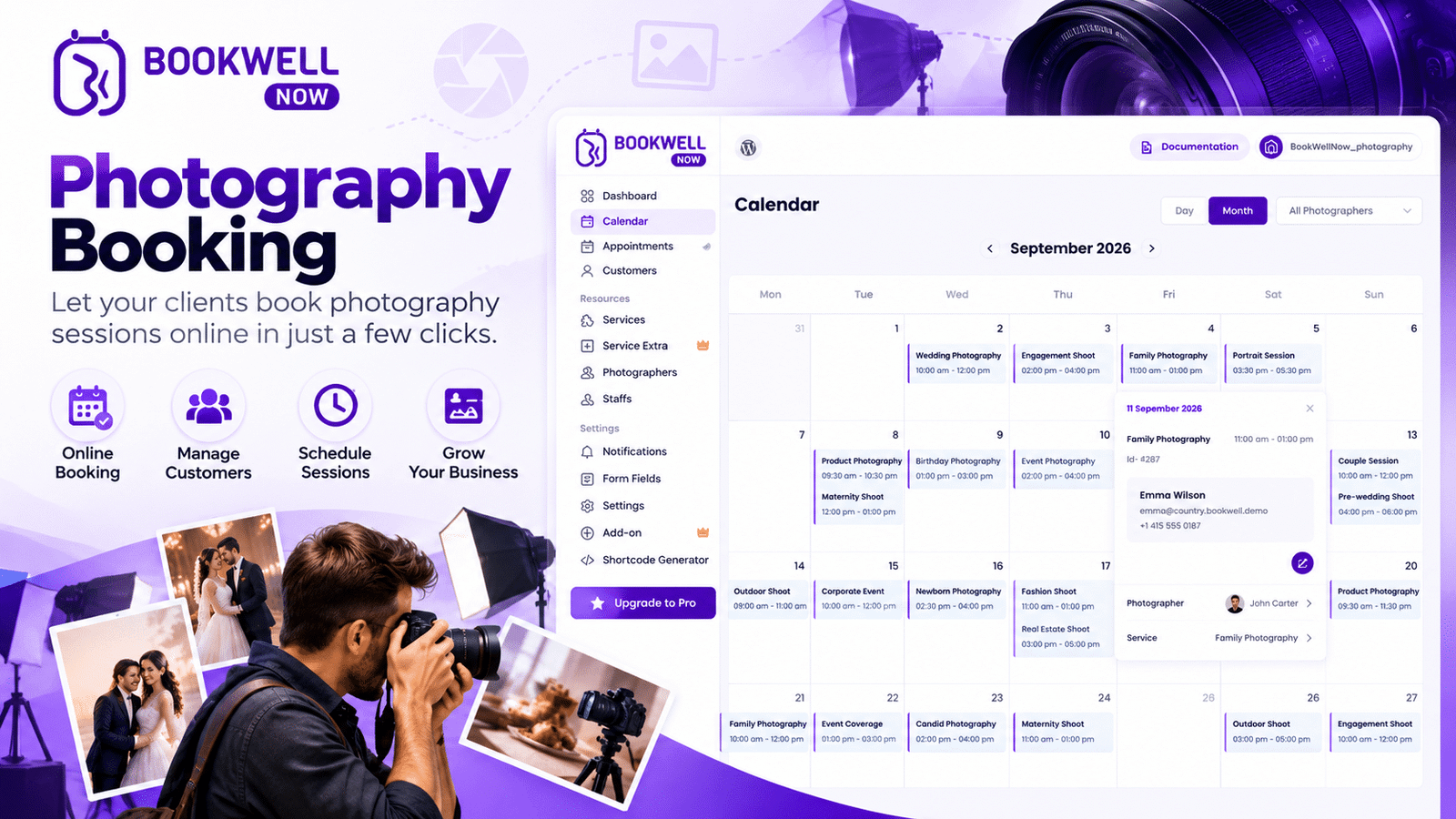
A photography booking plugin can help simplify this process by bringing appointment scheduling directly to your WordPress website. Instead of relying entirely on phone calls, emails, or social media messages, you can offer clients a convenient way to explore your services and request or schedule photography sessions online. Whether you operate a professional photography studio, work as a freelance photographer, or provide wedding, portrait, family, or commercial photography services, an online booking solution can help make your scheduling process more organized. With BookWellNow, photography businesses can explore a WordPress-based approach to appointment booking and create a more convenient experience for potential clients.
What Is a Photography Booking Plugin?
A photography booking plugin is a WordPress tool designed to help photographers manage appointments and photography session scheduling through their websites. Depending on the plugin and its available features, it may support appointment calendars, service selection, available time slots, booking forms, customer information, automated notifications, and payment collection.
For example, a portrait photographer could display available session times on their website. A customer could choose a suitable session, provide the required details, and complete the booking process online if those capabilities are supported by the selected plugin. This approach can reduce repetitive administrative work and make it easier for customers to take the next step after discovering your photography services.
Why Do Photographers Need an Online Booking System?
Managing photography appointments manually may work when you have only a few clients. As your business grows, however, coordinating different sessions, locations, and customer requirements can become increasingly complicated.
Here are some reasons to consider a photography session booking system.
1. Make Booking More Convenient for Clients
Potential clients often want to check availability and arrange a photoshoot without waiting for a response to an inquiry. An online booking experience allows customers to explore the scheduling process through your website. Depending on your configuration, they may be able to select a service, choose an available time, and submit their booking details. This convenience can help reduce friction between a customer’s initial interest and their decision to book a session.
2. Reduce Manual Scheduling Work
Managing appointments through calls, emails, spreadsheets, and messaging apps can take time away from photography and editing. A booking plugin can centralize important scheduling activities, helping you organize appointments more efficiently. Features such as booking notifications, calendar management, and automated confirmations can further reduce manual work when available.
3. Organize Photography Sessions
Different photography services require different amounts of time and preparation. For example, a headshot session may take less time than a family photoshoot, while a wedding photography consultation may require a separate appointment. A suitable photography studio booking system can help you organize services according to their duration, availability, and scheduling requirements.
4. Improve the Customer Experience
A professional website should make it easy for visitors to understand your services and discover how to book them. A clear booking process can help customers find the information they need without navigating multiple communication channels. It also gives your business a more organized online presence.
5. Support Business Growth
As your client base expands, you may need a more consistent process for managing inquiries and appointments. An online booking solution can provide a foundation for handling more sessions without relying exclusively on manual coordination. The exact benefits depend on your workflow, booking volume, and the features available in your chosen plugin.
Essential Features to Look for in a Photography Booking Plugin
Not every booking plugin offers the same capabilities. Before choosing a WordPress scheduling solution, consider which features match your photography business.
Online Appointment Scheduling
Look for a booking process that allows clients to schedule photography sessions through your website. Availability management is particularly important when multiple clients are trying to book the same time slot.
Customizable Booking Forms
Photography businesses may need different information for different types of sessions. For example, a booking form might collect a customer’s name, contact information, preferred session type, and other details needed before the appointment. Customizable forms can help you gather relevant information without requiring lengthy follow-up conversations.
Service and Session Management
If you offer portrait photography, family sessions, product photography, and professional headshots, you need a clear way to present these services. A suitable booking plugin should support the service organization you need, including different appointment durations or booking rules where available.
Calendar and Availability Management
An organized calendar helps photographers coordinate appointments, editing time, studio access, and other business commitments. Check whether the plugin supports the calendar and availability controls required for your workflow.
Booking Notifications
Clients appreciate knowing what happens after they submit a booking. Email confirmations, reminders, and appointment notifications can help reduce confusion and missed sessions when these features are supported.
Payment Integration
Some photographers collect a deposit when a client books, while others collect payment after the session. If online payments are important to your business, check whether the plugin supports your preferred payment gateways and payment workflow.
Mobile-Friendly Booking Experience
Many customers browse photography websites from their smartphones. Your booking process should be easy to navigate on smaller screens, with readable forms and clear instructions. Before choosing a plugin, test the booking journey on both desktop and mobile devices.
How to Use a Photography Booking Plugin on WordPress
Getting started with online photography scheduling does not have to be complicated. Follow these steps to plan a practical booking experience.
Step 1: Define Your Photography Services
Start by listing the services you want clients to book online.
Examples include:
- Portrait photography
- Family and maternity photoshoots
- Wedding photography consultations
- Professional headshots
- Product photography
- Corporate photography sessions
- Photography studio appointments
Clear service descriptions help visitors understand what you offer before starting the booking process.
Step 2: Set Up Your WordPress Website
Create a dedicated page for your photography services and make your booking option easy to find. Include information such as session descriptions, pricing where appropriate, location details, preparation requirements, and frequently asked questions.
Step 3: Choose a Suitable Booking Plugin
Select a WordPress booking plugin that matches your business requirements. Evaluate the available scheduling features, customization options, payment support, notification settings, and pricing before making a decision. BookWellNow is an option to explore if you want to build an appointment-booking experience on your WordPress website.
Step 4: Configure Your Booking Process
Set up your services, appointment durations, availability, and required customer information according to the plugin’s supported features. For example, you could allocate different appointment lengths for portrait sessions and initial wedding photography consultations.
Step 5: Test the Complete Customer Journey
Before promoting your booking page, test the process from the customer’s perspective. Check whether visitors can understand your services, complete the booking form, select an appropriate time when scheduling is enabled, and receive the expected confirmation. Fix any confusing steps before making the page available to your audience.
Step 6: Promote Your Booking Page
Add booking links to your main navigation, service pages, contact page, and relevant marketing campaigns. You can also share your booking page through social media, email newsletters, and other channels where potential photography clients discover your business.
How BookWellNow Can Help Photography Businesses
For photographers using WordPress, choosing the right appointment-booking solution is an important step toward building a more organized online workflow. BookWellNow is worth exploring if you want to incorporate appointment booking into your website rather than depend entirely on manual scheduling. Before selecting it for your photography business, review its current features and confirm that they meet your requirements.
Consider whether your intended setup supports:
- A booking process suitable for photography consultations or sessions
- The service and scheduling options your business needs
- The customer information you need to collect
- Your preferred notification and payment workflows, if required
- A booking experience that works well with your website design
The right setup depends on the way you run your business. A freelance photographer who offers short portrait sessions may have different requirements from a studio coordinating several photographers and multiple rooms.
Photography Booking Plugin vs. Manual Booking: What’s the Difference?
Manual booking can be a practical starting point for a new photography business. However, as appointment volume increases, an online scheduling process may help reduce repetitive work.
| Booking activity | Manual booking | Online booking plugin |
|---|---|---|
| Client inquiries | Managed through calls, emails, or messages | Can be directed to your website |
| Appointment scheduling | Coordinated manually | Can be managed through supported scheduling tools |
| Customer information | Collected through separate conversations or forms | Can be collected through booking forms |
| Appointment updates | Communicated manually | May be supported through automated notifications |
| Availability management | Updated manually | May be managed through an appointment calendar |
| Payment collection | Arranged separately | May be available through supported payment integrations |
An online booking plugin does not eliminate every administrative task. However, selecting a solution that fits your workflow can help make routine appointment management more consistent.
Choose a Reliable WordPress Booking Plugin
When selecting a photography booking plugin, review its available features, compatibility, and maintenance information before installing it. You can explore the official WordPress plugin directory to learn more about plugins available for your website.
Improve Your Photography Website’s SEO
A well-structured website can help search engines understand your photography services. Follow Google’s SEO Starter Guide to learn about useful SEO practices, including creating helpful content and organizing your website effectively.
Optimize Your Photography Website’s Performance
High-quality photography images can make your website visually appealing, but large image files may affect loading speed. Test your website using Google PageSpeed Insights to identify performance issues and opportunities for improvement.
SEO Tips for Photography Businesses Using WordPress
A booking plugin helps with scheduling, but attracting new clients also requires a strong online presence.
Here are several ways to improve your photography website’s visibility.
Target Relevant Photography Keywords
Create helpful pages around the services your customers search for. Depending on your business, relevant keywords may include:
- Photography booking plugin
- Photography session booking system
- Photography studio booking system
- Online booking for photographers
- Portrait photography booking
- Photography appointment scheduling
Use keywords naturally in page titles, headings, descriptions, and useful website content. Avoid repeating the same phrase excessively.
Create Dedicated Service Pages
If you offer multiple photography services, consider creating separate pages for portrait photography, wedding photography, product photography, and professional headshots. Each page should explain the service, answer customer questions, and provide a clear way to inquire or book.
Improve Website Performance and Mobile Usability
A slow or confusing website can discourage visitors from completing a booking. Use appropriately sized images, keep navigation simple, and test your forms on mobile devices. A smooth experience helps visitors move from exploring your portfolio to taking action.
Add Clear Calls to Action
Use descriptive calls to action such as “Book a Photography Session,” “Schedule a Consultation,” or “Check Availability.” Place these links where visitors are likely to need them, including service pages and portfolio pages.
Track Results and Improve Your Booking Journey
Monitor relevant metrics such as organic website traffic, booking-page visits, completed bookings, and conversion rate. These measurements can help you identify whether visitors are finding your website and whether the booking process encourages them to take action.
Frequently Asked Questions
What is the best photography booking plugin for WordPress?
The best plugin depends on your requirements, budget, and preferred workflow. Compare appointment scheduling, customization, notifications, payment options, ease of use, and support before selecting a solution. BookWellNow is one option to evaluate.
Can I use a photography booking plugin for a photography studio?
Yes. A suitable appointment-booking plugin can help a studio organize photography sessions and client appointments. If your studio has multiple photographers, rooms, or equipment, confirm that the plugin supports the resource-management capabilities you require.
Can clients book photography sessions online?
Yes, if your website uses a plugin configured to accept online bookings. Depending on its features, customers may be able to choose a service, select an available appointment, and submit their details online.
Does a photography booking plugin support online payments?
Some booking plugins offer payment integrations, but availability varies. Check the plugin’s current documentation to confirm whether it supports deposits, full payments, and your preferred payment gateway.
Is a photography booking plugin suitable for freelance photographers?
Yes. Freelance photographers can benefit from a more organized way to manage consultations and photography appointments. Choose a solution that matches your session types and booking volume.
Why choose a WordPress booking plugin instead of managing appointments manually?
A booking plugin can bring appointment scheduling into your website and may reduce repetitive communication. The amount of time saved depends on the plugin’s capabilities and how you configure your workflow.
Conclusion: Make Photography Session Scheduling Easier
A photography business needs an effective way to manage both the creative and administrative sides of its work. A suitable photography booking plugin can help organize appointments, simplify the customer booking journey, and support a more professional online presence. By choosing the right WordPress scheduling solution, creating clear service pages, and making your booking process easy to use, you can build a more convenient experience for prospective clients. BookWellNow is worth exploring if you want to add appointment booking to your WordPress website. Review its available features, identify the capabilities your photography business needs, and test the booking experience before choosing your setup.
Install BookWellNow and start building a more convenient way for clients to book consultations.