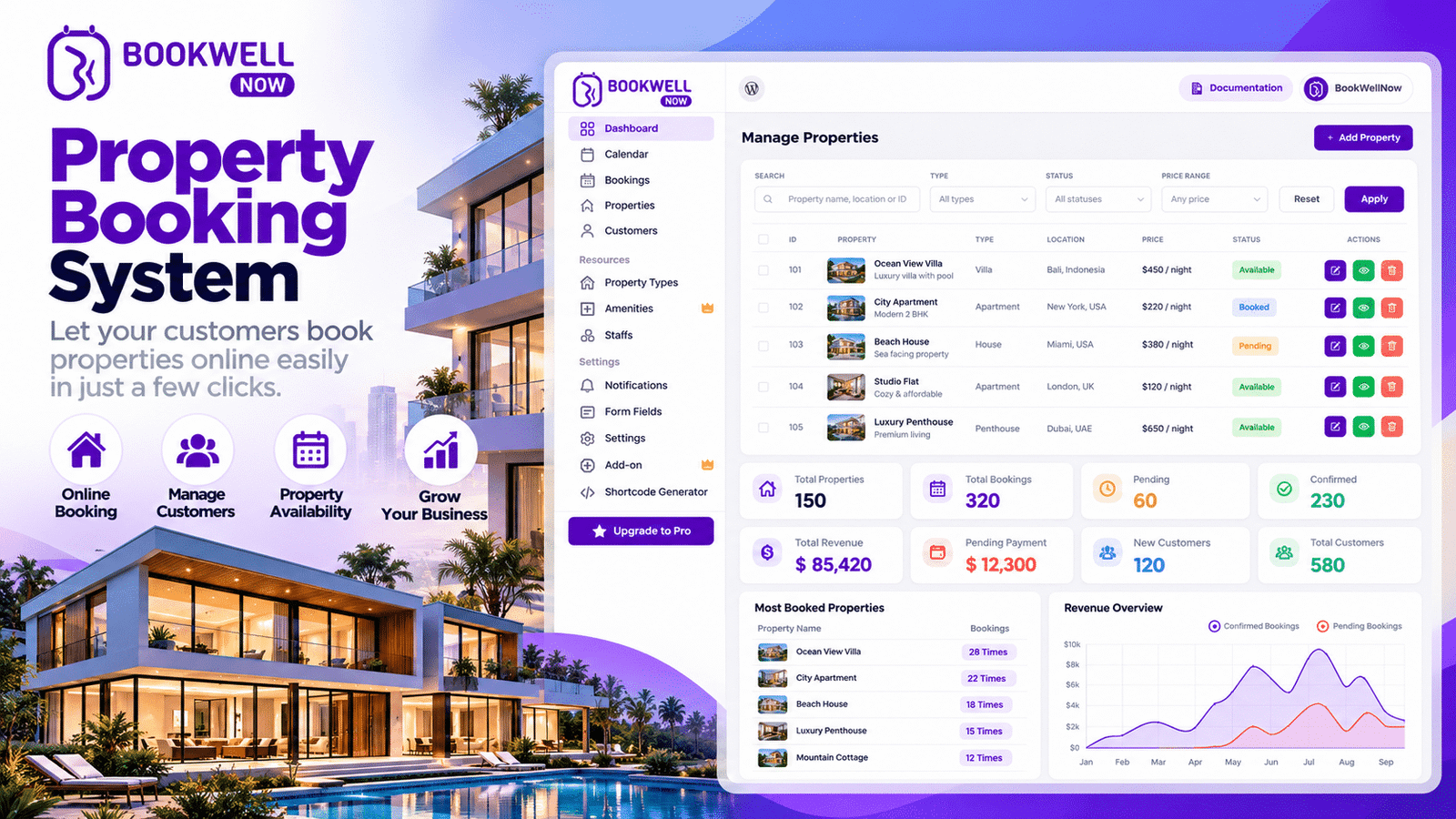
Are you a real estate agent, property consultant, or realtor who spends hours answering calls, coordinating property visits, and managing appointment schedules? Managing multiple property inquiries manually can consume valuable time and make it difficult to deliver a smooth customer experience. A property booking system can help simplify the appointment scheduling process by allowing potential buyers and renters to request property visits online. Instead of coordinating every appointment through phone calls and messages, real estate professionals can provide a convenient way for prospects to schedule consultations and property viewings.
Whether you manage residential properties, commercial spaces, rental apartments, or property investment consultations, an organized booking process can help you manage your schedule and respond to prospective clients more efficiently. With
, a WordPress appointment booking plugin, you can add appointment scheduling to your website, organize services and staff availability, and make it easier for potential clients to book a consultation or viewing appointment. If you want to improve your appointment management process and create more opportunities to convert website visitors into leads, this guide explains how an online property booking system can help.
What Is a Property Booking System?
A property booking system is an online scheduling solution that helps real estate businesses organize appointments for property viewings, consultations, rental inquiries, and other property-related services. Instead of requiring customers to call an agent to arrange every visit, a booking system allows them to select a service, view available appointment times, and submit their booking details online. For example, a prospective homebuyer visiting your website could schedule a property consultation before meeting an agent. Similarly, a renter could request an appointment to view an available apartment.
A property booking system can help real estate businesses:
- Organize property viewing appointments.
- Schedule consultations with property experts.
- Manage agent availability and working hours.
- Reduce repetitive scheduling communication.
- Collect contact information from potential clients.
- Provide a more convenient booking experience.
The exact capabilities depend on the software you choose. Some systems focus on property inventory and transaction management, while others focus on appointment scheduling. For real estate professionals who want to add appointment booking to an existing WordPress website, BookWellNow offers a practical way to manage service-based appointments without building a booking interface from scratch.
Why Is Property Visit Scheduling Important for Real Estate Businesses?
Property buyers and renters often compare multiple properties before making a decision. If scheduling a visit is difficult, they may contact another agent who offers a more convenient experience. An organized scheduling process helps remove unnecessary friction between a customer’s initial interest and their first meeting with your business.
1. Make It Easier for Customers to Book Property Visits
Customers may discover your properties outside your regular working hours. An online booking form gives them a convenient way to submit an appointment request whenever they visit your website.
You can offer bookable services such as:
- Residential property viewing.
- Commercial property consultation.
- Rental property inspection appointments.
- First-time homebuyer consultations.
- Property investment consultations.
- Real estate advisory sessions.
With BookWellNow, you can configure bookable services and staff schedules on your WordPress website. This can help you organize appointment-based services around your real estate workflow.
2. Reduce Manual Scheduling Work
Managing appointments through calls, emails, spreadsheets, and messaging applications can become difficult as inquiries increase. An online property appointment booking system helps centralize scheduling and gives customers a consistent process for requesting appointments. Depending on your setup, this can reduce repetitive communication and make it easier to coordinate appointments with your team.
3. Improve the Customer Experience
A smooth booking process gives prospective buyers and renters a clear next step after discovering a property or service. When customers can easily find an appointment option and submit their details, they have a more direct way to connect with your business. A convenient booking experience can help build trust and encourage interested prospects to take action.
4. Organize Your Real Estate Team’s Availability
Real estate agencies may have several agents handling different consultations, locations, or property types. A scheduling solution that supports individual staff profiles and working hours can help you coordinate appointments more effectively. BookWellNow supports staff management, individual schedules, breaks, and calendar-based appointment management. You can use these features to organize agent consultations and other bookable services.
5. Create More Opportunities for Lead Generation
Your website should do more than display property information. It should also encourage interested visitors to take the next step. Adding a booking option to relevant service pages gives potential clients a direct way to request an appointment. Although a booking system cannot guarantee leads or sales, a clear and convenient booking process can help reduce barriers between interest and conversion.
Essential
of an Effective Property Booking System
When choosing a property booking system, real estate professionals should focus on features that support their appointment workflow and customer experience.
Online Appointment Booking
Customers should be able to request appointments through a booking form on your website. A simple booking process can help visitors move from browsing your services to arranging a meeting with your team.
Staff and Agent Scheduling
If multiple agents handle consultations, you need a clear way to manage their working hours and availability. BookWellNow supports multiple staff profiles and individual working schedules, making it suitable for businesses that offer appointments with different team members.
Appointment Calendar
A calendar view helps your team review scheduled appointments and manage daily activities. BookWellNow provides calendar-based appointment management, allowing you to keep track of bookings from your WordPress dashboard.
Automated Email Notifications
Confirmation messages help customers understand whether their appointment has been scheduled. BookWellNow supports booking-related email notifications. Depending on your configuration, these can help keep customers and staff informed about appointments.
Mobile-Friendly Booking Experience
Many customers discover businesses and services on smartphones. A booking form should be easy to navigate on smaller screens. A mobile-friendly booking experience helps customers submit appointment details without needing to switch to a desktop computer.
Custom Booking Forms
Real estate businesses may need to collect additional information before a consultation.
Useful fields could include:
- Customer name.
- Email address and phone number.
- Preferred appointment date and time.
- Property type of interest.
- Buying, selling, or renting requirements.
- Preferred consultation type.
BookWellNow Pro supports custom booking form fields, which can help you collect relevant information before an appointment.
Important: If you need advanced property inventory management, property listing availability, automated tour routing, or CRM-based lead scoring, verify that your chosen solution supports those requirements. BookWellNow is an appointment booking plugin, not a complete property management or real estate CRM platform.
How to Set Up Property Visit Scheduling With BookWellNow
If your real estate website runs on WordPress, you can use BookWellNow to add an appointment scheduling workflow for property consultations and viewing-related services.
Here is a practical setup process.
Step 1: Install BookWellNow on Your WordPress Website
Visit the BookWellNow website to explore the plugin and available features. Install the plugin using the appropriate installation method and complete its initial configuration.
Step 2: Create Your Bookable Services
Set up services that match the appointments your real estate business offers.
For example:
- Property Viewing Appointment.
- Real Estate Consultation.
- Rental Property Consultation.
- Commercial Property Advisory.
- Property Investment Consultation.
Give each service a clear name, description, and suitable duration. These are examples of how you could configure appointment services; they are not prebuilt real estate service templates.
Step 3: Configure Agent Availability
Create staff profiles for agents or consultants who handle appointments. Set their working hours, breaks, and availability according to your business schedule. This helps customers choose from the appointment times your scheduling configuration makes available.
Step 4: Customize Your Booking Form
Collect the information you need to prepare for each consultation. For example, you could ask customers which type of property interests them or whether they want to buy, rent, or invest. Keep the form focused on essential information so that customers can complete it easily.
Step 5: Add the Booking Form to Your Website
Place your booking form on relevant pages, such as your property consultation page, contact page, or real estate services page. BookWellNow supports shortcodes for embedding booking forms into WordPress pages and posts.
Learn more in the BookWellNow shortcode documentation.
Step 6: Test the Booking Process
Before promoting your booking page, test the customer journey.
Check that:
- Services appear correctly.
- Available time slots reflect your configured schedule.
- Customers can submit their details.
- Confirmation emails work as expected.
- Appointments appear correctly in your dashboard.
- The booking form works on mobile devices.
A properly tested workflow helps reduce confusion for both customers and agents.
How a Property Booking System Can Support Real Estate Lead Generation
Lead generation is an important part of growing a real estate business. However, attracting website traffic is only one part of the process. You also need to give visitors a clear way to express their interest. An appointment booking system can support this process in several ways.
Add Booking Calls to Action to High-Intent Pages
Place a clear call to action on pages where visitors are likely to be interested in speaking with your team.
Examples include:
- Book a Property Visit.
- Schedule a Real Estate Consultation.
- Arrange a Property Viewing.
- Talk to a Property Consultant.
- Book Your Investment Consultation.
Choose a call to action that accurately describes the service you provide.
Create Dedicated Service Pages
Instead of sending every visitor to a generic contact page, create dedicated pages for important appointment types. For example, a property investment consultation page can explain your service, who it is for, and what customers can expect during the appointment. Add a relevant booking option to that page to help interested visitors take the next step.
Collect Relevant Lead Information
Use appropriate booking form fields to understand what the customer needs. For example, a property consultant may want to know whether the prospect is interested in residential or commercial property before the consultation. Collect only the information necessary for the booking and follow applicable privacy requirements.
Track Bookings and Conversions
Measure how many visitors interact with your booking form and how many complete a booking.
Useful metrics include:
- Booking form visits.
- Booking completion rate.
- Number of appointments booked.
- Qualified leads generated.
- Appointment attendance rate.
- Lead-to-client conversion rate.
You can use website analytics and your existing lead management process to assess performance. Remember that a completed appointment is not automatically a qualified lead or a closed sale. Track these outcomes separately to understand the real business impact.
Property Booking System vs. Manual Appointment Scheduling
| Manual scheduling | Online booking system |
|---|---|
| Requires more back-and-forth communication | Provides a structured booking process |
| Appointment details may be spread across different tools | Bookings can be managed through a central dashboard |
| Customers depend on agent responses to arrange visits | Customers can submit appointments through your website |
| Schedule coordination may become difficult as the team grows | Staff availability can be organized in supported scheduling tools |
| Lead details may require manual entry | Booking forms can collect relevant customer information |
The best solution depends on your team’s size, appointment volume, and existing workflow. An online scheduling tool can simplify appointment management, but it may need to work alongside your CRM and property listing software.
Why Consider BookWellNow for Your Real Estate Website?
BookWellNow is a WordPress appointment booking plugin designed to help businesses manage services, staff schedules, and customer appointments. For a real estate professional who wants to add consultation or property visit scheduling to an existing WordPress website, it offers several relevant capabilities.
Flexible appointment scheduling: Configure bookable services and staff working hours to match your consultation workflow.
Centralized calendar management: Review and manage appointments from your WordPress dashboard.
Booking form customization: Use supported custom fields to collect information from prospective clients.
Email notifications: Keep customers and team members informed about scheduled appointments.
WordPress integration: Add booking forms to website pages and posts using shortcodes.
Options for growth: Start with the core plugin and explore Pro features as your scheduling requirements develop.
Explore the BookWellNow features page to review the available capabilities.
If you are evaluating the plugin for a real estate business, first confirm that its appointment-based workflow fits your requirements. Businesses needing property inventory, listing synchronization, or dedicated real estate CRM features may require additional software or integrations.
Best Practices for Improving Property Appointment Bookings
Installing a booking plugin is only the first step. The way you present and promote your booking process also matters.
Use Clear Booking Buttons
Use specific language instead of generic buttons such as “Submit” or “Click Here.” A button that says “Book a Property Consultation” communicates the next action more clearly.
Keep Your Booking Page Simple
Avoid overwhelming visitors with unnecessary fields or complicated steps. Explain the appointment process, what the customer should prepare, and how they will receive confirmation.
Optimize Your Website for Search Engines
Create useful content around relevant search terms, including:
- Property booking system.
- Property visit scheduling.
- Real estate appointment booking.
- Property consultant appointment.
- Property viewing appointment.
Use these phrases naturally in page titles, headings, and body content. Avoid keyword stuffing or creating repetitive pages that provide little additional value.
Build Trust With Helpful Information
Explain what happens after a customer books an appointment. Where appropriate, include your business contact information, service details, agent profiles, and answers to common questions.
Review and Improve Performance
Monitor booking activity regularly. If visitors reach the booking page but do not complete the form, review the page’s clarity, usability, loading speed, and form length. Use actual performance data to decide what needs improvement rather than assuming that more website traffic will automatically result in more leads.
Frequently Asked Questions
1. What is the best property booking system for real estate agents?
The best solution depends on your business requirements. If you primarily need online appointment scheduling for consultations and property visits on a WordPress website, an appointment booking plugin such as BookWellNow is worth evaluating. If you need property listings, transaction management, or advanced CRM functions, look for a platform that supports those capabilities as well.
2. Can I use BookWellNow for property visit scheduling?
BookWellNow supports appointment-based services, staff schedules, booking forms, and calendar management. You can configure services for property consultations or viewing appointments. However, property-specific inventory and listing management should not be assumed to be included.
3. Can customers book appointments through my WordPress website?
Yes. BookWellNow lets you embed booking forms into WordPress pages and posts using shortcodes, so visitors can access your configured appointment workflow directly on your website.
4. Can a property booking system help generate real estate leads?
Yes, it can support lead generation by giving interested visitors a convenient way to schedule appointments and provide their contact information. Results depend on your website traffic, service offering, booking experience, follow-up process, and the quality of your leads.
5. What information should a property appointment form collect?
Start with the customer’s name, contact details, preferred appointment time, and reason for booking. You can add relevant questions about property type or consultation requirements when necessary.
6. Is BookWellNow suitable for small real estate agencies?
It may be suitable for agencies that need to organize consultations and appointments through WordPress. Review the available staff scheduling, booking, and form features to ensure they meet your workflow requirements.
7. Does an appointment booking plugin replace a real estate CRM?
Not necessarily. Appointment booking software primarily handles scheduling, while a real estate CRM typically manages prospects, follow-ups, property interests, sales pipelines, and client relationships. Many businesses use both types of tools together.
Conclusion: Simplify Property Visit Scheduling With BookWellNow
An efficient property booking system can help real estate professionals organize appointments, reduce manual scheduling work, and make it easier for prospective clients to connect with their team.
From property consultations to viewing-related appointments, a well-designed booking process gives customers a clear next step and helps agents manage their time more effectively.
If you already have a WordPress website and want to introduce online appointment scheduling, BookWellNow can help you build a structured booking experience for your real estate services.
Explore the BookWellNow features, review the available pricing plans, and determine whether the plugin fits your appointment scheduling requirements.
Ready to make appointment scheduling easier? Visit BookWellNow to get started.