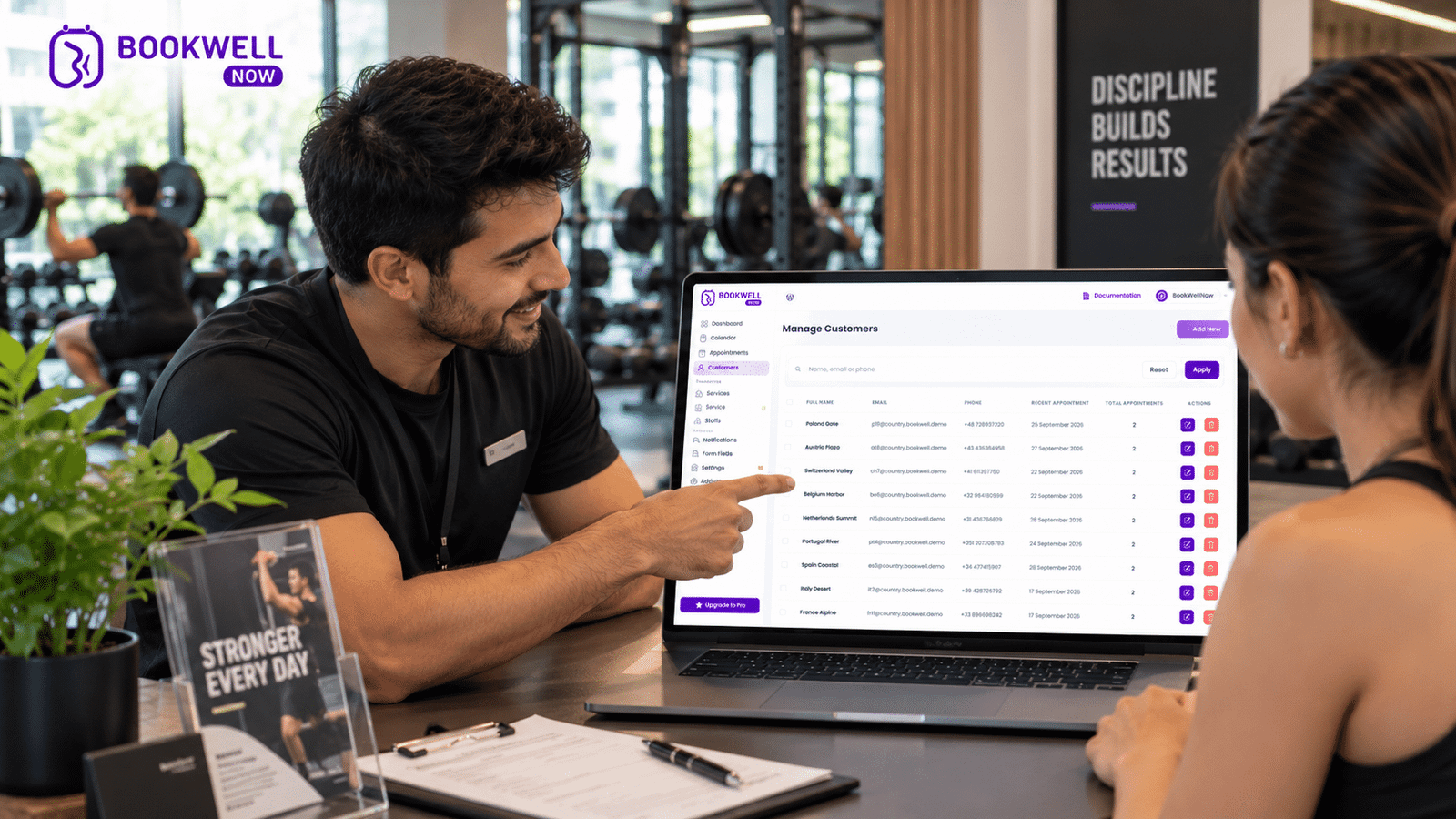
Managing a gym or personal training business involves more than helping clients achieve their fitness goals. From handling appointment requests and managing training schedules to coordinating multiple trainers and reducing missed sessions, administrative work can quickly consume valuable time. If you are a personal trainer, gym owner, or fitness coach using WordPress, an online booking system can simplify these everyday operations. Instead of relying on phone calls, WhatsApp messages, or manual spreadsheets, you can allow clients to book their training sessions directly through your website.
In this guide, we will explore how a gym booking plugin for WordPress helps fitness professionals manage appointments, improve client convenience, and create a more organized training experience. We will also explain what to look for in an appointment booking plugin and how BookWellNow can help you get started.
What Is a Gym Booking Plugin?
A gym booking plugin is a WordPress tool that allows gym owners, personal trainers, and fitness professionals to accept and manage appointments online. If you are new to WordPress, you can learn more about the platform through the official WordPress website. It replaces manual scheduling methods with a centralized booking system where clients can select a service, choose an available date and time, and submit their appointment request.website, visit the official WordPress.org resource.
Depending on the plugin, gym booking functionality may include:
- Online appointment scheduling
- Personal training session bookings
- Service and trainer management
- Custom working schedules
- Booking calendar management
- Automated email notifications
- Holiday and shift management
- Booking confirmation and receipts
For fitness businesses, this means less time coordinating schedules and more time focusing on clients.
Why Do Personal Trainers Need an Online Booking System?
Personal trainers often manage several clients throughout the day. Some clients prefer morning workouts, while others need evening or weekend sessions. Managing these appointments manually can become difficult as a fitness business grows. Here are some common challenges that an online gym booking system can help address.
1. Reduce Manual Appointment Management
Handling appointments through calls, messages, and spreadsheets creates unnecessary administrative work. An online booking plugin allows clients to submit their appointment requests through your website. Instead of responding to every availability inquiry manually, you can provide a structured booking experience.
2. Make Booking Convenient for Clients
Modern fitness clients expect convenience. Whether someone is browsing your website during a lunch break or looking for a personal trainer late at night, an online booking form gives them a convenient way to request a session. Your website becomes a booking channel that clients can access without waiting for business hours.
3. Organize Personal Training Schedules
If you manage multiple trainers or offer different training services, keeping schedules organized is essential. A WordPress appointment booking plugin can help structure your services, working hours, and booking calendar in one place.
This is especially useful for:
- Personal training sessions
- Strength and conditioning
- Weight loss coaching
- Fitness consultations
- Yoga and mobility sessions
- Group fitness consultations
4. Improve the Client Experience
A smooth booking experience creates a professional first impression. Clients can explore your services, select an appointment time, and submit their booking details through a consistent website experience. Automated email notifications can also help keep clients informed about their appointments.
5. Reduce Scheduling Confusion
Manual appointment coordination can lead to forgotten requests, overlapping schedules, and missed communication. A centralized booking calendar makes it easier to review appointments and manage your availability.
7 Essential Features to Look for in a Gym Booking Plugin
Not every appointment plugin is designed with the same functionality. Before selecting a gym booking plugin for WordPress, consider these important features.
1. Easy Appointment Booking Form
Your booking form should be simple enough for clients to complete without assistance. Look for a step-by-step booking process that allows users to select the relevant service, date, time, and required details.
2. Flexible Schedule Management
Personal trainers often work with different schedules throughout the week. A booking plugin should allow you to customize working days, available time slots, and scheduling preferences.
3. Multiple Services
A gym may offer several services with different durations and availability.
For example:
| Fitness Service | Example Duration |
|---|---|
| Personal Training | 60 minutes |
| Fitness Consultation | 30 minutes |
| Strength Training | 45 minutes |
| Mobility Session | 30 minutes |
| Fitness Assessment | 45 minutes |
A plugin that supports multiple services makes it easier to organize your offerings.
4. Staff and Trainer Management
If your gym has multiple trainers, staff scheduling becomes important. Look for functionality that helps manage staff availability and assign appointments appropriately.
5. Automated Email Notifications
Email notifications help communicate important booking information without requiring manual messages for every appointment.
Consider notifications for:
- New booking requests
- Appointment confirmations
- Booking updates
- Appointment details
6. Holiday and Shift Management
Personal trainers need time off, and gym schedules may change during holidays. A booking plugin with holiday and shift management helps you configure availability around your actual working calendar.
7. Booking Calendar and PDF Receipts
A visual calendar makes it easier to review scheduled appointments. PDF booking receipts can also provide clients with a convenient record of their booking information.
How to Set Up a Gym Booking System on WordPress
You do not necessarily need a custom-built booking website to start accepting appointments. With a WordPress appointment booking plugin, you can introduce an online scheduling system to your existing website.
Here is a practical setup process.
Step 1: Install a WordPress Booking Plugin
Choose an appointment booking plugin that supports your scheduling requirements. For fitness businesses looking for a straightforward WordPress solution, consider BookWellNow. It provides appointment booking functionality, schedule customization, booking calendar management, and email notifications.
Step 2: Configure Your Fitness Services
Create the services you want to offer.
For example:
- One-on-One Personal Training
- Fitness Consultation
- Weight Loss Coaching
- Strength Training
- Fitness Assessment
Configure the relevant service details and appointment settings.
Step 3: Set Your Working Hours
Define the days and hours when clients can request appointments.
For example:
| Day | Availability |
|---|---|
| Monday – Friday | 6:00 AM – 10:00 AM |
| Monday – Friday | 4:00 PM – 9:00 PM |
| Saturday | 8:00 AM – 1:00 PM |
| Sunday | Closed |
Adjust the schedule according to your actual gym operations.
Step 4: Configure Your Booking Calendar
Use the booking calendar to review and manage incoming appointments. If your gym has different trainers or shifts, configure the relevant availability settings to reflect your operations.
Step 5: Add the Booking Form to Your Website
Place your booking form on a dedicated page such as:
yourgymwebsite.com/book-a-session/
You can also add booking buttons to your homepage, personal trainer pages, and service pages.
Step 6: Test the Booking Experience
Before promoting your booking page, submit a test appointment.
Check that:
- The booking form works correctly.
- Available dates and times are displayed as expected.
- Appointment information is recorded.
- Email notifications are configured correctly.
- The booking calendar reflects the appointment.
Once everything is configured, your website is ready to accept appointment requests.
Why Choose BookWellNow for Your Gym Booking Website?
If your gym or personal training business runs on WordPress, BookWellNow offers a way to introduce online appointment scheduling without building a booking system from scratch. BookWellNow is a WordPress appointment booking plugin designed to help businesses manage services, schedules, and bookings.
BookWellNow Features for Fitness Businesses
Unlimited Services and Bookings
Create the services you need and manage appointments through your WordPress website.
Booking Calendar
Review scheduled appointments through a centralized calendar view.
Customizable Schedule
Configure your working schedule according to your business availability.
Email Notifications
Customize booking-related email notifications to keep communication organized.
Shift Management
Manage working shifts to reflect your operating schedule.
Holiday Management
Configure holiday leaves and adjust availability accordingly.
Step-by-Step Booking Wizard
Provide clients with a structured booking process.
Spam Protection
Help protect your booking forms from unwanted submissions.
PDF Booking Receipt
Provide booking receipts for convenient appointment records.
Start Accepting Gym Appointments Online
Stop making your clients depend entirely on phone calls or manual appointment coordination. With BookWellNow, you can add an appointment booking experience to your WordPress website and give clients a convenient way to request fitness sessions. Try BookWellNow and explore how online appointment scheduling can simplify your fitness business.
Gym Booking Plugin vs. Manual Scheduling: What’s the Difference?
| Feature | Manual Scheduling | WordPress Booking Plugin |
|---|---|---|
| Appointment requests | Calls and messages | Online booking form |
| Schedule management | Manual tracking | Booking calendar |
| Client convenience | Depends on availability of staff | Website booking access |
| Email communication | Manually sent | Configurable notifications |
| Schedule changes | Manual coordination | Updated availability settings |
| Booking records | Spreadsheets or messages | Centralized booking records |
| Website integration | Separate process | Integrated booking page |
The right approach depends on the size of your fitness business, your workflow, and the level of automation you require. For independent trainers and smaller gyms, starting with a WordPress booking plugin can be a practical way to organize appointments.
Who Should Use a Gym Booking Plugin?
A WordPress appointment booking plugin can be useful for several types of fitness businesses.
Personal Trainers
Independent trainers who want clients to request sessions directly through their websites.
Gym Owners
Gym operators who want to organize consultations, training appointments, and service schedules.
Fitness Coaches
Coaches offering one-on-one fitness guidance, assessments, or consultation sessions.
Yoga and Pilates Studios
Studios that offer appointment-based private sessions and consultations.
Strength and Conditioning Coaches
Professionals who provide scheduled training sessions to individual clients. If your fitness business relies on appointments, an online booking system can help simplify the scheduling process.
Frequently Asked Questions
1. What is the best gym booking plugin for WordPress?
The right gym booking plugin depends on your business requirements, including service management, scheduling, staff availability, booking notifications, and ease of use. BookWellNow is a WordPress appointment booking option for fitness businesses that need to manage services, schedules, and appointments through their websites.
2. Can personal trainers accept appointments directly from their WordPress website?
Yes. A WordPress appointment booking plugin can add a booking form to your website, allowing clients to submit appointment requests online.
3. Can I manage multiple fitness services using a booking plugin?
Yes, if the plugin supports multiple services. This allows you to organize offerings such as personal training, fitness consultations, and strength training sessions.
4. Can I customize my gym’s working hours?
BookWellNow includes schedule customization, shift management, and holiday management features to help businesses configure their availability.
5. Do I need a separate booking website for my gym?
Not necessarily. If your website runs on WordPress, you can integrate an appointment booking plugin into your existing website.
6. Can I use BookWellNow for personal training appointments?
BookWellNow can be used to configure appointment-based fitness services, schedules, and booking forms on a WordPress website.
7. Is BookWellNow suitable for small gyms?
BookWellNow provides booking and scheduling functionality that can help small gyms and independent fitness professionals organize appointment requests through WordPress.
8. How do I start using BookWellNow?
Visit the official BookWellNow website, explore the plugin, and install it on your WordPress website to begin configuring your booking services.
Final Thoughts
Managing a fitness business should not mean spending hours coordinating appointments. An online gym booking plugin can help personal trainers and gym owners organize their services, manage schedules, and provide a convenient way for clients to request sessions. If you already use WordPress, you can introduce appointment scheduling directly into your existing website.
Ready to simplify your gym’s appointment management?
Try BookWellNow and start building a more organized booking experience for your fitness business.