Running a Pilates studio involves more than helping clients improve their flexibility, strength, and posture. Behind every successful class is a schedule to manage, appointments to confirm, instructors to coordinate, and clients to keep informed. If you are still managing Pilates appointments through phone calls, WhatsApp messages, spreadsheets, or manual calendars, you may be spending more time organizing bookings than focusing on your clients.
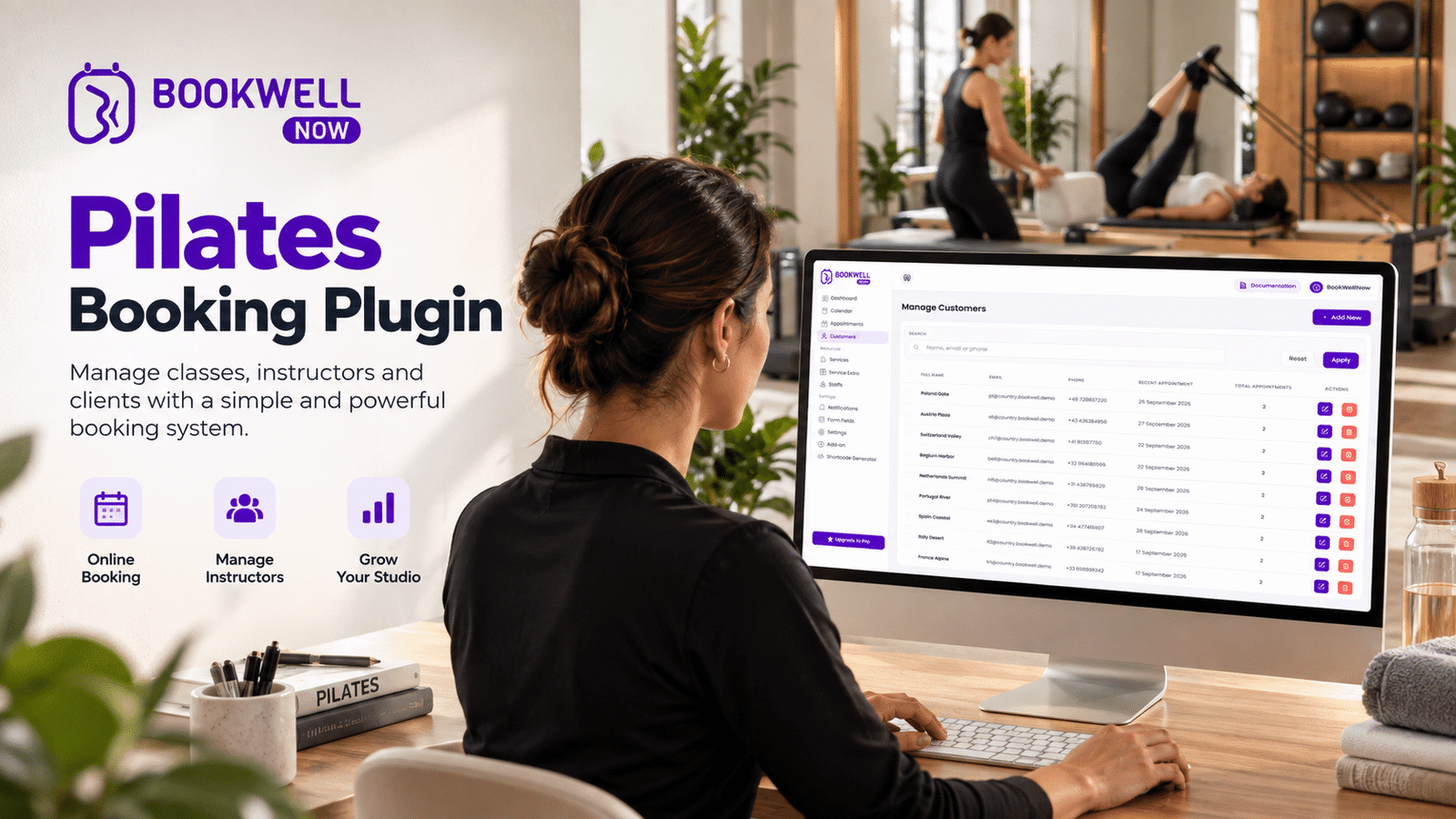
A Pilates booking system can simplify this process by allowing clients to view available sessions, select a suitable time, and book appointments online. For Pilates instructors and studio owners using WordPress, an appointment booking plugin like BookWellNow offers a way to organize services, schedules, staff availability, and bookings directly from their website. In this guide, we will explore how Pilates appointment scheduling works, which features matter for your studio, and how to create a convenient online booking experience.
Why Pilates Studios Need an Online Booking System
Pilates businesses often manage different types of sessions, including:
- Private one-on-one Pilates training
- Group Pilates classes
- Reformer Pilates sessions
- Mat Pilates classes
- Beginner Pilates programs
- Advanced training sessions
- Personal wellness appointments
Managing these services manually can become difficult as your client base grows. An online Pilates booking system helps centralize appointment management and gives clients a convenient way to schedule their sessions.
1. Reduce Manual Appointment Management
Without an online booking system, clients may need to contact you to ask about availability, confirm a session, or reschedule an appointment. An online booking calendar allows clients to check available time slots and submit their booking requests through your website.
2. Make Booking Convenient for Clients
Your clients may want to book a Pilates session outside your studio’s working hours. With online scheduling, they can access your booking page whenever they need it instead of waiting for a response.
3. Organize Instructor Availability
If your studio has multiple Pilates trainers, managing their availability can become complicated. A structured booking system helps you organize staff schedules and appointment availability in one place.
4. Create a Professional Booking Experience
A dedicated booking page makes your Pilates website more functional. Instead of asking visitors to call or message you, you can provide a clear booking process that guides them from service selection to appointment confirmation.
What Is a Pilates Booking System?
A Pilates booking system is an online scheduling solution that allows clients to reserve Pilates classes, private training sessions, or other studio services.
Depending on the software, it may include:
- Online appointment booking
- Service selection
- Appointment calendars
- Instructor scheduling
- Available time slots
- Automated email notifications
- Booking management
- Rescheduling and cancellation workflows
For WordPress websites, a Pilates booking plugin can add appointment scheduling functionality without requiring you to build a booking application from scratch.
Essential Features to Look for in Pilates Scheduling Software
Not every booking solution is designed for the same business requirements. Before selecting a Pilates scheduling system, consider the following features.
1. Online Appointment Booking
Clients should be able to select a Pilates service and choose an available appointment time through your website. A straightforward booking process can reduce the number of messages required to confirm a session.
2. Flexible Service Management
Every Pilates studio may offer different services with different durations.
For example:
| Pilates Service | Example Duration |
|---|---|
| Private Pilates Session | 60 Minutes |
| Mat Pilates | 45 Minutes |
| Reformer Pilates | 50 Minutes |
| Beginner Pilates | 60 Minutes |
| Personal Training | 45 Minutes |
Your booking plugin should make it easy to configure services according to your business model.
3. Staff and Instructor Scheduling
If you work with multiple Pilates trainers, staff scheduling becomes important. A suitable appointment booking solution should help you organize instructor availability and connect services with the appropriate staff members.
4. Custom Working Hours
Pilates studios may operate at different times throughout the week.
For example:
- Monday to Friday: 7 AM – 8 PM
- Saturday: 8 AM – 2 PM
- Sunday: Closed
A flexible scheduling system helps you configure working hours and manage days when appointments are unavailable.
5. Email Notifications
Appointment notifications help keep both clients and studio administrators informed.
Useful notifications include:
- New booking confirmation
- Appointment details
- Booking updates
- Cancellation notifications
BookWellNow supports customized email notifications, helping businesses tailor booking communication.
6. Booking Calendar
A calendar view makes it easier to review scheduled appointments and understand your upcoming workload. For studio owners, having a centralized view of bookings can simplify daily administration.
7. Mobile-Friendly Booking Experience
Many clients browse fitness websites using their smartphones. Your booking experience should be easy to navigate on mobile devices, allowing visitors to select a service and submit their appointment without unnecessary friction.
How to Set Up Pilates Appointment Scheduling on WordPress
If your Pilates studio website runs on WordPress, you can add an appointment booking workflow using a dedicated plugin. Here is a general setup process using BookWellNow.
Step 1: Install BookWellNow
Visit the WordPress plugin directory and install BookWellNow.
Plugin: https://wordpress.org/plugins/bookwellnow-appointment-booking/
Activate the plugin from your WordPress dashboard.
Step 2: Create Your Pilates Services
Add the services you offer, such as:
- Private Pilates Training
- Reformer Pilates
- Mat Pilates
- Beginner Pilates
- Group Pilates
Configure the service details, duration, and other available settings.
Step 3: Configure Your Schedule
Set your studio’s working hours and available appointment slots. You can also configure shift schedules and holiday leaves according to your operating calendar.
Step 4: Configure Staff Availability
If your studio has multiple instructors, organize the available staff and scheduling arrangements according to your setup. This helps keep appointment availability aligned with your studio’s operations.
Step 5: Customize Booking Notifications
Configure email notifications to communicate appointment information to clients and administrators. Clear notifications help clients understand their booking status and session details.
Step 6: Add the Booking Form to Your Website
Create a dedicated booking page for your Pilates studio and insert the BookWellNow booking interface using its available integration method. You can link to this page from your homepage, service pages, navigation menu, and promotional campaigns.
Step 7: Test the Booking Process
Before sharing the booking page with customers, test the complete workflow.
Check:
- Service selection
- Available dates and times
- Appointment submission
- Confirmation emails
- Booking visibility in the dashboard
- Mobile responsiveness
Once everything is working as expected, your Pilates studio can start accepting online appointment requests.
BookWellNow: A WordPress Booking Plugin for Pilates Studios
If you already have a WordPress website, you may not need a separate scheduling platform to start organizing your appointments. BookWellNow is a WordPress appointment booking plugin designed to help businesses manage appointments directly from their websites. For Pilates instructors and studio owners, it can help simplify the process of organizing services, availability, and client bookings.
Why Consider BookWellNow?
Unlimited Services & Bookings
Create multiple appointment services and manage bookings through your WordPress website.
Booking Calendar View
Review your appointments through a calendar-based interface.
Customizable Schedules
Configure your working schedule according to your business requirements.
Customized Email Notifications
Personalize appointment-related email communications.
Date & Time Selection
Allow clients to select suitable appointment dates and available times.
Shift Management
Organize working shifts according to your scheduling needs.
Holiday Leaves
Configure holidays and leave periods to manage appointment availability.
Step-by-Step Booking Wizard
Provide a guided booking process for visitors.
Spam Protection
Help protect your booking forms from unwanted submissions.
PDF Booking Receipt
Provide booking receipt functionality for appointment records. Whether you are an independent Pilates instructor or operating a growing fitness studio, BookWellNow offers a WordPress-based approach to appointment scheduling.
Manual Booking vs. Online Pilates Booking
| Booking Activity | Manual Method | Online Booking System |
|---|---|---|
| Appointment requests | Phone or messages | Website booking form |
| Availability checking | Manual response | Online time selection |
| Schedule management | Spreadsheet or calendar | Booking dashboard |
| Appointment notifications | Manually sent | Configurable email notifications |
| Service organization | Manual records | Centralized service setup |
| Booking access | Depends on business response | Available through website |
An online booking system can reduce repetitive administrative tasks and make the scheduling experience more accessible to clients.
How Online Booking Can Help Pilates Instructors Grow
A booking system is not a replacement for your marketing strategy, but it can support your customer acquisition process.
Convert Website Visitors Into Booking Requests
Someone searching for Pilates classes in your area may visit your website to learn about your services. A visible booking button gives interested visitors a direct next step.
Improve Client Convenience
Clients can explore your services and submit appointments without having to initiate a conversation first.
Support Multiple Services
As your business expands, you may introduce private sessions, group classes, workshops, or additional training programs. A structured booking system helps organize these services.
Spend More Time Teaching
Reducing repetitive scheduling communication gives instructors more time to focus on classes, client relationships, and business development.
How to Choose the Right Pilates Booking Plugin for WordPress
Before installing a booking plugin, ask yourself these questions:
- Does it support the appointment services I offer?
- Can I configure my studio’s working hours?
- Does it provide a calendar view?
- Can I customize booking notifications?
- Does it support staff and shift scheduling?
- Is the booking process easy for clients?
- Can I manage bookings from my WordPress dashboard?
- Does it fit my current website and business requirements?
If your primary requirement is managing appointments through WordPress, BookWellNow is an option worth exploring. For advanced requirements such as recurring class memberships, automated waitlists, or complex class-capacity management, verify the available functionality before choosing your software.
Frequently Asked Questions About Pilates Booking
What is the best way to manage Pilates appointments online?
A WordPress appointment booking plugin can help you organize services, working hours, available time slots, and appointment requests from one dashboard.
Can I accept Pilates bookings directly on my WordPress website?
Yes. You can install a WordPress appointment booking plugin such as BookWellNow and add its booking interface to a dedicated page on your website.
Is BookWellNow suitable for Pilates instructors?
BookWellNow can be used by Pilates instructors who need to manage appointment-based services, schedules, and online bookings through WordPress.
Can I manage private Pilates sessions using a booking plugin?
Yes, provided the plugin supports your required service durations and appointment scheduling workflow. You can create separate services for private training and other Pilates sessions.
Can I manage multiple Pilates services?
BookWellNow supports unlimited services and bookings, allowing you to organize different appointment offerings on your WordPress website.
Do I need coding skills to use a WordPress booking plugin?
Basic installation and configuration can be completed through the WordPress dashboard. More advanced customization may require technical assistance depending on your website.
How can I let clients book Pilates classes outside business hours?
An online booking page allows clients to access your scheduling interface whenever they visit your website, subject to the availability you have configured.
Can I use BookWellNow for other fitness businesses?
Yes. BookWellNow is an appointment booking plugin that can also be considered for personal trainers, yoga instructors, gyms, wellness services, and other appointment-based businesses.
Final Thoughts: Simplify Your Pilates Studio Scheduling
Managing a Pilates studio should not mean spending hours responding to appointment inquiries and organizing schedules manually. An online Pilates booking system can make appointment management more structured, improve client convenience, and help your studio provide a professional booking experience. If your website is powered by WordPress, BookWellNow gives you a way to manage appointment services, schedules, bookings, and notifications directly from your website.
Ready to simplify your Pilates appointment scheduling?
Download BookWellNow and start building a more convenient booking experience for your Pilates clients.