Add & Edit Staff
Administrators can register new team members or update profile elements in seconds. BookWellNow supports full user account mappings, allowing staff members to log in and manage their own schedules.
Step 1: Open the Add Staff Drawer
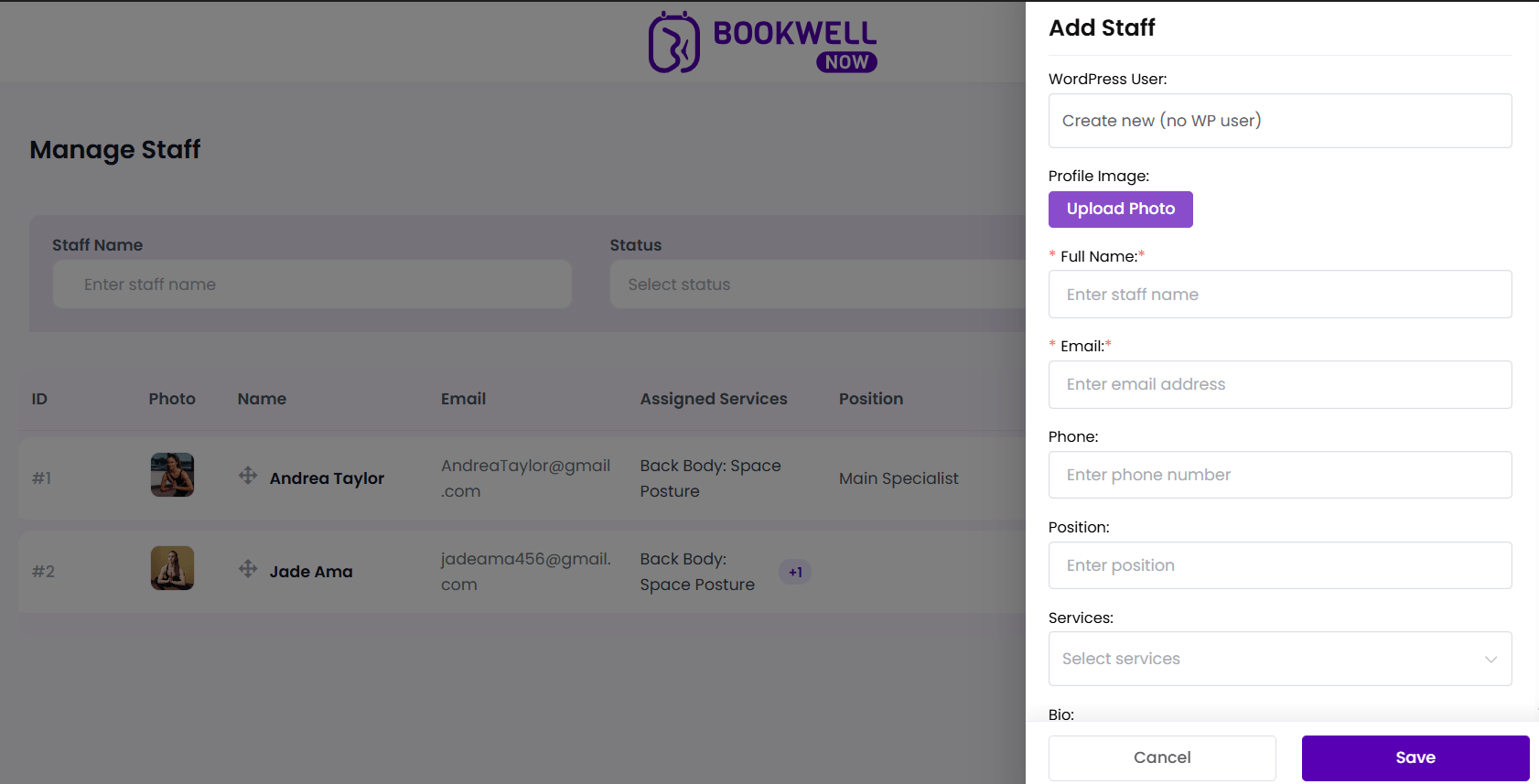
Navigate to BookWellNow → Staffs and click the purple + Add Staff button in the top-right corner. A side-drawer form will slide in from the right.
Step 2: Configure Account Association
The WordPress User dropdown selector controls staff access rights:
- Create new (no WP user): Select this if the staff member does not need direct login access to the WordPress admin panel. They are managed solely by administrators.
- Existing User Sync: Select an existing WordPress account from the dropdown. This links the profile, allowing them to manage their own booking schedules when logged in.
Step 3: Populate Staff Profile Details
Provide profile details to help build client trust on front-end checkout screens:
- Profile Image: Click the purple Upload Photo button to open the WordPress media library and select a friendly headshot.
- Full Name*: Enter the specialist’s name as it should appear in the checkout widget.
- Email*: Input their business email for appointment notifications.
- Phone: Input their contact number.
- Position: Specify their title or area of expertise (e.g. “Senior Stylist”, “Therapist”).
- Bio: Provide a brief description of their experience. This bio is shown on checkout screens to help clients choose the right specialist.
Step 4: Link Catalog Services
Select which services this staff member is authorized to perform:
- Click the Services dropdown field.
- Select services from your active catalog (e.g. “Hair Cut”).
- Staff members will only appear as booking options on the front-end when these specific services are selected by customers!
Step 5: Save the Profile
Click the purple Save button to record the profile, or click Cancel to close the side-drawer without writing changes.